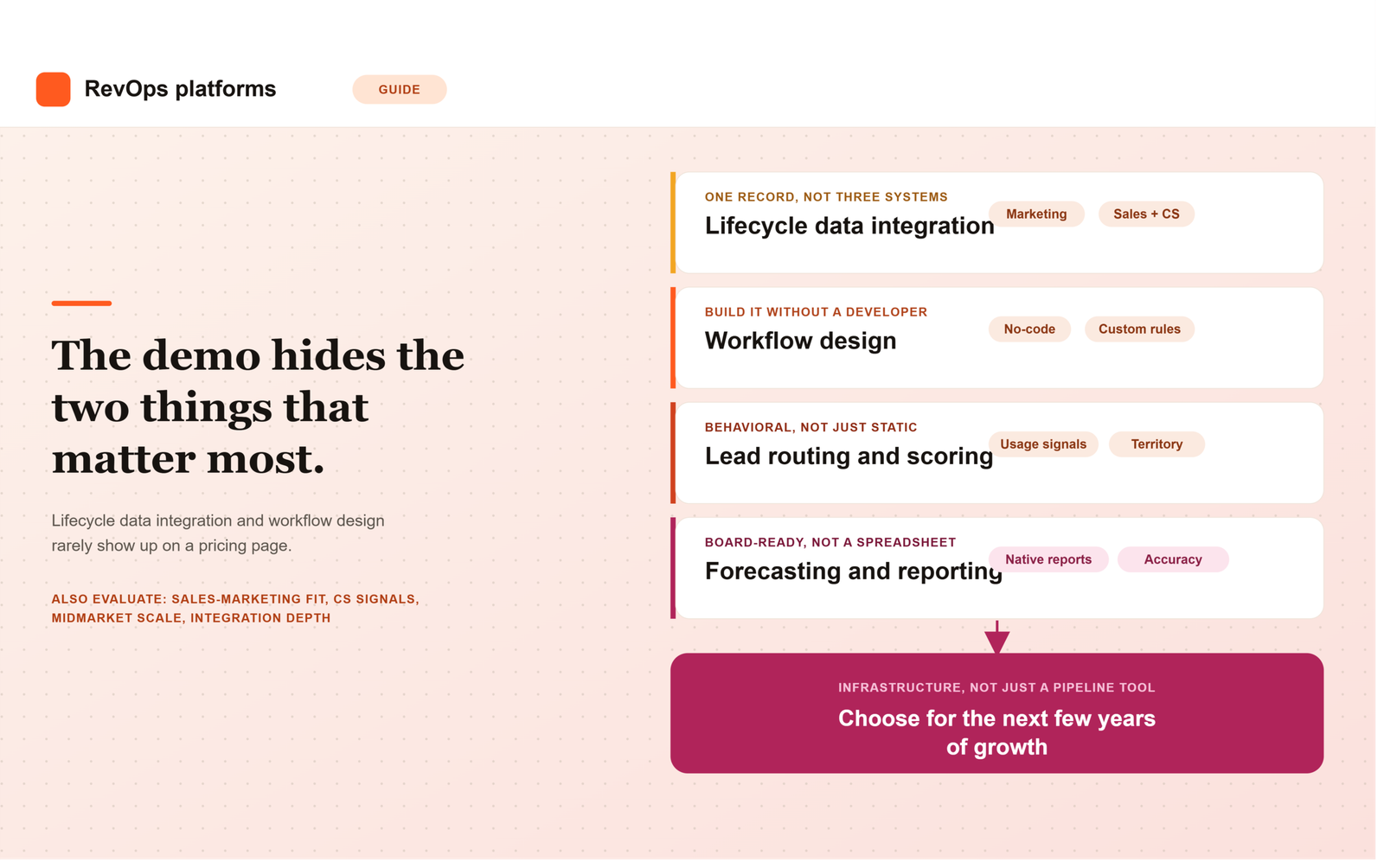
Most comparisons of B2B SaaS CRM and revenue operations platforms focus on the wrong layer. They compare pricing tiers, seat counts, and feature checklists, while the thing that actually determines whether a platform works long term rarely shows up on a pricing page: how well it unifies customer lifecycle data, and how flexibly it lets your team design the workflows that run on top of that data.
A platform can look impressive in a demo and still fail in production if marketing, sales, and customer success data live in three loosely connected systems, or if every process change requires a support ticket to the vendor. This guide breaks down the core capabilities B2B SaaS revenue operations leaders should actually evaluate, with particular attention to lifecycle data integration and workflow design, the two areas where most revenue operations software quietly falls short.
1. Unified Customer Lifecycle Data Integration
Customer lifecycle data integration is the foundation everything else depends on. A B2B SaaS customer generates data across marketing engagement, sales activity, product usage, and support interactions, and a platform that treats these as separate silos forces your team to reconcile them manually every time leadership asks a cross-functional question.
When evaluating a SaaS CRM on this dimension, ask whether marketing engagement data, sales activity, and product usage signals live natively in the same record, or whether they require a separate integration layer to connect. Ask specifically how the platform handles a lead that becomes a customer, then later shows churn risk based on product usage. If tracing that single customer’s full history requires exporting data from three systems, the integration is shallower than the vendor’s pitch suggests.
2. Flexible Workflow Design, Not Just Pre-Built Templates
Workflow design is where a genuine revenue operations platform separates itself from a CRM with automation bolted on. Most platforms ship with template workflows for common processes like lead routing or renewal reminders, which work fine until your business has a rule those templates never anticipated.
Strong RevOps workflow management means your team can build, test, and modify multi-step workflows without needing a developer or a vendor consulting engagement for every change. Ask to see the workflow builder directly during evaluation, not just a slide describing it. Have someone from your own team attempt to build a workflow that mirrors a real process you run today, and see how many steps it actually takes.
3. Native Lead Routing and Scoring
Lead routing and scoring sound like basic features, and most platforms claim to support both. The real question is whether the logic lives natively inside the platform or depends on a third-party add-on that has to be separately licensed and maintained.
Native scoring should weigh behavioral signals such as product usage and engagement, not just static firmographic fields like company size or job title. Ask vendors to walk through exactly how a lead moves from marketing to a specific sales rep, and what happens when routing rules need to change because your territory model changed. If that change requires reconfiguring a separate app rather than adjusting a setting inside the core platform, the routing capability is thinner than it initially appears.
4. Sales and Marketing Automation That Actually Shares Data
Sales and marketing automation frequently exist as two separate products stitched together through an integration, which means definitions drift apart over time. Marketing’s idea of a qualified lead and sales’ idea of a qualified opportunity can end up describing two different things, even though both teams are looking at what they assume is the same data.
A platform built for B2B SaaS revenue operations should let both teams work from shared definitions and shared reporting, not parallel dashboards that require manual reconciliation. Ask the vendor to show a single report tracing a lead from its first marketing touch through to closed revenue, built entirely inside their platform. If that report requires exporting data to a spreadsheet, the alignment gap you’re trying to solve will likely persist regardless of which platform you choose.
5. Customer Success and Retention Signals Built Into the Same System
Retention and expansion depend on customer success signals that many CRM platforms treat as an afterthought, even though recurring revenue businesses depend on them as much as new pipeline. Product usage, support ticket volume, and renewal timing all need to feed into the same system that sales and marketing already use.
When evaluating a platform, ask specifically how it surfaces an account that’s showing early churn risk, and whether that signal reaches the account owner automatically or requires a customer success manager to notice it manually inside a separate tool. A platform that treats retention data as a bolt-on report rather than a native part of the customer record will always lag behind the accounts it should be flagging.
6. Forecasting and Revenue Reporting That Holds Up in a Board Meeting
Forecasting accuracy depends directly on how clean the underlying lifecycle data is, which is why this capability sits so close to data integration on this list. A platform with weak native reporting pushes the real forecasting work onto a RevOps team that then has to rebuild the analysis manually in a spreadsheet every cycle.
Test this directly during evaluation by asking the vendor to reproduce a report your team currently builds by hand, using only their platform’s native reporting tools. If it takes several workarounds or an export to get there, that gap resurfaces every single reporting cycle after the contract is signed.
7. Scalability for Midmarket B2B SaaS Teams Specifically
Midmarket B2B SaaS teams sit in a specific gap: too complex for a bare-bones starter CRM, but without the budget or headcount for a heavy enterprise implementation. A platform aimed at this segment needs to scale with headcount and data volume without forcing a disruptive migration within a couple of years.
Ask vendors directly what breaks first as usage scales, record limits, workflow complexity caps, or reporting performance, and at what size their typical customers outgrow the tier you’re evaluating. Vendors are rarely eager to volunteer this information unprompted, since it points toward a more expensive tier sooner than their sales team would prefer.
8. Integration Depth With Your Existing Stack
Most B2B SaaS teams already run a marketing automation tool, a billing system, and a product analytics platform before they ever evaluate a new CRM. How cleanly a platform connects to that existing stack matters more than how many integrations appear on its marketplace page.
A native, well-maintained integration and a fragile third-party connector can look identical on a features list. The difference only becomes visible once something breaks during a sync, so ask specifically how the integration handles conflicting field updates and what happens when a connected system changes its API.
How to Score These Capabilities When Evaluating Vendors
Rather than treating this list as a generic checklist, build a simple scorecard with these eight capabilities as rows and your shortlisted platforms as columns. Score each cell based on a direct answer or a live demonstration, not marketing copy. Where a vendor cannot answer a specific question concretely, for example, exactly how lifecycle data connects across marketing, sales, and customer success, treat that gap itself as useful information about how the relationship will go after the contract is signed.
The Platform Is Infrastructure, Not Just a Pipeline Tool
The teams that choose well treat a B2B SaaS CRM and revenue operations platform as infrastructure for the next several years of growth, not just a tool for tracking today’s pipeline. Customer lifecycle data integration and flexible workflow design are the two capabilities most likely to be underestimated during a demo, and the two most likely to cause real pain eighteen months after signing if they were.
Frequently Asked Questions
What is customer lifecycle data integration in a RevOps platform?
It means marketing engagement, sales activity, product usage, and customer success signals all live in the same customer record rather than in separate, loosely connected systems. Strong integration lets your team trace one customer’s full history, from first touch through renewal, without exporting data from multiple tools.
Do midmarket B2B SaaS teams need a different platform than enterprise teams?
Often, yes. Midmarket teams need a system that scales for the next few years without a disruptive re-platform, but typically lack the dedicated admin headcount enterprise teams have. The right platform for this stage balances scalability with a workflow builder your existing team can maintain without a certified specialist.
What’s the difference between a SaaS CRM and a full revenue operations platform?
A SaaS CRM typically centers on tracking deals and contacts. A revenue operations platform goes further, natively connecting marketing, sales, and customer success data and supporting the workflow automation that runs across all three, rather than treating pipeline tracking as the only core function.
How important is workflow design compared to out-of-the-box features?
It matters more over time than it does during a demo. Pre-built templates cover common processes, but every company eventually has a rule those templates don’t anticipate. A platform with flexible workflow design lets your team adapt without a developer or a vendor consulting engagement for every change.
Should sales and marketing automation live in the same platform?
Ideally, yes, or at minimum share the same underlying data and definitions. When sales and marketing automation exist as separate products stitched together, lead definitions tend to drift apart, and reporting stops matching between teams even though both are supposedly looking at the same pipeline.
What should we ask vendors specifically about lifecycle data integration?
Ask them to trace one customer’s full history, from first marketing touch through a product usage signal that indicates churn risk, entirely inside their platform. If that requires exporting data to a spreadsheet or switching between separate tools, the integration is shallower than it may have appeared during the initial pitch.
Leave a Reply