Author: rishhsoni@gmail.com

  • Best CRM and RevOps Platforms for Australian SaaS

    Choosing between B2B SaaS CRM and RevOps platforms is rarely a pure feature comparison, and that’s especially true for Australian SaaS companies running complex, multi-stakeholder sales cycles into the US, EMEA, and APAC simultaneously. A platform that works well for a domestic-only company, or even a US-based one, can quietly underperform once you factor in time zone gaps, currency exposure, and the reality that most Australian SaaS teams need international revenue to hit venture-scale outcomes.

    This guide compares the CRM software worth evaluating and the revenue operations services available to run it, specifically through the lens of what changes for Australian SaaS companies rather than a generic global comparison.

    Why Platform Selection Looks Different for Australian SaaS Companies

    • Small home market, early international expansion. Most Australian SaaS companies need US or UK revenue to reach venture-scale outcomes, which means the CRM has to support multi-currency, multi-region reporting from a much earlier stage than a comparable US company would need.
    • Time zone overlap that barely exists. Sydney and Melbourne business hours overlap awkwardly with both US and EMEA hours, which puts real weight on whether a platform supports time zone-aware lead routing and SLA automation rather than assuming a single business-hours window.
    • Complex, multi-stakeholder sales cycles. Longer, more considered B2B SaaS deals involving security review, procurement, and multiple decision-makers need a CRM built for opportunity-stage complexity, not just a simple pipeline kanban board.
    • Smaller local RevOps talent pool. Australia’s RevOps talent market is thinner than the US or UK, which is a major reason Australian SaaS companies lean on RevOps consulting partners rather than building out a large in-house function early.

    None of these four factors show up in a standard vendor comparison chart, which is exactly why Australian teams that copy a US peer’s stack decision often discover the gap only after the contract is signed.

    CRM Software Comparison for Australian SaaS Teams

    Platform Best Fit Complex Sales Cycle Support Considerations for Australian Teams
    Salesforce Larger, multi-product B2B SaaS companies with enterprise sales motions Strong; built for multi-stakeholder opportunity management and custom approval flows Higher implementation cost; usually needs a certified partner familiar with ANZ-to-global expansion
    HubSpot Mid-market teams wanting CRM, marketing, and RevOps tooling in one platform Moderate to strong depending on tier; deal stages and playbooks configurable for longer cycles Costs scale with contact volume; model total cost against AUD budgets, not list price
    Zoho Cost-conscious teams wanting broad functionality without enterprise pricing Moderate; workable for complex cycles with more manual configuration Good value, but less polished for very large, multi-region enterprise GTM
    Pipedrive Lean, early-stage, sales-led teams Limited; built for simpler, faster-moving deals rather than long enterprise cycles Native RevOps and forecasting depth thins out quickly as the team and deal complexity scale
    Attio Product-led and hybrid GTM teams wanting a flexible, modern CRM Moderate; highly customizable data model suits evolving sales processes Smaller partner and implementation ecosystem in Australia compared to Salesforce or HubSpot

    The right platform among these B2B SaaS sales tools depends less on company size and more on how complex your actual sales cycle is. A company running a straightforward, single-stakeholder motion rarely needs Salesforce’s configuration depth, while a company managing security reviews, procurement, and multiple buying-committee members will hit real limits on Pipedrive fairly quickly.

    RevOps Service Options: Who Actually Runs the Platform

    Buying CRM software solves only half the problem. Someone still has to design the pipeline stages, build lead routing that accounts for the US-APAC time zone gap, and keep reporting clean as the company scales, and for most Australian SaaS companies that capacity doesn’t exist internally at the size the software is bought.

    Option Best For Tradeoff
    In-house RevOps hire Companies with enough scale to justify a dedicated full-time role Slower to build institutional expertise; a single hire can become a bottleneck
    RevOps consulting services Companies needing defined, project-based work, like a CRM re-architecture ahead of a US launch Engagement ends once the project is complete; needs internal ownership afterward
    Fractional RevOps leadership Growth-stage companies whose international motion is live but still evolving Higher ongoing cost than a single project, but avoids hiring a full-time role too early

    Many Australian SaaS companies start with project-based RevOps consulting, typically a CRM re-architecture or lead-routing overhaul timed to a US or UK expansion push, before moving to fractional support once the international motion stabilizes. Given the smaller local talent pool, fractional revenue operations services are often more cost-effective than building a large in-house function too early.

    What to Prioritize When Comparing Platforms and Partners

    1. Multi-Currency and Multi-Region Reporting

    If you’re billing in AUD, USD, and potentially GBP, confirm the CRM can roll this up cleanly for board reporting without manual spreadsheet reconciliation every cycle. Ask vendors to walk through what a single revenue dashboard looks like across three currencies, not just whether “multi-currency” appears on a feature list.

    2. Time Zone-Aware Lead Routing

    A lead generated during Sydney business hours shouldn’t sit unworked for ten-plus hours before a US-based rep sees it, and vice versa. Confirm the platform, or the RevOps partner building on top of it, can design SLA and routing rules that actually account for this gap rather than assuming a single global business-hours window.

    3. Support for Genuinely Complex Sales Cycles

    Confirm the CRM can represent multi-stakeholder deals accurately, with support for multiple contacts per opportunity, custom approval stages, and forecasting that doesn’t assume every deal moves through the pipeline at the same pace. This matters more as average deal size and buying-committee size grow.

    4. Local Implementation and Partner Support

    Platforms and RevOps consulting partners with genuine ANZ experience, not just a certification badge, generally mean faster onboarding and fewer surprises during implementation. Ask any prospective partner how many Australian SaaS clients they’ve helped expand internationally, and ask for specific examples rather than a general claim of “global experience.”

    Common Mistakes Australian SaaS Teams Make

    • Choosing a CRM based on what a US-based peer uses, without checking pricing scalability against AUD budgets
    • Underestimating implementation time when a vendor’s support team operates entirely outside Australia-friendly hours
    • Buying enterprise-grade CRM software before the sales process and data hygiene underneath it are solid enough to justify the platform’s complexity
    • Hiring a full-time RevOps person before the company’s GTM motion is complex enough to keep that role fully utilized

    Match the Platform and Partner to Your Actual Sales Complexity

    There’s no single best answer among B2B SaaS CRM and RevOps platforms for Australian companies, only the combination that fits your current sales cycle complexity, international footprint, and internal RevOps capacity. A company with a straightforward motion and a lean team is usually better served by HubSpot or Zoho paired with project-based RevOps consulting. A company running genuinely complex, multi-region enterprise deals is more likely to need Salesforce alongside either an in-house hire or fractional RevOps leadership, depending on how quickly the international motion is still evolving.

    Summary

    Australian SaaS companies face platform decisions shaped by four factors most global comparisons ignore: a small home market forcing early international expansion, time zones that barely overlap with the US or EMEA, genuinely complex multi-stakeholder sales cycles, and a smaller local RevOps talent pool. Among CRM software, Salesforce fits larger, complex enterprise motions, HubSpot suits mid-market teams wanting an all-in-one platform, Zoho offers strong value for cost-conscious teams, Pipedrive fits lean early-stage motions, and Attio suits product-led or hybrid GTM approaches.

    Buying the software is only half the decision. Revenue operations services, whether project-based consulting, fractional leadership, or an eventual in-house hire, determine whether the platform actually gets configured for AUD reporting, time zone-aware routing, and complex deal tracking. Weight multi-currency reporting, time zone-aware automation, complex sales cycle support, and genuine local implementation experience as heavily as the core feature set when comparing options.

    FAQ

    Which CRM is best for an Australian SaaS company with a complex sales cycle?

    Salesforce generally offers the deepest support for multi-stakeholder, multi-region enterprise sales cycles, though it comes with higher implementation cost. HubSpot is a strong middle ground for mid-market teams wanting CRM, marketing, and RevOps tooling in one platform without Salesforce’s full configuration overhead.

    Do we need a RevOps consultant, or can our sales team run the CRM themselves?

    It depends on sales cycle complexity and international footprint. A simple, domestic-only sales motion may not need dedicated RevOps support early on, but once you’re managing multi-currency reporting and time zone-aware lead routing across US, EMEA, and APAC, RevOps consulting services or a fractional leader typically pay for themselves in avoided forecasting errors and missed leads.

    Should we use a project-based RevOps engagement or fractional support?

    Project-based engagements suit a defined, time-boxed problem, like rebuilding lead routing ahead of a US launch. Fractional RevOps leadership fits better once your international motion is live but still evolving and needs an ongoing owner rather than a one-time fix.

    How does AUD pricing exposure affect choosing a USD-priced CRM?

    Most major CRM platforms price in USD, which means currency fluctuation directly affects your real per-seat cost in a way it doesn’t for a US-based buyer. Model total cost at your projected headcount using a realistic AUD-to-USD range rather than the exchange rate on the day you sign the contract.

    Why does time zone-aware lead routing matter so much for Australian SaaS teams?

    Sydney and Melbourne business hours overlap only briefly with US hours and awkwardly with EMEA hours, so a lead generated outside that narrow window can sit unworked for most of a business day without deliberate routing rules. This creates real handoff and SLA problems between marketing, SDRs, and closing reps that a generic, single-timezone routing setup won’t catch.

    What should we ask a RevOps consulting partner before hiring them?

    Ask specifically how many Australian SaaS clients they’ve helped expand into the US or UK, and ask for a real example rather than a general claim of global experience. Also ask what they would explicitly not recommend given your current stage, since a partner focused on right-sizing the engagement is generally more trustworthy than one scoping the largest possible project.
  • Best CRM and RevOps Partners in India for SaaS

    Most “best CRM for SaaS” comparisons stop at the platform decision, HubSpot versus Salesforce versus Zoho, and leave out a question that matters just as much for Indian B2B SaaS teams: who’s actually going to configure, run, and improve that platform once it’s live? For a lot of teams, especially HubSpot users scaling past their first few reps, the real bottleneck isn’t the CRM itself, it’s whether they have the internal capacity or the right partner to get real value out of it.

    This guide covers both halves of that decision: the CRM platforms worth considering for Indian B2B SaaS teams, and the RevOps consulting options available when internal capacity isn’t enough to run the platform well on its own.

    Why This Is a Two-Part Decision, Not Just a CRM Choice

    A CRM is infrastructure, not a finished process. Buying Salesforce doesn’t give you a working lead-routing system any more than buying a gym membership gives you a fitness routine. Someone still has to design the pipeline stages, configure the automation, and keep the data clean as the team grows, and for most Indian SaaS teams under a few hundred employees, that someone is either a single stretched-thin ops hire or nobody at all.

    That’s the gap RevOps consulting partners exist to fill. Some buyers need this from day one, particularly HubSpot users who chose the platform for its ease of setup and then discovered that ease of setup doesn’t automatically mean the workflows are actually right for their specific sales motion.

    CRM Platforms for Indian B2B SaaS Teams

    The right platform depends on GTM complexity and budget more than company size alone.

    Platform Best Fit Partner Ecosystem in India
    HubSpot Mid-market teams wanting CRM, marketing, and ops in one platform Large certified Solutions Partner network, including India-based agencies
    Salesforce Larger, complex, multi-product or enterprise sales motions Deep partner ecosystem, but implementation partners tend to be higher cost
    Zoho Cost-conscious teams wanting strong local support India-headquartered, extensive domestic partner and support network
    Freshsales / Freshworks Teams wanting India-built pricing and regional support Strong domestic support, smaller third-party partner ecosystem
    Pipedrive Lean, early-stage, sales-led teams Smaller partner network; less relevant once RevOps needs grow

    HubSpot deserves particular attention here because of its scale in the Indian market and its large certified partner network, which makes it the platform most likely to have a genuine growth-support conversation attached to it, not just a licensing decision.

    RevOps Consulting Partners: What They Actually Do Beyond the Platform

    A good RevOps partner doesn’t just configure the CRM you already bought. They design lead routing and scoring rules, build the reporting your leadership team actually trusts, fix the sales-marketing handoff gaps that show up as forecasting confusion, and set up the forecasting infrastructure that holds up in a board meeting. Some also take on fractional RevOps leadership, effectively acting as an interim ops function while an internal hire matures into the role.

    What separates a strong partner from a weak one usually isn’t platform certification, it’s whether they diagnose your actual stage and problem before recommending a scope of work, rather than defaulting to the biggest engagement they can sell.

    HubSpot Users Specifically: When You Need a Growth Partner

    HubSpot’s own partner program ranks Solutions Partners across tiers based on client volume and demonstrated outcomes, roughly from Community and Silver up through Gold, Platinum, Diamond, and Elite. A higher tier generally signals more implementation experience, but tier alone doesn’t tell you whether a partner understands your specific sales motion or your stage of growth, which matters more than the badge on their website.

    The signal that a HubSpot user actually needs a growth partner, rather than just more HubSpot training, is usually one of these: reports that leadership stops trusting because sales and marketing numbers never match, lead routing that still runs on manual Slack messages months after go-live, or a forecasting process that lives in a spreadsheet parallel to the CRM because nobody trusts what HubSpot shows. None of these get fixed by watching another product tutorial, they get fixed by someone redesigning the underlying process.

    It’s also worth distinguishing a HubSpot-certified implementation partner from an independent RevOps consultant who happens to work inside HubSpot. The former is usually strongest at platform configuration specifically. The latter tends to bring a broader lens, comp plans, forecasting methodology, org design, that isn’t tied to any one platform’s feature set.

    What to Look for in a RevOps Partner

    • Stage fit. Case studies from companies at a comparable headcount and ARR, not just general SaaS experience.
    • Willingness to recommend less. A partner who tells you what you don’t need yet is more trustworthy than one who scopes the biggest possible engagement.
    • Execution capability, not just strategy. Confirm they can actually build the workflows and automation, not just advise on them in a slide deck.
    • An exit plan. A clear path for handing ownership back to an internal hire once your RevOps function matures.

    Platform-Native Support vs. Independent RevOps Consultants

    Both options have a real place depending on what’s actually broken.

    Option Best For Limitation
    HubSpot-certified Solutions Partner Deep platform configuration, migrations, HubSpot-specific automation Recommendations often stay within what HubSpot itself can do
    Independent RevOps consultant Cross-functional process design, forecasting, comp, org structure May need to bring in a certified partner for deep platform build work
    Fractional RevOps leader Growth-stage teams needing an interim function, not just a project Higher ongoing cost than a one-time implementation project

    Common Mistakes When Choosing a CRM or RevOps Partner in India

    • Picking a platform based on what a US-based peer uses, without checking pricing scalability against INR budgets
    • Hiring a certified implementation partner to solve a problem that’s actually a process design gap, not a configuration gap
    • Assuming platform tier or partner badge is a substitute for asking about stage-specific case studies
    • Signing an open-ended consulting engagement with no defined exit plan for bringing the function in-house

    Match the Partner to Your Stage and Platform

    There’s no single “best” CRM or RevOps partner for Indian B2B SaaS teams, only the combination that fits your current stage, budget, and how much internal capacity you already have to run the platform yourself. A team with a stretched-thin ops hire and a messy HubSpot instance usually needs a certified implementation partner first. A team whose CRM is technically fine but whose forecasting and handoffs are broken usually needs an independent RevOps consultant instead.

    Summary

    Choosing CRM and RevOps support for an Indian B2B SaaS team is really two decisions layered together: which platform fits your GTM complexity and budget, and whether you need a partner to actually run it well. HubSpot, Zoho, and Freshworks tend to fit cost-conscious or mid-complexity teams with strong local support, while Salesforce fits larger, more complex enterprise motions at higher implementation cost.

    On the partner side, a HubSpot-certified Solutions Partner is strongest for deep platform configuration, while an independent RevOps consultant or fractional leader brings a broader lens across forecasting, comp, and org design that isn’t tied to one platform. The signals that you need a partner at all, mismatched reports, manual lead routing months after go-live, a forecast nobody trusts, matter more than any certification badge, and any partner worth hiring should be able to show stage-specific case studies and a clear plan for eventually handing ownership back to your own team.

    FAQ

    Do we need a RevOps consultant if we already have a certified HubSpot implementation partner?

    It depends on what’s broken. A certified implementation partner is usually strongest at platform configuration specifically. If the underlying issue is forecasting methodology, comp design, or cross-functional process rather than HubSpot setup itself, an independent RevOps consultant often brings a broader lens the implementation partner isn’t scoped to cover.

    Does HubSpot’s partner tier matter when choosing an implementation partner?

    A higher tier generally signals more implementation volume and demonstrated client outcomes, but it doesn’t guarantee the partner understands your specific sales motion or stage. Ask for case studies from companies at a comparable headcount and ARR rather than relying on the tier badge alone.

    Is Zoho or Freshworks a better fit than HubSpot for a cost-conscious Indian SaaS team?

    Both are India-built platforms with pricing and support already tuned to Indian budgets, which makes them attractive for cost-conscious teams. HubSpot tends to win out when a team specifically wants CRM, marketing, and ops in one platform with access to a large certified partner ecosystem for future growth support.

    What’s the difference between a fractional RevOps leader and a project-based consultant?

    A project-based consultant solves a defined problem within a set timeline, then the engagement ends. A fractional RevOps leader acts as an interim ops function over several months, staying involved as priorities shift, which tends to suit growth-stage teams whose needs are still changing faster than a single project can capture.

    What questions reveal whether a RevOps partner actually understands our stage?

    Ask what they would specifically not recommend given where your company is right now, and ask for an example engagement with a company at a similar headcount and ARR to yours. A partner who can only describe what they’d sell you, not what they’d hold back, is usually optimizing for a bigger engagement rather than the right one.

    Should we sign an open-ended RevOps consulting engagement or a fixed-scope project?

    Early-stage and platform-migration work tends to fit a fixed-scope project with a defined start and end date. Growth-stage teams with evolving needs often get more value from an ongoing fractional arrangement, but either way, the engagement should include a clear plan for eventually handing ownership back to an internal hire rather than running indefinitely with no exit point.

  • What to Know About RevOps CRM Data Integrations

    Most RevOps CRM evaluations focus on dashboards, workflow builders, and reporting templates, the parts of the product a vendor can show off in a thirty-minute demo. The part that actually determines whether that dashboard can be trusted, how customer lifecycle data actually gets unified across marketing, sales, and customer success in the first place, rarely gets the same scrutiny.

    That’s a mistake, because integration depth is usually the difference between a platform that reflects reality and one that just looks like it does. This guide walks through the key considerations B2B SaaS revenue operations leaders should evaluate before committing to a platform, specifically around how it handles the data flowing in from your existing stack.

    Why Integration Depth Matters More Than Feature Lists

    A CRM’s reporting is only as accurate as the data underneath it, and that data usually originates in three or four other systems, marketing automation, product analytics, billing, support, before it ever reaches the CRM. If the connection between those systems and the CRM is shallow, delayed, or fragile, every report built on top of it inherits that weakness, no matter how polished the dashboard looks.

    This is why two platforms with nearly identical feature lists can produce very different results in practice. The one with deeper, more resilient integrations will simply reflect what’s actually happening with customers more accurately, and that accuracy compounds over time as more decisions get made based on it.

    Key Considerations for RevOps CRM Data Integrations

    1. Native Integration Depth vs. Third-Party Connectors

    A native integration, built and maintained by the CRM vendor itself, tends to be more reliable than a third-party connector pulled from an app marketplace, since the vendor has direct incentive to keep it working as both systems evolve. Ask specifically whether an integration is native or third-party, and if it’s third-party, who’s responsible for fixing it when it breaks. “Supports the integration” can mean either, and the difference only becomes obvious once something goes wrong.

    2. Real-Time Sync vs. Batch Sync

    Some integrations sync data continuously, while others batch updates on a delay, hourly, nightly, or even less frequently. For a signal like a usage spike that predicts expansion, a day-old data point can mean the difference between a proactive outreach and a missed window entirely. Ask vendors for a specific latency number, in minutes or hours, rather than accepting a vague claim of real-time sync.

    3. Bi-Directional Sync and Field-Mapping Conflicts

    Many integrations only push data one direction, into the CRM, without pulling updates back out to the source system. If a rep updates a field inside the CRM, does that change flow back to the originating tool, or do the two systems quietly drift out of sync? Ask specifically how the platform resolves a conflict when the same field gets updated in two systems before the next sync runs.

    4. Cross-System Identity Resolution

    A single customer often exists as slightly different records across marketing, sales, billing, and support, different email formats, different company name spellings, sometimes different contact identifiers entirely. A strong integration layer resolves these into one unified identity rather than leaving your team to manually reconcile duplicate records. Ask vendors to demonstrate this directly on a messy, real-world example, not a clean demo dataset built to avoid the problem.

    5. System of Record Clarity

    When the same field, say, a customer’s plan tier, exists in both the billing system and the CRM, which one wins if they disagree? Without a clear answer, teams end up with silent data drift that nobody notices until a report looks obviously wrong. Confirm the platform lets you designate a system of record per data type, rather than defaulting to whichever system happened to sync most recently.

    6. Resilience to Upstream API and Schema Changes

    Every connected system, your product analytics tool, your billing platform, occasionally changes its API or data schema. A fragile integration breaks silently when that happens, and nobody notices until a dashboard shows suspiciously flat numbers weeks later. Ask how the vendor detects and alerts on integration failures, and whether that alert reaches your team automatically or requires someone to notice the anomaly manually.

    7. Data Governance and Access Control Across Integrated Systems

    Once data from multiple systems lives inside one CRM, access control becomes more complicated, not less. A rep who shouldn’t see certain financial or support data in the source system shouldn’t automatically see it once it’s unified into a customer record. Confirm the platform supports field-level or object-level permissions that respect the original system’s access rules, rather than flattening everything into one broadly visible record.

    How to Evaluate Vendors on These Criteria

    Rather than asking generic questions about “integration support,” build a scorecard using these seven considerations and score each vendor based on a live demonstration using data structures similar to your own, not a curated demo environment. Where a vendor can’t answer a specific question concretely, for example, exact sync latency or how field conflicts get resolved, treat that gap as useful information about how reliable the integration will be once real usage begins.

    Summary

    A RevOps CRM’s reporting is only as trustworthy as the integrations feeding it, which is why integration depth deserves as much evaluation scrutiny as dashboards or workflow builders. The seven considerations that matter most are native integration depth versus third-party connectors, real-time versus batch sync speed, bi-directional sync with clear field-conflict resolution, cross-system identity resolution for unifying customer records, clear system-of-record rules when data disagrees, resilience to upstream API changes, and governance that respects source-system access controls once data is unified.

    The most reliable way to evaluate any vendor against these criteria is a live demonstration using data that resembles your own, messy edge cases included, rather than a polished demo environment built to avoid revealing the gaps. A vendor that can’t answer these questions specifically is telling you the integration will need rework after the contract is signed, not before.

    FAQ

    What’s the difference between a native integration and a third-party connector?

    A native integration is built and maintained directly by the CRM vendor, while a third-party connector is typically built by an independent developer or app marketplace partner. Native integrations tend to be more reliable over time since the vendor has direct incentive to keep them working as both connected systems evolve.

    How important is real-time sync versus batch sync?

    It depends on how time-sensitive the signal is. A usage spike that predicts expansion revenue loses much of its value if it takes a day to reach the CRM, while less urgent data, like historical support ticket counts, can often tolerate a batch delay without meaningfully affecting decisions.

    What happens when the same field gets updated in two connected systems?

    This depends entirely on how the platform handles bi-directional sync conflicts, which varies significantly between vendors. Some platforms let you designate a system of record per field so conflicts resolve predictably, while others simply apply whichever update synced most recently, which can silently overwrite the correct value.

    Why does cross-system identity resolution matter for RevOps?

    Without it, the same customer can appear as multiple disconnected records across marketing, sales, billing, and support, which fragments account health scoring and makes reporting unreliable. Strong identity resolution unifies these into one account view instead of leaving your team to manually reconcile duplicates.

    How do we know if an integration will break silently?

    Ask the vendor directly how integration failures are detected and whether alerts reach your team automatically, or whether someone has to notice an anomaly in the data manually. A platform without proactive failure alerting can leave broken data flowing unnoticed for weeks.

    Should access permissions change once data is unified into one CRM record?

    No, ideally the original system’s access rules should carry over. If a rep couldn’t see certain billing or support data in the source system, unifying that data into a CRM record shouldn’t suddenly make it visible to them. Confirm the platform supports field-level or object-level permissions rather than flattening everything into one broadly accessible record.

  • What Is a Sales Qualified Opportunity? (SQO Guide)

    What Is a Sales Qualified Opportunity? Beginner’s Guide to Qualifying Deals

    Ever looked at your pipeline and wondered why half the “opportunities” in it never had a real shot at closing? You’re not alone. Most B2B teams inflate their pipeline with deals that were never actually qualified, and it wrecks forecasting, wastes rep time, and makes leadership lose trust in the numbers.

    That’s exactly the problem a sales qualified opportunity, or SQO, is meant to solve.

    A sales qualified opportunity (SQO) is a prospect your sales team has personally vetted and confirmed as a real, active deal, not just an interested lead. It has a validated need, budget, decision-making authority, and a clear next step like a demo or proposal already on the calendar.

    What Does SQO Stand For?

    SQO stands for sales qualified opportunity. It’s the stage where a lead officially graduates from “someone who’s interested” to “a deal we’re actively working and forecasting revenue against.”

    A few different glossaries define it slightly differently, but the core idea is consistent. One definition frames it this way: an SQO is a prospect that has been verified as a strong potential customer based on business need, budget, decision-making authority, and purchase timeline. Another puts it more bluntly: it’s a lead that has graduated from “interested” to “actively buying.”

    Here’s the part that matters most for founders new to this: an SQO isn’t just a CRM label you slap on a deal. When an account executive (AE, the rep who owns a deal from qualification through close) marks something as an SQO, they’re making a promise to leadership that this deal belongs in the revenue forecast.

    If you’re still fuzzy on how a pipeline (the visual sequence of deal stages a prospect moves through) differs from a marketing funnel, our post on sales pipeline vs. sales funnel breaks that down before you go further here.

    How Is an SQO Different from an SQL?

    This is where most teams get sloppy, and honestly, it’s the single biggest source of pipeline confusion I see in early-stage revenue teams.

    A sales qualified lead (SQL) is a lead that has been assessed by the sales team and deemed worth engaging, often after showing interest or matching some basic fit criteria. It still requires additional qualification to figure out if there’s real intent, budget, and authority behind it.

    An SQO takes things further. It’s an SQL that has been formally identified as a viable business opportunity, meaning the prospect has a defined need your solution addresses, the budget and authority to make a purchase decision, and the deal has moved into an official sales cycle with a clear next step like a demo, trial, or proposal.

    Put simply: an SQL shows interest. An SQO shows readiness. One is a person who raised their hand. The other is a deal your AE has staked their forecast credibility on.

    A lot of teams also use an in-between stage called SAL (sales accepted lead), which just means an SDR or AE agreed to work the lead, not that it’s been qualified yet. If your org uses SQL, SAL, and SQO interchangeably, that’s usually a sign your pipeline data needs a cleanup, not that your sales team is underperforming.

    What Criteria Make a Deal “Sales Qualified”?

    Most teams don’t invent their own qualification criteria from scratch. They lean on established frameworks, and the most common starting point is BANT.

    BANT stands for Budget, Authority, Need, and Timeline, and it’s a sales qualification framework used to determine whether a lead is a strong fit and likely to move forward in the buying process. Each letter answers a specific question:

    • Budget: Can the buyer realistically fund this solution?
    • Authority: Are you talking to someone who can actually make or influence the decision?
    • Need: Is there a real, confirmed business problem your product solves?
    • Timeline: How soon does the buyer plan to act?

    BANT works well for simpler, transactional deals. For bigger, multi-stakeholder enterprise sales, a lot of teams add or switch to MEDDIC, a framework that stands for Metrics, Economic Buyer, Decision Criteria, Decision Process, Identify Pain, and Champion, each representing an essential part of the qualification process.

    Honestly, most companies don’t need MEDDIC’s full depth on day one. If you’re a small or early-stage team, start with BANT. It’s simpler, faster to teach new reps, and covers 80% of what you actually need to know before calling a deal an SQO.

    Why Does the SQO Stage Matter for Revenue Teams?

    Here’s the problem with skipping this stage: your pipeline becomes a wish list instead of a forecast.

    When companies define and track SQOs consistently, they tend to see improved sales efficiency, higher close rates, and better revenue predictability. That’s not a small thing. Without a defined qualification gate, sales leaders end up forecasting off of gut feel and hope, and finance teams end up asking uncomfortable questions at quarter-end about why so few “opportunities” turned into actual revenue.

    SQOs also give you a genuinely useful metric: your SQL-to-SQO conversion rate. You calculate it by dividing total converted SQOs by total SQLs over a given period, and a healthy B2B benchmark for that rate typically sits between 30% and 50%. If your number is way below that, it usually points to a mismatch between your ideal customer profile and who’s actually filling your top of funnel, not a sales execution problem.

    This is also exactly why the SQO stage matters for forecasting. If you want a deeper look at how these qualified deals actually turn into a revenue forecast, our guide on sales forecasting basics walks through the full process step by step.

    How to Qualify a Deal: A 5-Step Checklist

    If you’re building this process for the first time, keep it simple. Here’s a practical sequence you can adapt:

    1. Confirm a real, two-way conversation happened. A form fill or a voicemail doesn’t count. This needs to be an actual discovery call.
    2. Get the prospect to name their own pain point. If your rep is the one guessing at the problem, the deal isn’t qualified yet.
    3. Verify budget and authority. Ask directly: is there budget allocated, and who signs off on a purchase like this?
    4. Confirm a timeline. When does the buyer actually plan to act, not “someday.”
    5. Lock in a defined next step. A demo, proposal, or trial with a decision-maker invited, already on the calendar.

    Pro tip: Write your qualification criteria down as a short checklist inside your CRM’s opportunity stage, not just in a sales playbook doc. If a rep can’t check every box, the deal doesn’t move to SQO. No exceptions, no “I’ll just mark it anyway to hit my activity number.”

    At Revlyn, this is one of the first things we clean up when we start working with a founder-led sales team: a pipeline full of deals nobody actually qualified, just labeled as opportunities because a call got booked. Fixing the definition alone usually does more for forecast accuracy than any new tool.

    Summary

    A sales qualified opportunity is a deal your sales team has personally vetted, with a validated need, confirmed budget and authority, and a clear next step already scheduled, not just a lead that showed some interest. An SQL shows interest; an SQO shows readiness, and the difference matters because marking something an SQO is effectively an AE staking their forecast credibility on it.

    Most teams qualify deals using BANT (Budget, Authority, Need, Timeline) as a starting point, moving to MEDDIC for more complex enterprise sales once BANT stops being enough. Tracking SQOs consistently gives you a real forecast instead of a wish list, plus a useful SQL-to-SQO conversion benchmark of 30 to 50%. The five-step qualification checklist, confirming a real conversation, the prospect’s own stated pain point, verified budget and authority, a confirmed timeline, and a locked-in next step, is usually enough to keep unqualified deals out of the pipeline in the first place.

    FAQ

    Is an SQO the same as a closed deal?

    No. An SQO just means the deal has been vetted and accepted into active pipeline with a real next step. It still has to go through the rest of the sales cycle, negotiation, proposal, and close, before it becomes revenue.

    Who decides when a lead becomes an SQO?

    Usually the account executive, since it’s their forecast credibility on the line. Some teams also require sales manager sign-off for larger deals.

    What’s the difference between SQO and a generic “opportunity” in my CRM?

    A generic opportunity might just mean someone booked a meeting. An SQO specifically means the deal passed formal qualification criteria like BANT or MEDDIC, not just that a conversation took place.

    Do small B2B teams really need this level of process?

    Yes, arguably even more than large enterprises. Small teams have less pipeline volume to absorb bad data, so one unqualified deal skewing your forecast is a much bigger percentage hit.

    Can marketing generate SQOs directly?

    Not typically. Marketing generates MQLs (marketing qualified leads) and sometimes SQLs, but the formal SQO qualification almost always requires a sales conversation and AE judgment call.

  • What Revenue Leaders Should Look for in a PLG CRM

    When a revenue leader evaluates a PLG CRM, the demo almost always looks impressive, usage dashboards, health scores, activation funnels. The harder question is which of those capabilities will actually hold up once your team is relying on the system daily to prioritize accounts and forecast expansion revenue. This is a practical buying checklist for revenue leaders, CROs, VPs of Revenue, Heads of RevOps, evaluating a PLG CRM, focused on what actually matters after the demo is over.

    Most vendor demos are built to be impressive in an hour. They rarely reveal how the tool behaves once it’s loaded with your actual, messy usage data and your team is checking it every day under real pressure to hit a number. This checklist is meant to help you evaluate against that longer bar instead of the polish of the pitch.

    Start With Your Activation Definition, Not the Vendor’s

    Every PLG CRM vendor will show you their default activation and health-scoring model. Before evaluating any tool, revenue leaders should already have a clear, internally agreed definition of what activation and expansion-readiness actually look like for their specific product. A tool that can’t be configured to your definition and instead forces you into its generic model will produce scores nobody trusts.

    This step is easy to skip because it feels like homework that slows down the buying process. In practice, skipping it just moves the problem later: you end up buying a tool, discovering its default scoring doesn’t match how your product actually predicts expansion, and then spending months trying to reconfigure a system nobody agreed on the definitions for in the first place.

    What to Actually Evaluate

    Once your own activation definition is settled, these five capabilities determine whether a vendor can actually deliver on it.

    1. Configurability of Health and Activation Scoring

    Can you define your own activation milestones and weight them according to what your data actually shows predicts expansion or churn, or are you stuck with a fixed, generic scoring model? A vendor that can’t answer this concretely, and instead points to a slide of default health tiers, is telling you the scoring will need to be replaced with something custom later anyway.

    2. Account-Level Rollup Across Multiple Users

    PLG accounts frequently have many individual users at different stages. Confirm the tool aggregates this into a single, trustworthy account view rather than leaving reps to manually piece together user-level data. Ask to see this rollup on a real account with a mix of active and dormant users, not a curated demo account built to look clean.

    3. Signal-to-Action Speed

    A usage signal that takes days to reach a rep’s queue is far less useful than one that triggers an alert or workflow in near real time. Ask vendors directly how fast a usage event actually becomes an actionable alert, and push past a vague answer like “fast” to get an actual number in minutes or hours.

    4. Sales-Assist Handoff Quality

    As accounts qualify for human-assisted expansion or enterprise upsell, does the tool preserve full lifecycle context for the rep taking over, or does the handoff lose critical history? A rep should inherit an account’s activation timeline and usage trends automatically, not start the relationship by asking the customer to re-explain how they’ve been using the product.

    5. Forecasting Built for Expansion Revenue, Not Just New Business

    Many CRMs still forecast primarily around new-logo pipeline. For PLG companies, expansion and net revenue retention are often the bigger revenue lever, so confirm the tool’s forecasting model actually accounts for this rather than treating expansion as an afterthought bolted onto a traditional pipeline report.

    Red Flags to Watch For

    These signals tend to surface during the evaluation itself, if you know to look for them, rather than waiting until after the contract is signed.

    • A fixed, non-configurable health scoring model presented as one-size-fits-all
    • Usage data that syncs into the CRM on a delay of a day or more
    • No clear way to see a rolled-up account view across multiple individual users
    • Weak or bolted-on forecasting for expansion revenue specifically
    • Reference customers who can’t show real, specific before-and-after metrics

    Any single item here is worth a direct follow-up question rather than an automatic disqualification. Two or more together, especially a rigid scoring model paired with reference customers who can’t cite specific results, usually points to a tool that will underperform its demo once real data and real pressure are applied to it.

    Evaluation Checklist

    Use this table as a working scorecard across vendors, scoring each cell based on a direct, specific answer rather than marketing language.

    Criteria Question to Ask
    Configurability Can we define our own activation milestones and scoring weights?
    Data latency How quickly does a usage event become a visible signal in the CRM?
    Account rollup Does the tool show a unified account view across all users?
    Handoff quality What context transfers when an account moves to sales-assist?
    Expansion forecasting Does forecasting explicitly model expansion and renewal, not just new logos?

    Involve the Team That Will Actually Use It

    Revenue leaders sometimes evaluate PLG CRM tools in isolation from the reps and CS managers who’ll use them daily. Before finalizing a decision, have frontline sales and customer success staff run the tool against real accounts, not a sanitized demo environment, their feedback on how trustworthy the health scores feel in practice is often more predictive of long-term adoption than anything in a sales pitch.

    This step also surfaces problems a leadership-level demo tends to miss entirely. A rep working ten accounts a week will notice within a single session whether a health score consistently matches what they already know about an account, or whether it feels disconnected from reality often enough that they’ll quietly stop trusting it.

    The Real Test Is Six Months In, Not the Demo

    The PLG CRM tools that deliver lasting value are the ones revenue leaders can still trust after six months of real usage, when scores are configured to actual data, signals are fast enough to act on, and the forecasting model reflects how the business actually makes money. Evaluate against that bar, not the polish of the initial demo.

    A useful practice is to write down, before the contract is signed, what you’d expect to see six months in if the tool is working: reps trusting the health scores without double-checking them manually, expansion opportunities getting flagged before the customer asks, and a forecast that holds up against what actually closes. Revisit that list at the six-month mark rather than assuming the initial rollout excitement is the same thing as long-term success.

    Summary

    A PLG CRM demo is designed to impress in an hour, which is exactly why it’s the wrong bar to evaluate against. Revenue leaders should start with their own definition of activation and expansion-readiness, then test any vendor against five specific capabilities: configurable scoring, account-level rollup across multiple users, fast signal-to-action speed, a clean sales-assist handoff, and forecasting that actually models expansion revenue, not just new logos.

    Watch for red flags like rigid scoring models, laggy usage data, and reference customers who can’t cite specific results, and involve the reps and CS managers who’ll use the tool daily before finalizing a decision. The real measure of a good PLG CRM is whether your team still trusts it six months in, not how polished it looked in the first demo.

    Frequently Asked Questions

    What’s the biggest mistake revenue leaders make when evaluating a PLG CRM?

    Evaluating the tool against the vendor’s default activation and scoring model instead of an internally agreed definition of what activation and expansion-readiness actually mean for their own product. Without that definition set first, any scoring the tool produces will be difficult for the team to trust.

    How configurable should activation scoring be before we commit to a vendor?

    It should be fully configurable to your own activation milestones and weighted according to what your own data shows predicts expansion or churn. A fixed, generic scoring model that can’t be adjusted is a strong signal the tool will need to be reworked or replaced once real usage begins.

    Why does data latency matter so much for PLG CRM signals?

    A usage signal that takes a day or more to reach a rep is much less actionable than one that surfaces in near real time, since the moment a customer shows expansion or churn risk is often the best moment to act on it. Ask vendors for a specific latency number in minutes or hours rather than accepting a general claim of being “fast.”

    Should reps and CS managers be involved in the buying decision?

    Yes. Frontline reps and CS managers working real accounts every day are often better positioned than leadership to notice whether a health score matches reality or feels disconnected from what they already know about an account. Their feedback tends to predict long-term adoption more reliably than anything shown in a sales pitch.

    How does expansion-revenue forecasting differ from typical CRM forecasting?

    Typical CRM forecasting is built primarily around new-logo pipeline moving through deal stages. Expansion-revenue forecasting, which matters more for PLG companies where net revenue retention is often the bigger lever, needs to model renewal and expansion likelihood based on usage signals, not just new opportunities moving through a traditional pipeline.

  • The Complete Guide to PLG CRM Software in 2026

    The Complete Guide to PLG CRM Software in 2026

    PLG CRM Software

    Product-led growth changed how SaaS companies acquire customers, but for years, the CRM software supporting those companies didn’t change with it. PLG CRM software is the category that’s emerged to close that gap: systems built around usage-driven signals and self-serve customer journeys, rather than the traditional linear sales pipeline. This guide covers what PLG CRM software actually is, why it matters, and how the category has developed heading into 2026.

    What Is PLG CRM Software?

    PLG CRM software is a category of tools, sometimes a purpose-built platform, sometimes a configuration of a traditional CRM plus supporting tools, designed to track and act on customer behavior across the entire self-serve lifecycle: signup, activation, expansion, and renewal, largely driven by in-product usage rather than sales activity.

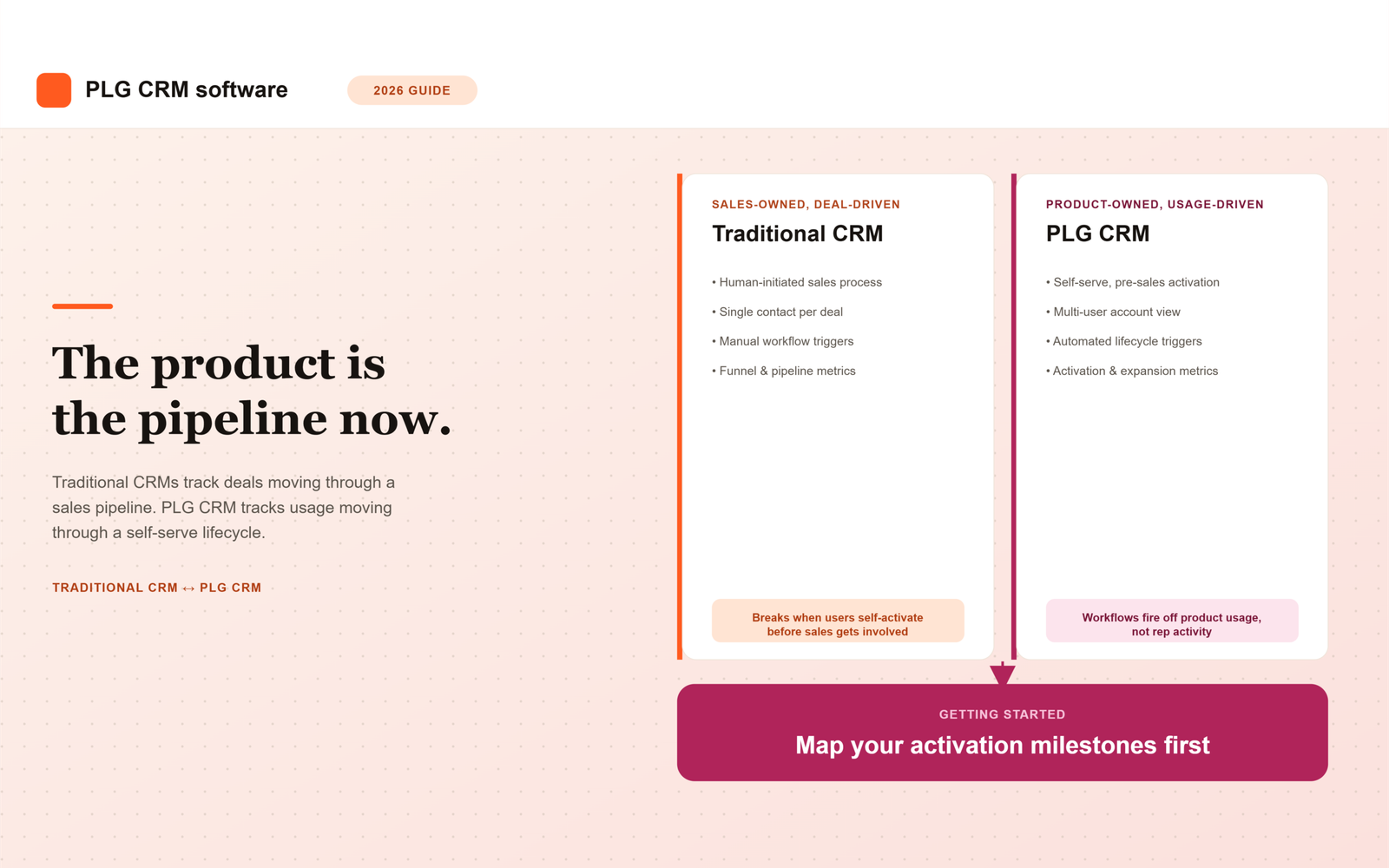
    Unlike a traditional CRM, which is built around deals moving through a sales-owned pipeline, PLG CRM software treats the product itself as the primary source of lifecycle data, with sales and customer success acting on signals the product generates rather than driving the process from the start. A user signing up, exploring a feature, inviting a colleague, or hitting a usage limit all become data points the system can act on automatically, long before a rep ever gets involved.

    This distinction matters because the underlying assumption behind most CRMs, that a human initiates and drives the sale, simply doesn’t hold for a self-serve product. The account already exists, is already being used, and may already be showing signs of expanding or churning before anyone at the company has spoken to a single user.

    Why Traditional CRMs Fall Short for PLG Companies

    Most traditional CRMs were designed decades before product-led growth became a standard motion, and the gaps that creates tend to show up in the same four places.

    • They assume a human-initiated sales process, when in PLG the user often self-activates before any sales contact happens
    • They’re built around single primary contacts per deal, not the multi-user, multi-role accounts typical of PLG products
    • They lack native support for triggering workflows off product usage events rather than manually logged sales activity
    • Reporting defaults to funnel and pipeline metrics rather than activation and expansion metrics that actually matter for PLG growth

    None of these gaps are fatal on their own, but they compound. A team can work around any single one with a manual process or a spreadsheet. Once a company has enough self-serve accounts to matter, though, those manual workarounds turn into the full-time job of someone stitching data together that the CRM should have surfaced natively.

    Core Capabilities of PLG CRM Software

    1. Usage-Based Account Health Scoring

    Rather than scoring leads on firmographic data alone, PLG CRM systems weigh product usage patterns, feature adoption, login frequency, seat expansion, to determine account health and expansion readiness. A company with 500 employees that logs in once a month is a worse expansion candidate than a 50-person company where three teams use the product daily, and a good PLG CRM should reflect that in the score rather than defaulting to company size.

    2. Multi-User Account Views

    Because PLG accounts often have many individual users at different points in the activation journey, the software needs to represent the account as a whole, not just individual contact records. One user might be a power user driving expansion, while three others haven’t logged in since their invite. A single contact record can’t capture that spread, but an account-level view built for multi-user products can.

    3. Automated Lifecycle Triggers

    Workflows fire based on product behavior, a user hitting an activation milestone, usage dropping below a churn-risk threshold, a team adding new seats, rather than requiring manual updates from a rep. This is where PLG CRM software earns its keep operationally: a sales or customer success rep doesn’t need to remember to check in on an account, the system surfaces the account the moment its behavior changes.

    4. Self-Serve to Sales-Assist Handoff

    As PLG motions mature, most add a sales-assist layer for larger accounts or enterprise upsell. Good PLG CRM software supports a clean handoff at the right moment, without losing the lifecycle context built up during the self-serve journey. A rep picking up an account should see its full usage history and activation milestones, not just a name and an email address with no context for why the account is suddenly worth a phone call.

    How the Category Has Evolved Heading Into 2026

    Early PLG companies stitched together product analytics tools, Amplitude or Mixpanel, a CDP like Segment, and a traditional CRM to approximate this functionality. That stitched approach worked, but it required significant engineering investment to keep the pipes between systems running and in sync.

    By 2026, purpose-built PLG CRM and growth platforms, such as Endgame, Correlated, and Pocus, have matured enough that many companies are replacing parts of that stitched-together stack with more integrated, purpose-built tooling. At the same time, traditional CRM vendors have added usage-data ingestion and lifecycle automation of their own to compete, narrowing the gap between the two categories in some cases while widening it in others, depending on how deeply each vendor actually built the capability versus bolted it on.

    Build vs. Buy: How to Decide

    The right approach depends less on company size and more on how much engineering capacity is available to maintain the system once it’s built.

    Approach Best For Trade-off
    Stitched stack (CRM + analytics + CDP) Teams with strong data/engineering resources wanting full customization Higher maintenance burden, more integration risk
    Purpose-built PLG CRM platform Teams wanting faster time-to-value without heavy engineering investment Less customization than a fully bespoke stack
    Traditional CRM with PLG add-ons Teams already standardized on a major CRM wanting incremental PLG capability May not fully solve multi-user, usage-native lifecycle needs

    Teams that already have a data engineering function tend to lean toward the stitched stack, since they can build exactly what they need and already have the capacity to maintain it. Teams without that capacity are usually better served by a purpose-built platform, even with less customization, simply because the alternative is a fragile stack nobody has time to keep working.

    Getting Started: A Practical First Step

    Rather than starting with a platform search, start by mapping your actual activation milestones, the specific in-product events that reliably predict a user or account will convert, expand, or churn. This step matters more than it sounds like it should, because most teams skip it and go straight to evaluating vendors on feature lists.

    Any PLG CRM software you evaluate should be judged first on how easily it can track and act on those specific milestones, not on its feature list in the abstract. A platform with an impressive list of integrations is useless if it can’t surface the one signal, say, a team inviting five new users in a week, that your data already shows predicts expansion.

    Summary

    PLG CRM software exists because traditional CRMs were built around a human-initiated sales process that doesn’t match how self-serve products actually get adopted, used, and expanded. The core capabilities that matter are usage-based account health scoring, multi-user account views, automated lifecycle triggers, and a clean handoff to sales-assist once an account is ready for it.

    Heading into 2026, companies are choosing between a stitched analytics-plus-CRM stack, a purpose-built PLG platform, or a traditional CRM with PLG add-ons, with the right choice depending mostly on available engineering capacity rather than company size alone. Whichever direction a team takes, the starting point should be the same: map your specific activation milestones first, then evaluate any platform against how well it tracks and acts on those exact signals, not against a generic feature list.

    Frequently Asked Questions

    What’s the main difference between PLG CRM software and a traditional CRM?

    A traditional CRM is built around deals moving through a sales-owned pipeline, driven by rep activity. PLG CRM software treats the product itself as the primary source of lifecycle data, tracking usage-driven signals like activation, feature adoption, and seat expansion, with sales and customer success acting on those signals rather than initiating the process.

    Do we need to replace our existing CRM to support PLG?

    Not necessarily. Some companies add PLG capability to their existing CRM through add-ons or integrations, particularly if they’re already standardized on a major platform. This tends to work best for incremental needs, but it may not fully solve the multi-user, usage-native lifecycle gaps that a purpose-built PLG CRM or a custom stitched stack can address more directly.

    What are activation milestones and why should we map them first?

    Activation milestones are the specific in-product events that reliably predict whether a user or account will convert, expand, or churn, such as inviting a teammate or completing a key setup step. Mapping these first matters because any CRM platform is only as useful as its ability to track and act on the exact signals that predict outcomes for your product, not a generic list of features.

    Should we build a stitched PLG stack or buy a purpose-built platform?

    It depends mainly on available engineering capacity. Teams with strong data and engineering resources can build a fully customized stitched stack using analytics tools, a CDP, and a CRM, but that comes with a higher maintenance burden. Teams without that capacity typically get faster time-to-value from a purpose-built PLG CRM platform, even with somewhat less customization.

    How does account health scoring work in PLG CRM software?

    Instead of scoring based on firmographic data like company size alone, PLG CRM systems weigh actual product usage patterns, including feature adoption, login frequency, and seat expansion, to determine how healthy an account is and how ready it may be for expansion. A smaller account with high daily engagement can score higher than a larger account that logs in rarely.

    When should a self-serve account get a sales-assist layer?

    There’s no single universal trigger, but common signals include an account approaching usage limits, multiple teams within the same company adopting the product, or a company requesting features like centralized billing or custom contracts that self-serve typically can’t support. Good PLG CRM software should surface these signals automatically, along with the account’s full usage history, so the handoff doesn’t lose the context built up during the self-serve journey.

  • What Are RevOps KPIs? A Beginner’s Guide to Metrics

    What Are RevOps KPIs? A Beginner’s Guide to Metrics

    What Are RevOps KPIs? A Beginner’s List of Metrics That Matter

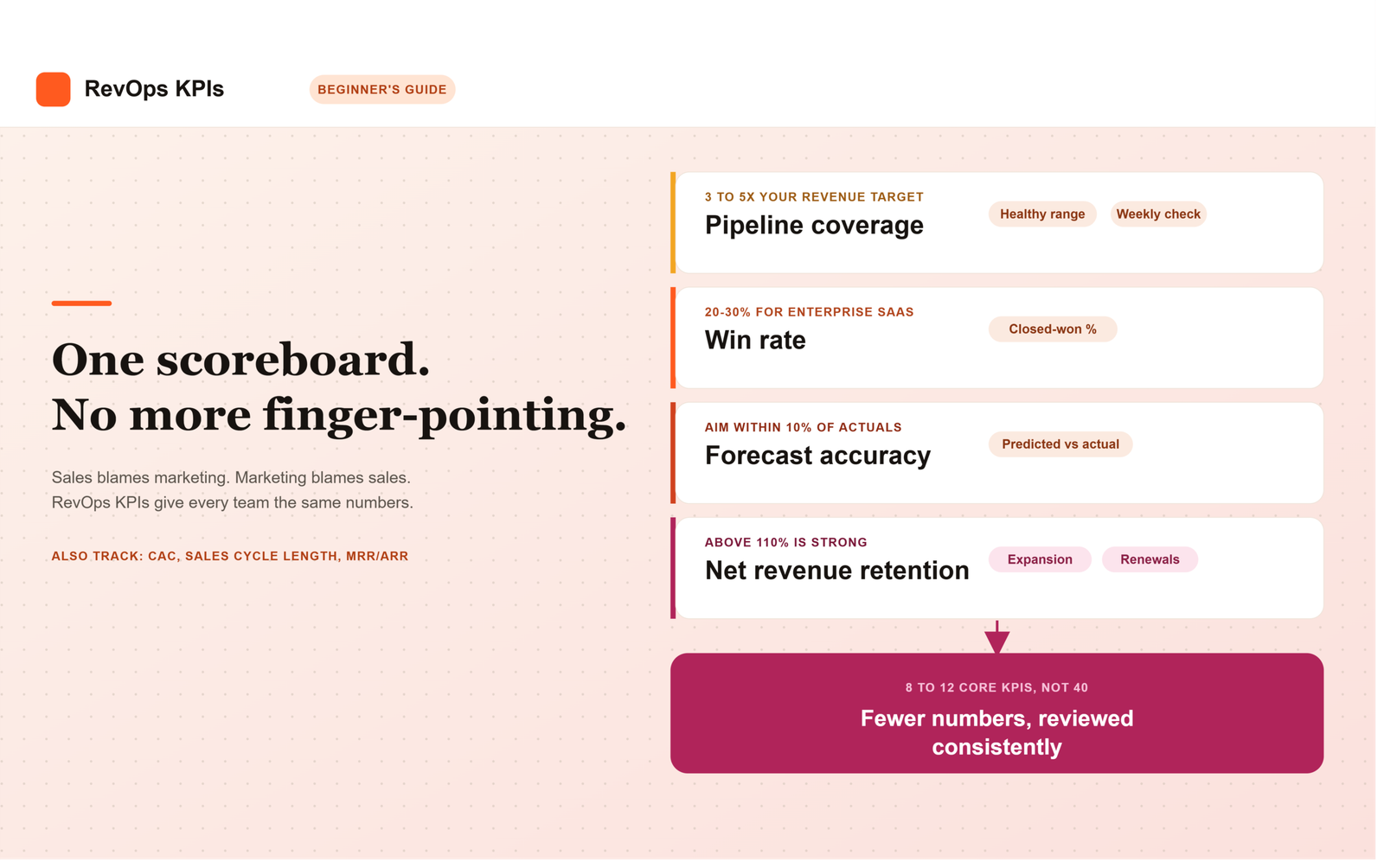
    RevOps KPIs are the specific, shared numbers a revenue operations team uses to judge whether sales, marketing, and customer success are actually working toward one revenue goal. They typically include pipeline coverage, win rate, forecast accuracy, net revenue retention, and customer acquisition cost, tracked together instead of as isolated department scorecards.

    If you’ve ever sat in a leadership meeting where sales blames a bad quarter on marketing, and marketing blames it on sales follow-up, you already know why this topic matters. RevOps (short for Revenue Operations) exists to end that finger-pointing by giving every team the same set of numbers to look at. But if you’re new to the function, the sheer list of acronyms (CAC, NRR, LTV, MQL) can feel like its own second language.

    This post breaks down what RevOps KPIs actually are, why they’re different from the metrics your sales team already tracks, and which ones a beginner should focus on first.

    What Is a RevOps KPI, Exactly?

    A key performance indicator (KPI) is a measurable value that shows whether you’re hitting a specific goal. In a RevOps context, that goal is almost always tied to revenue, not just activity.

    According to Highspot, revenue operations KPIs are key metrics that RevOps teams track regularly to make sure sales, marketing, and customer success activities align with pipeline health, forecast accuracy, retention, and goals. Notice the phrase “align with.” That’s the whole point. A RevOps KPI isn’t just a sales number or a marketing number, it’s a number that shows how well the departments are working as one system.

    If you want the bigger picture of how that alignment actually works day to day, our guide to what RevOps is covers the function from the ground up.

    Metrics vs. KPIs: What’s the Difference?

    People use “metric” and “KPI” interchangeably, but they’re not quite the same thing. Metrics track what’s happening in your business day to day, things like conversion rates, pipeline value, and how many calls a rep made this week. KPIs, on the other hand, are the smaller set of metrics that are explicitly tied to outcomes and used to judge whether the company is hitting its revenue goals.

    Put simply: every KPI is a metric, but not every metric deserves to be a KPI. Honestly, most of the RevOps dashboards we see fail not because the data is wrong, but because someone tried to make all 40 metrics equally important. They aren’t.

    Why Do RevOps KPIs Matter?

    Measuring performance isn’t a side task for RevOps, it’s close to the core of the job. Research from the Revenue Operations Alliance found that defining and measuring metrics and KPIs is one of the top three activities RevOps professionals undertake, with 89% saying it’s part of their role.

    Here’s why that matters for you as a founder or revenue leader. Without a shared scoreboard, sales, marketing, and customer success each optimize for their own local goal. Marketing chases lead volume. Sales chases closed deals. Customer success chases renewals. None of those goals are wrong, but none of them alone tells you whether the business is actually healthy.

    Leading vs. Lagging: The Framework Behind Every Good KPI List

    Before you pick specific numbers to track, it helps to understand this one distinction. Lagging indicators tell you what already happened, things like revenue, churn, and closed deals. Leading indicators tell you what’s about to happen, like pipeline velocity, conversion trends, and satisfaction scores that are quietly declining.

    A dashboard built only on lagging indicators is a rearview mirror. It tells you the crash already happened. A good RevOps KPI list mixes both, so you can see trouble coming and not just read the obituary afterward.

    A Beginner’s List of RevOps KPIs

    You don’t need forty metrics to start. Based on what actually shows up across most B2B revenue teams, here’s a practical starter list:

    1. Pipeline coverage ratio, how much open pipeline you have compared to your revenue target. A commonly cited healthy range is around 3 to 5 times your goal.
    2. Win rate, the percentage of opportunities that close as won. Enterprise SaaS deals often land somewhere around 20 to 30%.
    3. Sales cycle length, how long it takes a deal to move from open to closed, which tends to run shorter for SMB deals and considerably longer for enterprise deals.
    4. Forecast accuracy, how close your predicted revenue was to what actually closed. Many RevOps teams aim to stay within about 10% of actuals.
    5. Net revenue retention (NRR), how much revenue you keep and grow from existing customers, with anything above 110% generally considered strong.
    6. Customer acquisition cost (CAC), the total cost of acquiring a new customer, usually made more useful when compared against customer lifetime value (LTV) as a ratio.
    7. MRR/ARR (Monthly/Annual Recurring Revenue), your baseline for measuring current performance and growth over time.

    Pro tip: don’t try to report all seven of these plus a dozen more in one weekly meeting. The best RevOps dashboards focus on roughly 8 to 12 core KPIs, not forty.

    How Do You Actually Build a RevOps KPI Dashboard?

    1. Pick your two or three headline numbers first. Pipeline coverage, win rate, and forecast accuracy are often the numbers that get checked most consistently at the leadership level.
    2. Add supporting metrics underneath. These feed into the headline numbers rather than competing with them.
    3. Set a review cadence. Revenue operations metrics should generally be reviewed at least monthly, with the most critical ones checked weekly or in real time.
    4. Clean your data before you trust the dashboard. A KPI is only as good as the CRM data behind it.
    5. Revisit the list quarterly. What mattered at 10 employees won’t matter the same way at 100.

    Summary

    A RevOps KPI is different from an ordinary metric because it’s explicitly tied to whether the whole revenue engine, not just one department, is hitting its goal. The distinction between leading indicators, which warn you something is coming, and lagging indicators, which only confirm what already happened, is what separates a useful dashboard from a rearview mirror.

    For a beginner team, the starter list comes down to seven numbers: pipeline coverage, win rate, sales cycle length, forecast accuracy, net revenue retention, CAC, and MRR/ARR. Building a dashboard around them means picking two or three headline numbers first, layering supporting metrics underneath, reviewing on a set cadence, and keeping the underlying CRM data clean enough to trust. The goal isn’t tracking more, it’s keeping everyone looking at the same 8 to 12 numbers instead of forty competing ones.

    Frequently Asked Questions

    What’s the difference between a RevOps metric and a RevOps KPI?

    Metrics are the raw numbers you track day to day, like conversion rate or pipeline value. KPIs are the smaller, selected subset of those metrics that are directly tied to whether you’re hitting your revenue goals.

    How many KPIs should a RevOps team track?

    Most practitioners land somewhere between 8 and 12 core KPIs. More than that tends to create noise instead of clarity.

    Do RevOps KPIs replace sales or marketing metrics?

    No, they sit above them. Sales metrics still track individual rep performance, RevOps KPIs look at the big-picture, cross-team numbers that show whether the whole revenue engine is working.

    How often should we review RevOps KPIs?

    Generally at least monthly, with your most important numbers, like pipeline coverage or forecast accuracy, checked weekly or even in real time.

    What’s a reasonable forecast accuracy target for a beginner RevOps team?

    Staying within about 10% of your actual results is a commonly cited benchmark worth aiming for as you mature your process.

  • What to Look for in a B2B SaaS RevOps Platform

    What to Look for in a B2B SaaS RevOps Platform

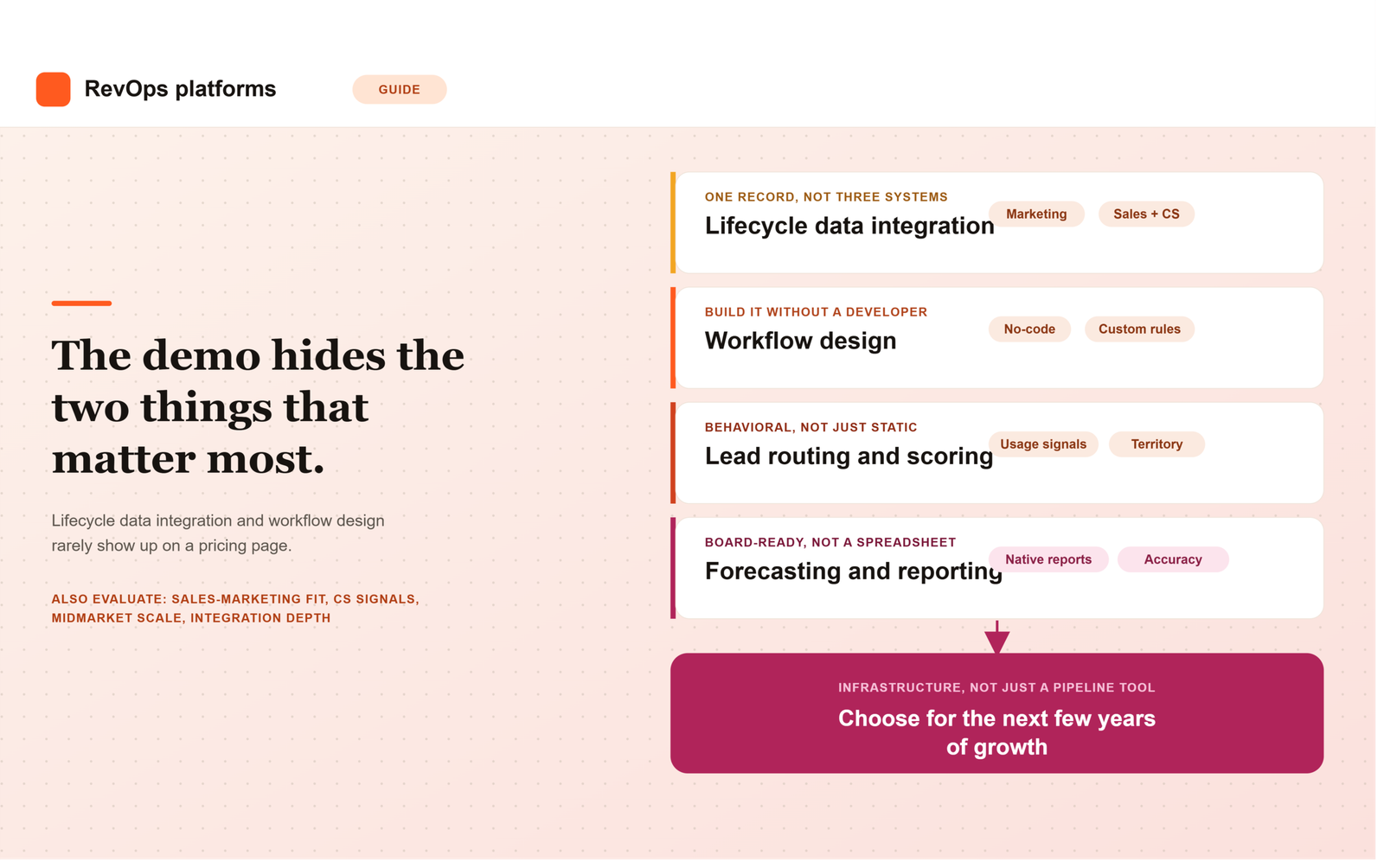
    Most comparisons of B2B SaaS CRM and revenue operations platforms focus on the wrong layer. They compare pricing tiers, seat counts, and feature checklists, while the thing that actually determines whether a platform works long term rarely shows up on a pricing page: how well it unifies customer lifecycle data, and how flexibly it lets your team design the workflows that run on top of that data.

    A platform can look impressive in a demo and still fail in production if marketing, sales, and customer success data live in three loosely connected systems, or if every process change requires a support ticket to the vendor. This guide breaks down the core capabilities B2B SaaS revenue operations leaders should actually evaluate, with particular attention to lifecycle data integration and workflow design, the two areas where most revenue operations software quietly falls short.

    1. Unified Customer Lifecycle Data Integration

    Customer lifecycle data integration is the foundation everything else depends on. A B2B SaaS customer generates data across marketing engagement, sales activity, product usage, and support interactions, and a platform that treats these as separate silos forces your team to reconcile them manually every time leadership asks a cross-functional question.

    When evaluating a SaaS CRM on this dimension, ask whether marketing engagement data, sales activity, and product usage signals live natively in the same record, or whether they require a separate integration layer to connect. Ask specifically how the platform handles a lead that becomes a customer, then later shows churn risk based on product usage. If tracing that single customer’s full history requires exporting data from three systems, the integration is shallower than the vendor’s pitch suggests.

    2. Flexible Workflow Design, Not Just Pre-Built Templates

    Workflow design is where a genuine revenue operations platform separates itself from a CRM with automation bolted on. Most platforms ship with template workflows for common processes like lead routing or renewal reminders, which work fine until your business has a rule those templates never anticipated.

    Strong RevOps workflow management means your team can build, test, and modify multi-step workflows without needing a developer or a vendor consulting engagement for every change. Ask to see the workflow builder directly during evaluation, not just a slide describing it. Have someone from your own team attempt to build a workflow that mirrors a real process you run today, and see how many steps it actually takes.

    3. Native Lead Routing and Scoring

    Lead routing and scoring sound like basic features, and most platforms claim to support both. The real question is whether the logic lives natively inside the platform or depends on a third-party add-on that has to be separately licensed and maintained.

    Native scoring should weigh behavioral signals such as product usage and engagement, not just static firmographic fields like company size or job title. Ask vendors to walk through exactly how a lead moves from marketing to a specific sales rep, and what happens when routing rules need to change because your territory model changed. If that change requires reconfiguring a separate app rather than adjusting a setting inside the core platform, the routing capability is thinner than it initially appears.

    4. Sales and Marketing Automation That Actually Shares Data

    Sales and marketing automation frequently exist as two separate products stitched together through an integration, which means definitions drift apart over time. Marketing’s idea of a qualified lead and sales’ idea of a qualified opportunity can end up describing two different things, even though both teams are looking at what they assume is the same data.

    A platform built for B2B SaaS revenue operations should let both teams work from shared definitions and shared reporting, not parallel dashboards that require manual reconciliation. Ask the vendor to show a single report tracing a lead from its first marketing touch through to closed revenue, built entirely inside their platform. If that report requires exporting data to a spreadsheet, the alignment gap you’re trying to solve will likely persist regardless of which platform you choose.

    5. Customer Success and Retention Signals Built Into the Same System

    Retention and expansion depend on customer success signals that many CRM platforms treat as an afterthought, even though recurring revenue businesses depend on them as much as new pipeline. Product usage, support ticket volume, and renewal timing all need to feed into the same system that sales and marketing already use.

    When evaluating a platform, ask specifically how it surfaces an account that’s showing early churn risk, and whether that signal reaches the account owner automatically or requires a customer success manager to notice it manually inside a separate tool. A platform that treats retention data as a bolt-on report rather than a native part of the customer record will always lag behind the accounts it should be flagging.

    6. Forecasting and Revenue Reporting That Holds Up in a Board Meeting

    Forecasting accuracy depends directly on how clean the underlying lifecycle data is, which is why this capability sits so close to data integration on this list. A platform with weak native reporting pushes the real forecasting work onto a RevOps team that then has to rebuild the analysis manually in a spreadsheet every cycle.

    Test this directly during evaluation by asking the vendor to reproduce a report your team currently builds by hand, using only their platform’s native reporting tools. If it takes several workarounds or an export to get there, that gap resurfaces every single reporting cycle after the contract is signed.

    7. Scalability for Midmarket B2B SaaS Teams Specifically

    Midmarket B2B SaaS teams sit in a specific gap: too complex for a bare-bones starter CRM, but without the budget or headcount for a heavy enterprise implementation. A platform aimed at this segment needs to scale with headcount and data volume without forcing a disruptive migration within a couple of years.

    Ask vendors directly what breaks first as usage scales, record limits, workflow complexity caps, or reporting performance, and at what size their typical customers outgrow the tier you’re evaluating. Vendors are rarely eager to volunteer this information unprompted, since it points toward a more expensive tier sooner than their sales team would prefer.

    8. Integration Depth With Your Existing Stack

    Most B2B SaaS teams already run a marketing automation tool, a billing system, and a product analytics platform before they ever evaluate a new CRM. How cleanly a platform connects to that existing stack matters more than how many integrations appear on its marketplace page.

    A native, well-maintained integration and a fragile third-party connector can look identical on a features list. The difference only becomes visible once something breaks during a sync, so ask specifically how the integration handles conflicting field updates and what happens when a connected system changes its API.

    How to Score These Capabilities When Evaluating Vendors

    Rather than treating this list as a generic checklist, build a simple scorecard with these eight capabilities as rows and your shortlisted platforms as columns. Score each cell based on a direct answer or a live demonstration, not marketing copy. Where a vendor cannot answer a specific question concretely, for example, exactly how lifecycle data connects across marketing, sales, and customer success, treat that gap itself as useful information about how the relationship will go after the contract is signed.

    The Platform Is Infrastructure, Not Just a Pipeline Tool

    The teams that choose well treat a B2B SaaS CRM and revenue operations platform as infrastructure for the next several years of growth, not just a tool for tracking today’s pipeline. Customer lifecycle data integration and flexible workflow design are the two capabilities most likely to be underestimated during a demo, and the two most likely to cause real pain eighteen months after signing if they were.

    Frequently Asked Questions

    What is customer lifecycle data integration in a RevOps platform?

    It means marketing engagement, sales activity, product usage, and customer success signals all live in the same customer record rather than in separate, loosely connected systems. Strong integration lets your team trace one customer’s full history, from first touch through renewal, without exporting data from multiple tools.

    Do midmarket B2B SaaS teams need a different platform than enterprise teams?

    Often, yes. Midmarket teams need a system that scales for the next few years without a disruptive re-platform, but typically lack the dedicated admin headcount enterprise teams have. The right platform for this stage balances scalability with a workflow builder your existing team can maintain without a certified specialist.

    What’s the difference between a SaaS CRM and a full revenue operations platform?

    A SaaS CRM typically centers on tracking deals and contacts. A revenue operations platform goes further, natively connecting marketing, sales, and customer success data and supporting the workflow automation that runs across all three, rather than treating pipeline tracking as the only core function.

    How important is workflow design compared to out-of-the-box features?

    It matters more over time than it does during a demo. Pre-built templates cover common processes, but every company eventually has a rule those templates don’t anticipate. A platform with flexible workflow design lets your team adapt without a developer or a vendor consulting engagement for every change.

    Should sales and marketing automation live in the same platform?

    Ideally, yes, or at minimum share the same underlying data and definitions. When sales and marketing automation exist as separate products stitched together, lead definitions tend to drift apart, and reporting stops matching between teams even though both are supposedly looking at the same pipeline.

    What should we ask vendors specifically about lifecycle data integration?

    Ask them to trace one customer’s full history, from first marketing touch through a product usage signal that indicates churn risk, entirely inside their platform. If that requires exporting data to a spreadsheet or switching between separate tools, the integration is shallower than it may have appeared during the initial pitch.

  • How a company acquires, converts, retains, and expands customers

    How a company acquires, converts, retains, and expands customers

    Snowflake and HubSpot both sell business software. A description at that level makes their commercial models sound similar. Their own filings tell a different story.

    Snowflake concentrates its selling effort on large organizations, using a direct sales force divided by industry, size, and geography. After a customer starts using the platform, Snowflake works to move additional workloads onto it, which increases consumption and revenue. HubSpot serves companies with between 2 and 2,000 employees through a mix of direct sales, free products customers adopt themselves, in-product offers, and a worldwide partner network. Some customers buy with little or no interaction with a salesperson.

    Both companies need customers to discover a product, decide to use it, pay for it, and eventually spend more. The machinery through which that happens is quite different, and that machinery is the subject of go-to-market strategy. GTM determines which customers a company intends to serve, how those customers encounter and buy the product, and how the relationship develops afterward. Acquiring a customer is only one part of the work.

    Before a company acquires anyone, it has already made several GTM choices

    A sales team cannot pursue “the market.” It has to pursue particular customers. Companies that grow opportunistically, one seller finds a hospital, marketing discovers a segment responds well, end up with a customer base that reflects what the organization happened to win rather than a deliberate choice about where it has an advantage. Scott Edinger framed this in Harvard Business Review as asking whether a company is selling what it intends to sell, to the customers it intends to serve, or simply accepting whatever its sales organization can win.

    Different customers create very different commercial requirements. A small company buying a $50 monthly tool can research it online and self-serve. A global bank evaluating a multimillion-dollar system needs months of meetings, security review, procurement, legal, and executive approval, all for a related product category. This is why segmentation, by size, industry, geography, or buying behavior, sits near the beginning of GTM design. Snowflake segments by industry, size, and region toward large organizations; Freshworks serves a broader range through user-led adoption, sales coverage, and partners. These choices ripple into channels, pricing, sales-cycle length, and how much a company can afford to spend winning each account.

    Acquisition is really a question of how customers enter the company’s world

    Companies often summarize acquisition with a single number, leads or new accounts, but the paths producing those customers may have little in common: advertising, search, outbound email, a conference, a partner, a free product, or a referral. Each path places work in a different part of the organization. HubSpot runs several acquisition systems at once: direct sales, free products, a partner network, and years of inbound content. Freshworks blends user-driven adoption, free trials, sales activity, and partners, designed to reduce friction for new users while keeping sales coverage for larger opportunities.

    None of these channels is inherently superior; the economics have to fit the customer and the purchase. Sending a field seller after a $100 annual product makes no sense, and neither does expecting a major bank to buy complex infrastructure through a checkout screen. A 2026 Harvard Business Review article notes that companies increasingly run multiple GTM models at once, citing Microsoft serving small customers digitally while using account teams for large enterprises. The real challenge is deciding which customer enters which path.

    Interest has to become a purchase

    Acquisition creates attention, not revenue. A person can try a product and disappear; an enterprise buyer can evaluate for months and choose a competitor. Conversion is where interest has to survive the buying process. For simple products, this happens inside the product itself: a user hits a limit, picks a plan, and pays. The questions become familiar to product-led businesses, how fast does a new user reach value, where do people abandon onboarding, which free users eventually pay.

    As purchases grow more complicated, salespeople help buyers build an internal case, involve stakeholders, and negotiate terms, though not always in a clean sequence. Amplitude describes combining direct field and inside sales, product-led growth, marketing, and solution consultants, with salespeople working both new accounts and expansion in existing ones. PLG and sales-led motion increasingly operate inside the same customer journey: product creates evidence of demand, and sales becomes useful once the purchase exceeds what self-service can handle. Poor conversion often traces back to the offer itself, confusing pricing, risky commitment terms, painful implementation, not just weak selling.

    What happens immediately after the sale affects the GTM model

    A signed contract feels like completion, but the customer has only begun trying to receive what it purchased. Recurring-revenue businesses depend on customers continuing to see enough value to remain, which makes the handoff after purchase part of GTM design: who welcomes the customer, what has to be implemented, what commitments made during sales need to reach delivery or Customer Success.

    A company can become efficient at winning customers it subsequently loses. Add 1,000 customers in a year and lose 800 existing ones, and the business barely moves while looking busy. Freshworks defines net dollar retention as the revenue change within an existing customer group after upsells, cross-sells, renewals, contraction, and attrition, a measure that forces growth to be viewed through the installed base, not just new logos. Retention problems usually start earlier: a poor-fit sale, an implementation that took too long, features nobody adopted, which is why retention responsibility spreads across Product, Sales, Customer Success, and Support.

    Expansion changes the economics of customer acquisition

    The first transaction is often only the opening value of a relationship. Snowflake makes this visible through its consumption model: as customers find new use cases and consume more compute and storage, account revenue grows, reporting 124 percent net revenue retention as of April 2025. The mechanism differs elsewhere, a seat-based company expands as headcount grows, a multi-product company cross-sells, a marketplace earns more as participants transact more. Shopify describes revenue from merchants who stay historically growing enough to offset revenue lost from those who leave.

    Expansion changes what a company can rationally spend to acquire a customer. Two businesses each spending $1,000 to win an account produce very different economics if one customer pays $1,200 and leaves while the other grows to $5,000 annually over several years. Same acquisition cost, completely different relationship quality, which is why sophisticated GTM organizations spend so much time on customer fit rather than just close rate.

    One company can operate several GTM motions

    Large companies rarely enforce a single motion everywhere. A small customer and a global enterprise need different channels, sales processes, and economics even on the same platform. Freshworks combines product-led adoption with sales assistance and partners; Atlassian pairs easy product adoption with enterprise cloud as a strategic priority, reporting more than 300,000 cloud customers and 120 percent cloud net revenue retention in fiscal 2025.

    A customer can also change motions mid-relationship: a ten-person team’s self-service purchase spreads to 200 employees, IT gets involved, procurement wants a contract, and a product-led account becomes an enterprise opportunity. Missing that transition either leaves expansion revenue on the table or sends expensive sellers after every small signup, destroying the economics that made self-service work in the first place. GTM design has to define the thresholds for when a salesperson, a Customer Success Manager, or a partner gets involved.

    GTM strategy is visible in the way resources are allocated

    Strategy becomes real once money and people get assigned. “Enterprise healthcare is a priority” means something only once the company hires sellers who understand healthcare, builds the compliance capability buyers expect, and adjusts territories. Otherwise it stays a sentence in a slide deck. The same applies to PLG: a free trial alone doesn’t create product-led growth without accessible onboarding, thoughtful pricing, and product analytics that show when free usage signals willingness to pay. McKinsey frames GTM design in similarly economic terms, deciding whom to sell to, which channels to use, and what coverage each transaction deserves. Resource allocation is what turns GTM from an idea into an operating model.

    The funnel is useful, but incomplete

    The sales funnel shows that many prospects enter and fewer eventually buy, but it distorts thinking in three ways: customers rarely travel in a straight line, the funnel usually ends at purchase even though much of the value happens afterward, and it makes every prospect look like it’s moving through the same machine, which is increasingly untrue. A lifecycle view captures more of what’s actually happening:

    Stage Commercial Question
    Market choice Which customers are attractive enough to pursue?
    Acquisition How do those customers discover or enter the company?
    Conversion What enables them to move from interest or usage to a purchase?
    Onboarding and adoption How do new customers begin receiving the value they expected?
    Retention What makes the commercial relationship continue?
    Expansion What causes an existing customer to spend more?
    Advocacy Do successful customers help create future demand through references, reviews, referrals, or ecosystem effects?

    These rows are connected: poor market selection creates retention problems later, weak onboarding damages expansion, and strong outcomes lower future acquisition costs through referrals. A GTM system behaves differently once these interactions become visible.

    GTM is partly a set of economic trade-offs

    There is no free acquisition channel. Organic demand looks inexpensive, but brand, content, and time created it. Direct sales adds headcount cost for control and insight. Partners extend reach but take economics and some control. Free products lower the barrier to adoption while creating large populations who may never pay. Each choice carries a cost structure, which is why customer lifetime economics matter alongside growth rate: what it costs to acquire and serve a customer against what that relationship is expected to create. The math is rarely precise enough to dictate strategy alone, but it rules out impossible combinations, an expensive field-sales model can’t indefinitely chase customers whose lifetime value barely covers the seller’s cost.

    Go-to-market strategy does not remain fixed

    A company’s GTM system changes as the company, product, and market develop. Early on, founders sell directly, hearing objections and adjusting the pitch themselves. A repeatable process appears only once that uncertainty decreases, after which companies add specialist sellers, territories, demand generation, and partners. A self-service company can move into enterprise; an enterprise company can build a digital channel for smaller customers. A June 2026 Harvard Business Review piece argues companies increasingly run multiple GTM models and need distinct digital strategies for each, but the underlying reason predates AI: customers simply differ in how they want to buy, and a good GTM system keeps learning from that rather than assuming the process built three years ago should stay permanent.

    What RevOps sees when it looks at GTM

    For Revenue Operations, GTM strategy becomes a set of operating assumptions: how many account executives are needed, how many accounts each can cover, how much pipeline is required and where it originates, what conversion rate makes the plan plausible, and how many implementation or Customer Success resources new customers will need. Those assumptions connect the revenue target to the organization expected to deliver it.

    HubSpot’s mixed model requires RevOps to see direct sales, freemium conversion, partner-sourced business, and expansion together. Snowflake’s model requires monitoring consumption expansion inside the installed base. A services company needs to connect sales demand with available delivery capacity. This is why copying another company’s GTM dashboard rarely works, the measures that matter come from the specific economics of that model.

    A Working Definition

    Go-to-market strategy describes how a company turns a chosen market into customers and then develops those relationships economically over time: whom to serve, what channels create demand, how customers evaluate and buy, how they begin using what they purchased, and the mechanisms that support renewal and expansion. Marketing, Sales, Customer Success, Product, Partners, and RevOps all participate, with their relative importance shifting by model. For a self-service product, Product and Marketing carry most of the burden; for an enterprise purchase, Sales dominates; for a consumption business, usage drives expansion.

    The most revealing GTM question is therefore rarely “are we sales-led or product-led?” A company can be both. The useful discussion is about the customers a company wants, how those customers actually buy and receive value, and whether the commercial system built around them can produce attractive economics repeatedly. That is the work behind go-to-market strategy.

    Frequently Asked Questions

    What’s the difference between go-to-market strategy and a sales funnel?

    A funnel visualizes how prospects narrow toward a purchase. GTM strategy is broader, covering which customers to serve, how they buy, and how the relationship grows afterward through retention and expansion, well past where a funnel typically ends.

    Can a company use more than one GTM motion at once?

    Yes, and most established companies do. HubSpot combines direct sales, a free product, and partners; Freshworks blends self-serve adoption with sales coverage for larger deals. A single customer can even move between motions as the account grows.

    Why does net revenue retention matter to GTM strategy?

    It shows whether existing customer revenue is growing or shrinking after upsells, renewals, and churn. That number changes what a company can rationally spend to acquire new customers, a business where accounts expand significantly, like Snowflake’s, can justify higher acquisition cost than one where customers rarely grow.

    How does GTM strategy relate to RevOps?

    RevOps translates GTM strategy into operating assumptions: seller headcount, pipeline requirements, conversion rates, and Customer Success resourcing. Different GTM models produce different operating requirements, which is why borrowing another company’s dashboard rarely fits without adapting it first.

    When should a self-serve or PLG account get handed to a salesperson?

    Common signals include a product spreading to far more users, IT or security asking questions, or procurement requesting a formal contract. Missing that transition either leaves expansion revenue on the table or destroys the low-cost economics that made self-service work.

    Why doesn’t copying another company’s GTM dashboard work?

    Because the metrics that matter depend on a company’s specific economics. A consumption business tracks workload expansion, a mixed-motion company needs visibility across sales, freemium, and partner channels, and a services company tracks demand against delivery capacity. Borrowing a dashboard built for a different model usually means tracking the wrong things.

  • Business Models and Revenue Models: Subscription, Usage-Based, PLG, and More Explained

    Business Models and Revenue Models: Subscription, Usage-Based, PLG, and More Explained

    “Business model” and “revenue model” get used as if they mean the same thing. A business model describes how a company creates and delivers value to customers. A revenue model describes the specific mechanism a company uses to convert that value into money. Two companies can share the exact same business model and use completely different revenue models to monetize it.

    Take two project management tools built for small teams. Same business model, same target customer, same core value. One charges a flat monthly fee per team. The other charges per active user, per month, based on how many people actually log in. Same product, different meter.

    Getting this distinction wrong tends to show up later as a pricing problem that is not really about pricing at all. It is a mismatch between how value gets delivered and how the company chose to charge for it. This guide covers the most common revenue models in use today: subscription, usage-based, transactional, services, marketplace, PLG, and enterprise, along with how to tell which one fits your business.

    Business Model vs Revenue Model: What’s the Difference

    A business model is the bigger picture: who you serve, what problem you solve, and how you deliver that solution. SaaS, marketplace, agency, and hardware are all business models. A revenue model sits underneath that and answers a narrower question: how does money actually change hands?

    A single business model can support several different revenue models at once. A SaaS company might charge some customers a flat subscription, charge others based on usage, and negotiate custom enterprise contracts for its largest accounts, all while running the exact same product and the exact same business model underneath. The revenue model is the layer that changes based on the customer, the market, and how value actually gets consumed.

    Subscription: Predictable, Recurring Revenue

    Subscription pricing charges a fixed, recurring fee, usually monthly or annually, in exchange for ongoing access to a product or service. It is the dominant revenue model in SaaS for a simple reason: it produces predictable, recurring revenue that is easy to forecast and easy to report to a board.

    Subscription works best when value is delivered continuously rather than in a single moment. A customer does not buy project management software once and finish using it. They rely on it every day, which makes a recurring fee feel proportionate to the ongoing value they get.

    Most subscription businesses layer tiers on top of the base model, separating features, seats, or support levels into Basic, Pro, and Enterprise packages. The metric that matters most here is monthly recurring revenue, or MRR, along with net revenue retention, since subscription businesses live and die by how well they keep and expand existing customers, not just how many new ones they sign.

    The weak point of subscription pricing shows up when usage varies wildly between customers. A flat fee undercharges your heaviest users and overcharges your lightest ones, which is exactly the gap usage-based pricing was built to close.

    Usage-Based: Pay for What You Consume

    Usage-based pricing charges customers according to how much they actually consume: API calls, compute time, messages sent, storage used, or transactions processed. Instead of a flat monthly number, the bill moves with actual activity.

    This model has become the default for infrastructure and API-driven products. Companies like Twilio, AWS, and Snowflake all charge this way, largely because it aligns cost directly with the value a customer is getting in that specific month. A customer sending a thousand messages pays less than one sending a million, without anyone having to negotiate a custom tier.

    Usage-based pricing also makes it easier to land small and expand naturally. A new customer can start with a tiny footprint and a tiny bill, then grow into a much larger contract as their usage grows, all without a renegotiation. The tradeoff is forecasting difficulty. Revenue depends on customer behavior that is harder to predict than a fixed subscription count, which makes usage-based businesses lean harder on cohort analysis and consumption trends to build a credible forecast.

    Transactional: A Fee Per Transaction

    Transactional revenue models charge a fee for each discrete transaction or event that flows through the system, rather than a recurring subscription or a usage meter. Payment processors are the clearest example: Stripe and similar companies charge a small percentage plus a fixed fee on every transaction processed, and revenue scales directly with transaction volume.

    This model fits businesses where the core value genuinely happens transaction by transaction, moving money, processing an order, completing a booking, rather than through continuous product access. The upside is that revenue grows automatically as customers do more business, without anyone needing to upsell a bigger plan. The downside is that revenue can swing with external factors like seasonality or a customer’s own business volume, which is largely outside your control.

    Services: Billing for Human Labor

    Services revenue comes from billable hours, fixed-price projects, or ongoing retainers, where the primary value delivered is human expertise rather than software. Consultancies, agencies, and implementation partners run on this model, and it remains common even inside software companies, particularly for onboarding, custom integrations, and enterprise implementation work.

    The defining constraint of a services model is that revenue is tied to headcount capacity, not software leverage. A consultancy cannot serve twice as many clients without roughly twice as many consultants, which caps how efficiently the model scales compared to a pure software business.

    Many software companies run a blended model on purpose, software revenue for the recurring product and services revenue for the one-time implementation work that gets a customer live. The services piece often exists specifically to reduce the risk of the software piece failing to deliver value fast enough on its own.

    Marketplace: A Take Rate on Both Sides

    Marketplace revenue models take a commission, often called a take rate, on transactions that happen between two separate parties on a shared platform: buyers and sellers, drivers and riders, freelancers and clients. The platform itself rarely owns the underlying inventory or service; it earns money by facilitating the match and taking a cut of the value that changes hands.

    What makes marketplace revenue distinct is that it depends on liquidity on both sides at once. A marketplace with plenty of buyers and no sellers earns nothing, and vice versa, which means growth strategy has to account for both sides simultaneously rather than just acquiring customers the way a typical subscription business would.

    Take rates vary enormously by category, from low single digits in categories with thin margins to twenty percent or more in categories where the platform provides significant additional value, like payment handling, trust and safety, or logistics.

    PLG: A Motion That Shapes the Revenue Model

    Product-led growth, or PLG, is technically a go-to-market motion rather than a revenue model on its own, but it shapes which revenue model actually works. In a PLG motion, the product itself drives acquisition and conversion through a free trial or freemium tier, with little or no sales involvement until later in the customer’s lifecycle.

    Because there is no salesperson negotiating a custom deal, PLG companies almost always pair the motion with self-serve pricing, either a simple subscription tier a user can select with a credit card, or usage-based pricing that scales automatically as the account grows. The monetization has to be instrumented directly into the product, since there is nobody manually walking a prospect through a pricing conversation.

    The tell that a company is running a genuine PLG motion is not the pricing page, it is whether a user can go from signup to real value without ever speaking to a human being.

    Enterprise: Negotiated, Sales-Led Revenue

    Enterprise revenue models rely on custom, negotiated contracts closed through a sales-led process rather than a self-serve checkout. Pricing is rarely published, terms are negotiated deal by deal, and contracts often run multi-year with committed spend, custom SLAs, and dedicated support built in.

    This model produces a very different shape of business than subscription or PLG: fewer total customers, but a much higher average contract value per account. It also introduces a much longer sales cycle, often stretching across procurement and legal review that a self-serve customer never has to think about.

    Many companies that start on subscription or PLG eventually add an enterprise tier once their largest customers start asking for things a standard plan cannot accommodate: custom security requirements, dedicated infrastructure, or contract terms their legal team requires before they can sign anything at all.

    How to Choose, or Blend, the Right Model

    Most real businesses do not run a single, pure revenue model. They blend two or three: a base subscription plus usage-based overage charges, a subscription plus a one-time services fee for onboarding, or a self-serve PLG tier that graduates into negotiated enterprise contracts once an account grows large enough.

    The right starting point is not which model is easiest to bill for. It is how your customer naturally experiences and consumes value. If value is delivered continuously and evenly, subscription usually fits. If value scales directly with volume of activity, usage-based or transactional pricing usually fits better. If the value is mostly human expertise, a services model probably belongs somewhere in the mix, even if the core product is software.

    Choosing the wrong model rarely looks like a pricing failure at first. It looks like customers churning for reasons that do not show up in a typical exit survey, or expansion revenue that never quite materializes even though usage is clearly growing. Before assuming your price is wrong, it is worth asking whether your model is.

    Frequently Asked Questions

    What is the difference between a business model and a revenue model?

    A business model describes how a company creates and delivers value, who it serves and what problem it solves. A revenue model describes the specific mechanism used to charge for that value, such as a subscription fee, a usage meter, or a transaction fee. The same business model can support several different revenue models at once.

    Can a company use more than one revenue model at the same time?

    Yes, and most established companies do. A common blend is a base subscription plus usage-based overage charges once a customer exceeds an included amount, or a self-serve subscription for smaller accounts alongside negotiated enterprise contracts for the largest ones. Blending models lets a company match different customer segments to the pricing approach that fits how each one actually consumes value.

    Is PLG a revenue model or a go-to-market strategy?

    PLG, or product-led growth, is a go-to-market motion, not a revenue model on its own. It describes how customers discover and adopt a product, largely through a free trial or freemium tier without sales involvement. It usually pairs with a self-serve subscription or usage-based pricing model, since both can be instrumented directly into the product without a salesperson negotiating terms.

    Why do SaaS companies eventually add an enterprise pricing tier?

    Large customers often need things a standard self-serve plan cannot accommodate: custom security or compliance requirements, dedicated infrastructure, multi-year commitments, or contract terms their legal and procurement teams require before signing. Adding a negotiated enterprise tier lets a company capture that revenue without forcing every customer through the same sales-led process.

    How do I know if I picked the wrong revenue model?

    The signals rarely look like an obvious pricing complaint. Watch for churn that does not show up as a clear complaint in exit surveys, or expansion revenue that stays flat even though product usage is clearly growing. Both often mean the way you charge does not match how customers actually experience value, which is a model problem, not just a price problem.

    What is a take rate in a marketplace revenue model?

    A take rate is the commission percentage a marketplace keeps from each transaction that happens between buyers and sellers on its platform. Take rates vary widely by category, from low single digits in thin-margin categories to twenty percent or more where the platform adds significant extra value, such as payment processing, trust and safety, or logistics handling.