Author: rishhsoni@gmail.com

  • What Is Market Segmentation? A Beginner’s GTM Guide

    What Is Market Segmentation? A Beginner’s GTM Guide

    What Is Market Segmentation? (And Why Your GTM Strategy Needs It)

    Market segmentation is the process of dividing your total market into smaller groups of prospects who share similar traits, needs, or behaviors, so you can target each group with tailored messaging, pricing, and outreach instead of one generic pitch for everyone. For B2B teams, this usually means grouping companies by industry, size, or buying behavior rather than blasting the same message to every lead in your CRM.

    If you’ve ever sent the same cold email to a 5-person startup and a 5,000-person enterprise, you already know why this matters. One of them probably ignored it. Market segmentation is how you stop guessing and start building a go-to-market (GTM) strategy, meaning your overall plan for reaching and winning customers, around who your buyers actually are.

    This post breaks down what market segmentation means, the main ways to slice up a market, and why it’s one of the first things you should nail down before you build out sales playbooks or marketing campaigns.

    What Is Market Segmentation, Exactly?

    At its core, market segmentation is the process of breaking up a large market into smaller groups of customers with similar needs, traits, or ways of behaving. Instead of treating your entire addressable market as one big, undifferentiated blob, you split it into segments that respond similarly to the same offer, message, or price point.

    Knowing your segments helps you target your product, sales, and marketing efforts more precisely instead of spreading budget thin across everyone. It’s a simple idea, but most early-stage companies skip it because it feels like a “marketing thing” rather than a revenue thing. Honestly, that’s backwards. Segmentation shapes who your sales team calls, what your website says, and even what features your product team builds next.

    The Main Types of Market Segmentation

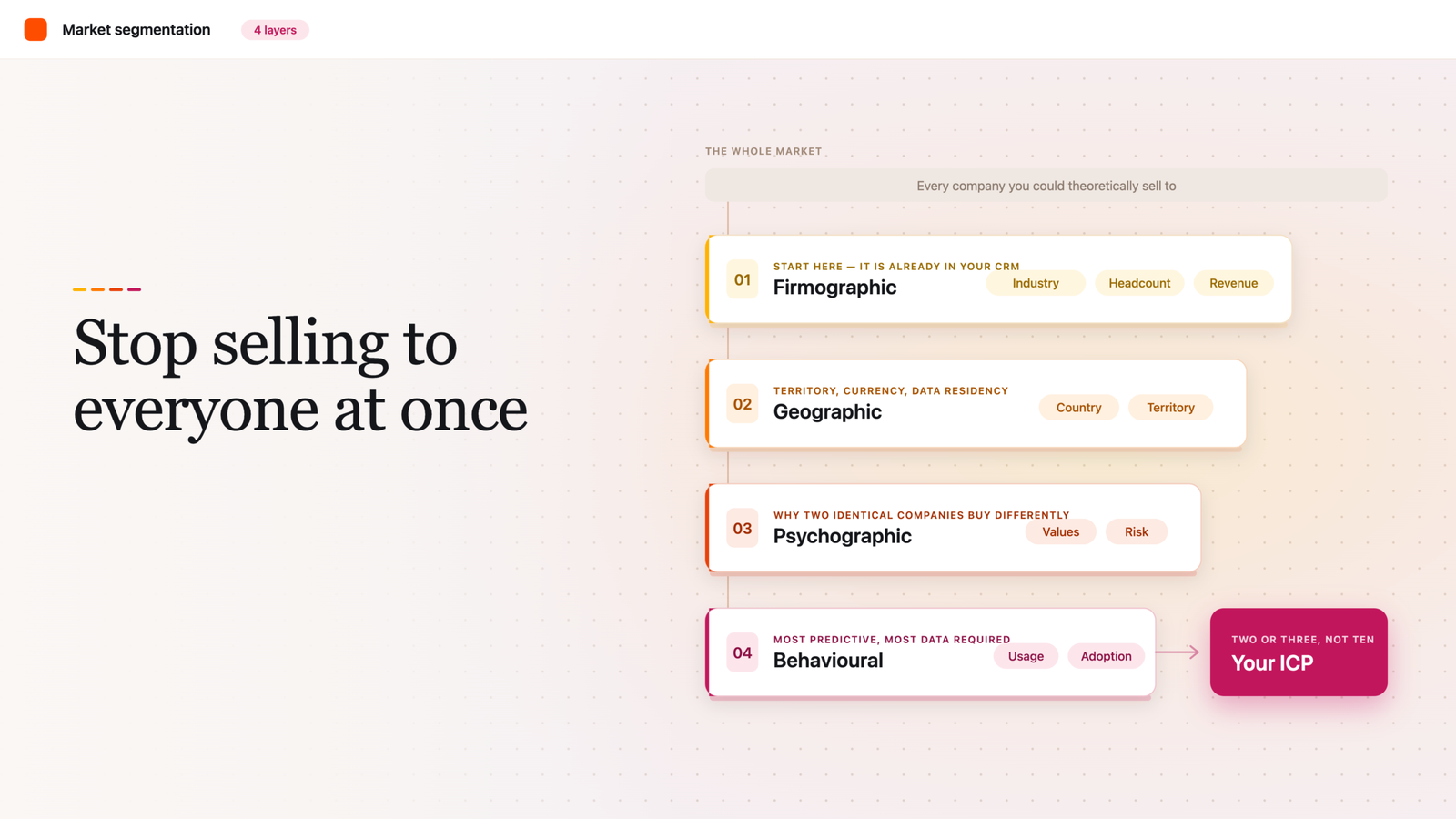
    Most frameworks point to four core ways to segment a market: demographic, geographic, psychographic, and behavioral. Each one looks at a different slice of who your buyer is or how they act.

    Demographic (or firmographic, for B2B). In consumer markets, this means age, income, or occupation. In B2B, you swap demographics for firmographics: grouping companies by traits such as industry, employee count, annual revenue, growth stage, or technology stack. This is usually the easiest segmentation to start with because the data (company size, industry code, revenue band) is often already sitting in your CRM.

    Geographic. This groups customers by where they’re located, since needs and interests often vary according to geographic location, climate, and region. For B2B, this might mean segmenting by country because of data residency laws, currency, or which sales rep owns the territory.

    Psychographic. This looks at attitudes, values, priorities, and how a buyer thinks about risk or innovation. It’s harder to measure than firmographics but often explains why two companies of the same size and industry buy completely differently.

    Behavioral. This groups people by what they actually do rather than who they are, looking at things like product usage, feature adoption, and the benefits customers seek. In B2B SaaS specifically, the most effective segmentation stacks these layers: firmographic first because it’s easy to identify, then technographic (what tools a prospect already uses), then behavioral, which is the most predictive but needs the most data to pull off well.

    Why Market Segmentation Matters for Your GTM Strategy

    Here’s the problem with skipping segmentation: your sales team ends up chasing everyone and closing almost no one efficiently. B2B firms have long treated segmentation as a cornerstone of good industrial marketing, and for good reason: success comes from identifying and serving the best-fit prospects for your offering, not everyone who fills out a form.

    The data backs this up at the GTM level too. Companies exceeding their revenue targets are 5.3 times more likely to have an advanced go-to-market strategy where the total addressable market is clearly defined and sales and marketing are aligned around it. Separately, companies with a clear GTM strategy have been shown to achieve roughly 30% higher revenue growth and 30% higher profitability than peers without one.

    Segmentation is also what makes account-based marketing (ABM), personalized outbound, and even basic lead scoring possible. Without defined segments, your “ideal customer profile” is really just a guess dressed up in a slide deck.

    How to Build a Basic Segmentation for Your GTM Plan

    You don’t need a data science team to get started. Here’s a simple sequence:

    1. Pull your firmographic data first. Export what you already have in your CRM: industry, employee count, revenue range, and location for existing customers and closed-lost deals.
    2. Layer in technographic and behavioral signals. Look at what tools your best customers already use and how they engage with your product or content before buying.
    3. Group companies into 2-3 high-impact segments. Resist the urge to create ten micro-segments. Focus on two or three segments instead of trying to cover every possible customer type, since more segments than your team can realistically act on just adds noise.
    4. Write one sentence per segment describing its core need. If you can’t summarize why this group buys in one sentence, the segment probably isn’t well-defined yet.
    5. Review it quarterly, rebuild it annually. Markets shift, your product evolves, and your customer base changes, so a segmentation model built 18 months ago may no longer reflect reality.

    Pro tip: don’t let sales and marketing build separate segmentation models. If your sales team’s territory logic and your marketing team’s audience segments don’t match, your messaging and your pipeline data will quietly drift apart, and nobody will notice until quota season.

    Market Segmentation vs. Ideal Customer Profile (ICP)

    People mix these up constantly. Segmentation is the broader map of all the meaningful groups in your market. Your ICP is the specific segment (or two) you’ve decided is most worth chasing right now, based on deal size, win rate, or retention. Think of segmentation as the full menu and your ICP as the dish you’re actually ordering.

    FAQ

    What’s the difference between market segmentation and market targeting?
    Segmentation is the analysis step: identifying the distinct groups in your market. Targeting is the decision step: choosing which of those groups you’ll actually pursue with dedicated sales and marketing effort.

    How many market segments should a B2B company track?
    Keep it tight. Most practical guidance points to focusing on two to three high-impact segments rather than spreading resources across every possible customer type.

    Is market segmentation still relevant with AI-driven personalization?
    Yes, if anything it matters more. AI and predictive models still need a segmentation structure to learn from; they just make it easier to score and prioritize accounts within your defined segments.

    How often should we update our segmentation?
    Plan on a quick review each quarter and a full rebuild once a year, since customer bases and markets shift faster than most teams expect.

    Does segmentation replace the need for an ICP?
    No. Segmentation gives you the full picture of your market; your ICP is the specific slice of that picture you’ve chosen to go after first.
     

  • HubSpot Lifecycle Stages Explained: A Beginner’s Guide

    HubSpot Lifecycle Stages Explained: A Beginner’s Guide

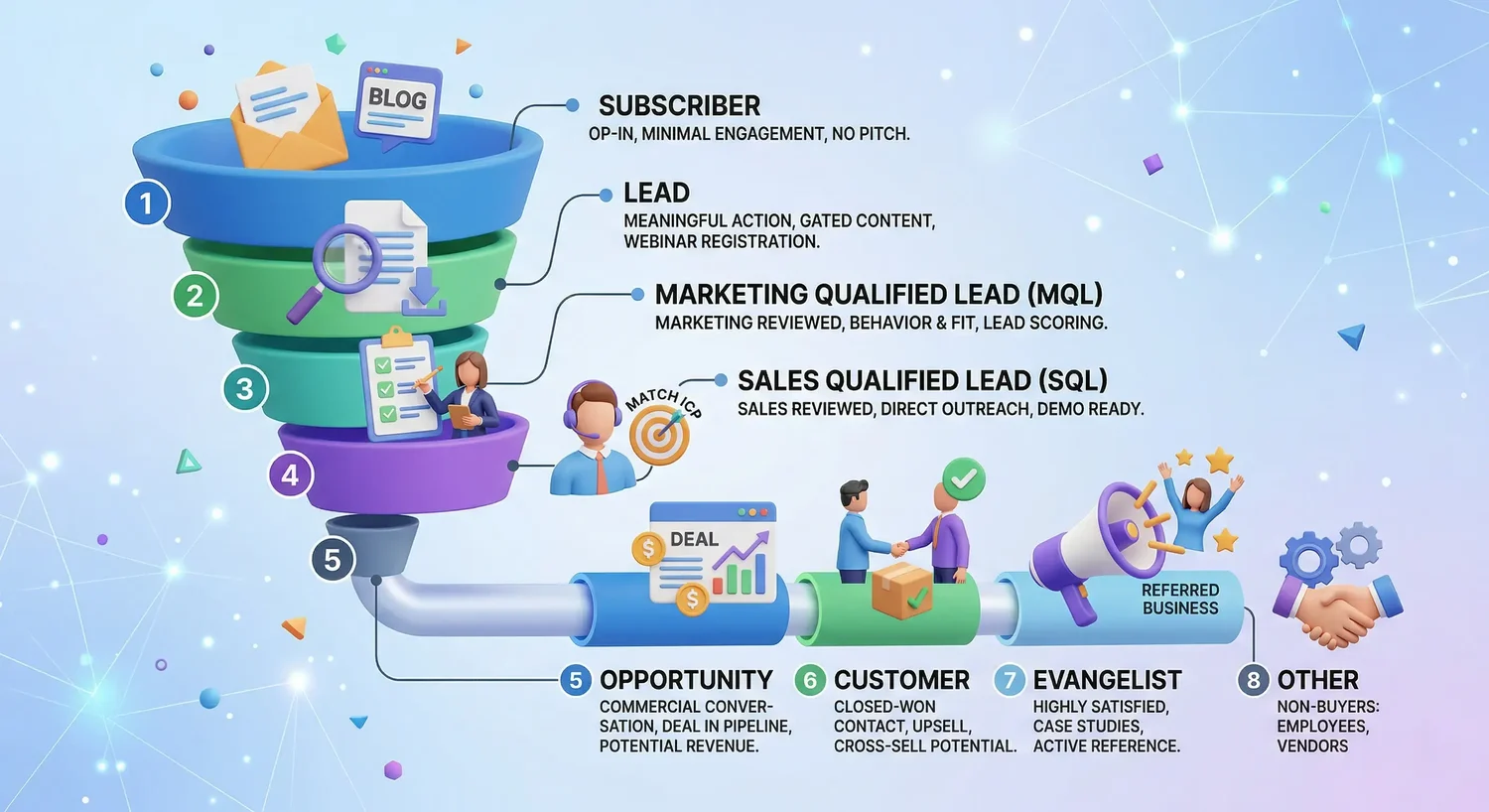
    HubSpot lifecycle stages are a CRM property that shows where each contact sits in your customer journey, from first contact to loyal customer. HubSpot ships with eight default stages: Subscriber, Lead, MQL, SQL, Opportunity, Customer, Evangelist, and Other, and you can customize them to match your sales process.

    If you’ve just logged into HubSpot for the first time, you’ve probably noticed a property called “Lifecycle Stage” sitting on every contact record. It’s easy to skim past it. Don’t.

    This one property quietly powers a lot of what makes HubSpot useful: your workflows, your funnel reports, and the handoff between marketing and sales. Get it wrong (or ignore it) and your reporting turns into guesswork. Get it right and everyone on your team can answer the same question the same way: where is this person in their journey with us, and what should happen next?

    What Is a HubSpot Lifecycle Stage, Exactly?

    The Lifecycle Stage property is a native field in HubSpot that tracks where a contact or company sits in your customer journey, starting from the first time you interact with them and continuing through purchase and beyond. Every single contact and company record in your HubSpot account carries this property, whether you’ve configured it or not.

    Think of it as a label that answers one question for your whole team: what milestone has this person actually crossed? It’s not meant to track daily busywork. It’s meant to mark the big, meaningful transitions in a relationship, like when someone stops being an anonymous website visitor and becomes a real sales opportunity.

    Properly configured lifecycle stages aren’t just cosmetic labels. They let your team segment contacts, personalize outreach, trigger automated workflows, and build pipeline reports that actually mean something. Skip the setup work and lifecycle stages become metadata that nobody trusts, not intelligence you can act on.

    The 8 Default HubSpot Lifecycle Stages Explained

    Out of the box, HubSpot gives you eight stages: Subscriber (opted into your communications, no buying intent yet), Lead (took a meaningful engagement action), MQL (marketing has qualified them as sales-ready), SQL (sales has verified them against your ideal customer profile), Opportunity (there’s a formal deal with a dollar value attached), Customer (closed-won), Evangelist (an active referral source or case study participant), and Other (for contacts who will never be customers, like vendors or job applicants).

    Here’s what each one actually means in practice.

    Subscriber. Someone who opted in to hear from you but hasn’t shown any real purchase intent yet. Newsletter signups, blog subscribers, and podcast registrants typically land here. Don’t try to sell to this group. Nurture them with useful content instead.

    Lead. A contact who has expressed some interest by filling out a form or downloading a resource. They’ve identified themselves, but they haven’t yet met your bar for marketing qualification.

    Marketing Qualified Lead (MQL). A contact who meets the behavioral and fit criteria your team defined as “ready for sales outreach.” Here’s the catch: there’s no universally agreed definition of MQL across companies, and HubSpot doesn’t apply this stage automatically. Most teams treat an MQL as someone marketing is comfortable handing to sales.

    Sales Qualified Lead (SQL). This is where a sales rep has personally made contact and confirmed the lead is worth pursuing. Some teams formalize this with BANT criteria (Budget, Authority, Need, and Timeline) before moving someone into SQL. Like MQL, HubSpot leaves the exact definition up to you.

    Opportunity. By default, HubSpot automatically applies this stage the moment an associated deal record gets created. You can also apply it manually if you want to flag someone as an opportunity before a deal exists.

    Customer. Once a deal tied to that contact gets marked Closed Won, HubSpot moves the contact to Customer automatically.

    Evangelist. Reserved for customers who’ve moved past satisfaction into advocacy: think referrals, testimonials, or case study participation. This and Customer both sit in what’s often called the retention or advocacy phase of the journey.

    Other. A catch-all for contacts who will never become customers, regardless of stage.

    Lifecycle Stage vs. Lead Status: What’s the Difference?

    This trips up nearly every new HubSpot admin. Lifecycle Stage answers “where is this person in the overall journey?” Lead Status answers a narrower question: “what’s happening with them right now, today, within that stage?”

    For example, a contact moving from Lead to MQL is a lifecycle stage change. Whether that same MQL has been “Attempted to Contact” or is “In Progress” with a rep is a lead status change. Mixing the two up is one of the most common reasons HubSpot reporting ends up unreliable. Lifecycle Stage should track milestones, not your rep’s daily to-do list.

    Can a Contact Move Backward in Lifecycle Stage?

    Not automatically, no. HubSpot’s built-in lifecycle stage automation is designed to move contacts forward, not backward, so a closed-lost deal won’t quietly demote someone from Opportunity back to Lead on its own. If you want that kind of downgrade to happen, a rep has to do it manually, or you need to build a workflow specifically for it.

    Honestly, most teams never bother building that backward workflow, and their reporting suffers for it. If your “Opportunity” count is padded with dead deals from six months ago, nobody trusts the funnel numbers anymore. Worth fixing early rather than discovering it during a board meeting.

    Should You Customize the Default Stages?

    Probably, eventually, but not on day one. Custom lifecycle stages make sense when your actual sales process has a distinct step the defaults just don’t capture, like a formal technical evaluation or a pre-renewal check-in. The tradeoff is real: too many custom stages make the CRM harder to manage and explain to new hires.

    A reasonable starting point most consultants agree on: keep Lead, Opportunity, and Customer as HubSpot defines them, since those map cleanly to almost any business. Don’t feel obligated to force Subscriber, MQL, SQL, or Evangelist into your process if they don’t fit your motion. You can always add them back later.

    Pro tip: before you touch any stage settings, write down a one-sentence definition for MQL and SQL that both marketing and sales sign off on. Verbal agreements that each team interprets differently are one of the most common causes of marketing-sales misalignment, and it’s a lot cheaper to fix on a whiteboard than inside a broken workflow.

    A Quick Checklist for Setting Up Lifecycle Stages

    1. Go to Settings, then Objects, then Contacts in your HubSpot navigation.
    2. Click the Lifecycle Stage tab to see your default stages listed in order.
    3. Write a one-sentence, specific definition for every stage, especially MQL and SQL.
    4. Get sign-off from both marketing and sales leadership on those definitions.
    5. Decide which default stages you’ll actually use and turn off or delete the rest.
    6. Add custom stages only for distinct steps your process genuinely needs.
    7. Build (or confirm) the workflow that moves Closed Won deals to the Customer stage.
    8. Set up a funnel report so you can watch conversion rates between stages monthly.

    One useful sanity check once you’re live: for a mid-market B2B company, a reasonably healthy funnel might look something like 100,000 Subscribers narrowing down to 20,000 Leads, 2,000 MQLs, 600 SQLs, 400 Opportunities, and 120 new Customers in a quarter. If the ratio between any two adjacent stages looks inverted, like more SQLs than MQLs, that’s usually a data problem, not a sign you’re crushing it.

    FAQ

    Do I have to use all eight default lifecycle stages?
    No. Plenty of companies skip Subscriber, Evangelist, or Other entirely because those stages don’t map to how they actually sell.

    What triggers HubSpot to move a contact to Customer automatically?
    HubSpot moves a contact to Customer once a deal associated with them is marked Closed Won.

    Is MQL the same across every company?
    Not even close. There’s no universal definition of MQL, and HubSpot doesn’t apply it automatically, which is exactly why your marketing and sales teams need to agree on your own criteria in writing.

    Can a lifecycle stage move backward if a deal falls through?
    Not on its own. HubSpot’s default automation only moves stages forward, so you’d need a manual update or a custom workflow to send a contact back down the funnel.

    What’s the difference between Lifecycle Stage and Lead Status?
    Lifecycle Stage tracks big-picture milestones in the customer journey. Lead Status tracks the day-to-day activity happening inside a single stage, like whether a rep has reached out yet.

  • How to Choose a SaaS CRM for Automation

    How to Choose a SaaS CRM for Automation

    As B2B teams get leaner and buyers get pickier, more of the revenue engine is running on software. Sales reps are expected to cover more accounts. Marketers are expected to prove pipeline, not just clicks. And the tool sitting in the middle of all of it, your CRM, is either multiplying your team’s effort or quietly draining it.

    That’s why the CRM decision has quietly become an automation decision. You’re not just buying a database of contacts anymore. You’re choosing the system that will route your leads, trigger your follow-ups, sync your marketing and sales data, and tell you what’s actually working.

    Get it right, and a five-person team can operate like fifteen. Get it wrong, and you’ll spend the next two years paying for workarounds, duct-tape integrations, and a sales team that lives in spreadsheets anyway.

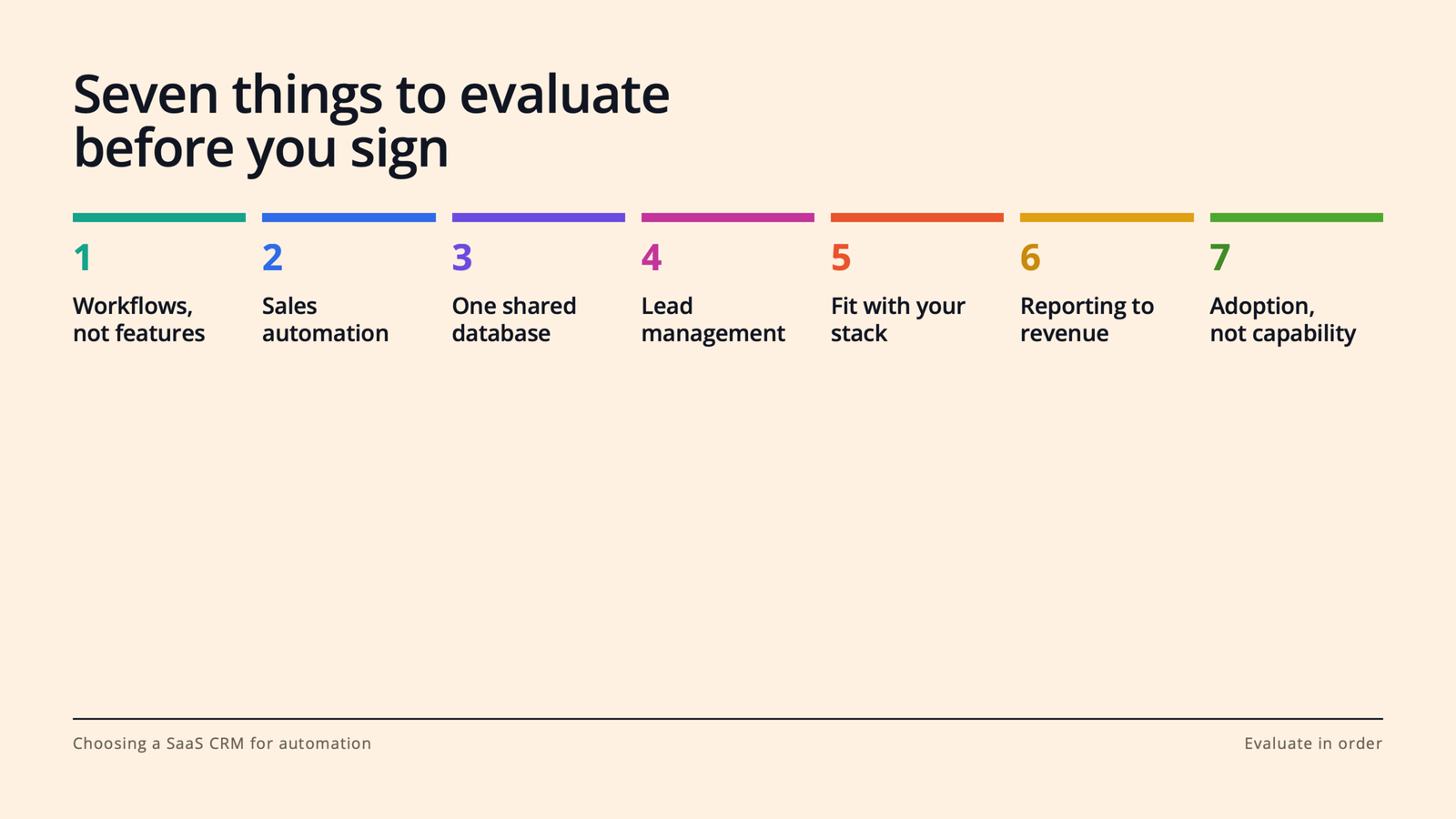
    In this guide, we’ll walk through what a SaaS CRM actually needs to do for a modern revenue team, and the seven things to evaluate before you sign anything.

    What is a SaaS CRM, and why does automation change the buying criteria?

    What is a SaaS CRM? A SaaS CRM is customer relationship management software delivered in the cloud on a subscription basis. No servers to maintain, no versions to install; you log in, your data lives centrally, and updates ship continuously. For most B2B teams, it’s the system of record for every contact, company, deal, and conversation.

    Why does automation change how you should buy one? Because the value of modern CRM platforms no longer comes from storing information. It comes from acting on it. The best platforms watch for signals (a form fill, a stalled deal, a pricing-page visit) and do something useful without a human lifting a finger: assign the lead, send the follow-up, alert the rep, update the forecast.

    That means the old evaluation checklist (“Can it hold our contacts? Can we build a pipeline view?”) is table stakes. The real questions are about workflows. Which brings us to the list.

    1. Start with the workflows you want to automate, not the feature list.

    Every CRM vendor will hand you a feature grid with 200 rows of checkmarks. Ignore it, at least at first.

    Instead, sit down with your sales and marketing leads and write out the five to ten workflows that eat the most time or leak the most revenue today. For most B2B SaaS teams, the list looks something like this: routing inbound leads to the right rep, following up on demo requests within minutes, nurturing leads that aren’t ready to buy, reminding reps when deals go quiet, and handing off closed-won customers to onboarding.

    Now evaluate every CRM against that list. Can it run each workflow natively? How many clicks does it take to build? Does it require an admin, a consultant, or (worst case) a developer?

    This flips the power dynamic in the sales process. You’re no longer being sold features; you’re testing the product against your actual business. Vendors that are a good fit will love this exercise. Vendors that aren’t will get vague. That vagueness is data.

    2. Look for sales automation that removes admin work, not judgment.

    Here’s a useful rule of thumb: good sales automation takes the robot work away from humans. Bad sales automation tries to take the human work away from humans.

    The robot work is everything your reps do that a machine should be doing: logging emails and calls, creating tasks, updating deal stages, scheduling meetings, sending the third polite “just bumping this” follow-up. Research on sales productivity has found reps spend well under half their time actually selling, and admin is the biggest culprit. Every hour of it you automate goes straight back into conversations with buyers.

    So when you evaluate CRM platforms, look for automatic activity logging (email and calendar sync that just works), sequences or cadences for multi-step follow-up, meeting scheduling links, and workflow triggers like “if a deal hasn’t been touched in 10 days, create a task and notify the owner.”

    Then watch for the trap: automation that sends generic, robotic outreach at scale. Your buyers can smell it, and it burns your domain reputation and your brand at the same time. The platform should make personalization faster (templates with smart tokens, AI-assisted drafts a rep can edit), not make it optional.

    3. Make sure marketing automation and sales live on the same database.

    This is the single biggest structural decision in the whole evaluation, and it’s the one teams most often get wrong.

    Plenty of companies buy a CRM for sales and a separate marketing automation tool for email, forms, and nurturing, then wire the two together with a connector. On paper, it works. In practice, you’ve just created two versions of the truth. A lead updates their job title in one system and not the other. Marketing thinks a lead is nurturing; sales already closed them. Attribution reports disagree with pipeline reports, and now your Monday revenue meeting is a debate about whose numbers are right.

    Mistrust and miscommunication flare. Efficiency tanks.

    The alternative is a platform where marketing automation and the sales CRM share one contact record. When a prospect opens an email, visits your pricing page, or fills out a form, the rep sees it in the same timeline where they log calls. When sales disqualifies a lead, marketing’s nurture logic knows instantly.

    If you do end up with separate tools (sometimes there are good reasons), scrutinize the sync: Is it real-time and two-way, or a nightly batch job? What happens on conflicts? Who owns field mappings? Ask to see it working, not just a slide about it.

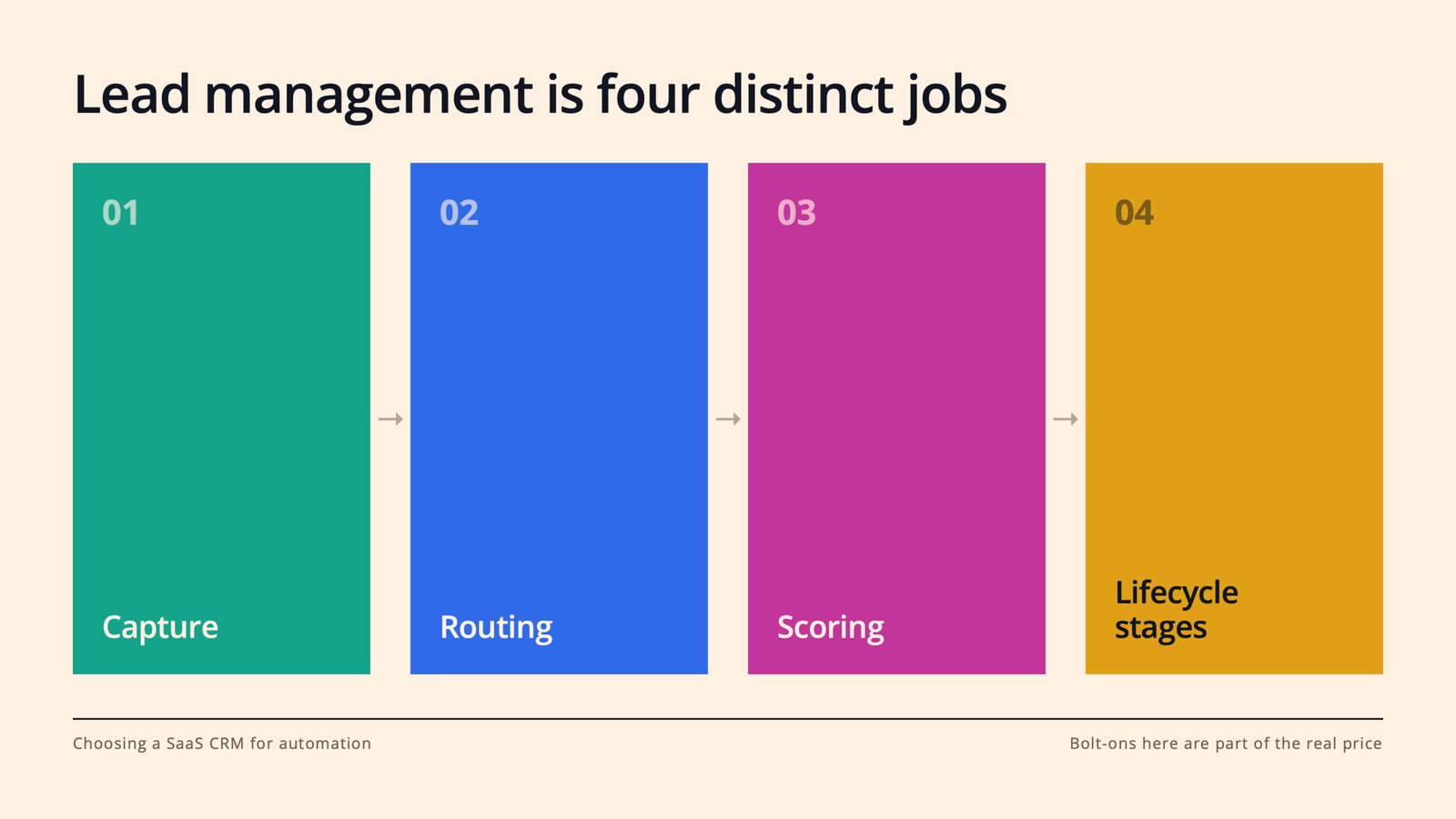
    4. Get specific about lead management: capture, routing, scoring, and lifecycle.

    “Lead management” is one of those phrases that appears on every vendor’s website and means something different at every company. Pin it down. A CRM worth buying should handle four distinct jobs:

    Capture. Forms, chat, meeting links, and ad integrations (think LinkedIn Lead Gen Forms) that feed leads into the CRM automatically, with source data attached.

    Routing. Rules that assign leads instantly by territory, segment, or round-robin. Speed matters enormously here; the odds of connecting with a lead drop off a cliff within the first hour, so “a rep will get to it tomorrow” is a revenue leak, not a process.

    Scoring and prioritization. The ability to rank leads on fit (does this match our ICP?) and behavior (what have they actually done?), so reps work the best leads first instead of the newest.

    Lifecycle stages. A shared definition of subscriber, lead, MQL, SQL, opportunity, and customer that both marketing and sales agree on, enforced by the system rather than by tribal knowledge.

    If a platform makes you bolt on third-party tools for two or three of these, factor that into the real price.

    5. Audit how it fits your existing stack.

    Your CRM will not live alone. It has to play nicely with your email and calendar, your data warehouse, your support desk, your billing system, and whatever else your team already depends on, whether that’s Slack, Snowflake, Stripe, or a homegrown product database.

    Three questions to ask every vendor:

    Does it integrate natively with our core tools? Native integrations are maintained by the vendor and tend to be sturdier than anything held together by middleware.

    How good is the API? Even if you never plan to touch it, a well-documented API is your escape hatch for the use case you haven’t thought of yet.

    What does the ecosystem look like? A healthy app marketplace means that when you adopt a new tool in two years, the connector probably already exists, for the low price of free ninety-nine (or at least without a services engagement).

    One more thing: ask about data portability on the way out. A vendor confident in their product will make exporting easy. A vendor relying on lock-in will not, and that tells you something.

    6. Demand reporting that connects marketing activity to revenue.

    Automation without measurement is just motion. The whole point of putting sales and marketing on one platform is that you can finally answer the questions that matter: Which campaigns create pipeline, not just leads? Where do deals stall? Which rep behaviors correlate with wins? What’s our real cost per opportunity by channel?

    In your evaluation, don’t settle for the demo dashboard (it’s always gorgeous). Bring three reports your leadership team actually asks for today, and ask the vendor to build them live with sample data. You’ll learn more in that 20 minutes than in the rest of the sales cycle combined.

    And check the AI story here, too. The current generation of CRM platforms is adding forecasting, deal-risk signals, and natural-language reporting. You don’t need all of it on day one, but you do want a vendor that’s clearly investing in it.

    7. Weigh adoption as heavily as capability.

    Here’s the uncomfortable truth about CRM projects: the most common failure mode isn’t missing features. It’s a sales team that won’t use the thing.

    A CRM only automates well if the data going in is clean and complete, and that only happens when reps want to live in it. So in your trial, put actual reps (not just ops) in the product for a week. Watch where they hesitate. Count the clicks to log a call or update a deal. Ask them, honestly, whether they’d use it without being nagged.

    Then look at the operational side of adoption: How long is implementation, really? Do you need a certified admin or an agency to make changes? What does onboarding and support cost? And how does pricing scale as you add seats, contacts, and automation volume? A platform that’s affordable at 10 seats and punishing at 50 is a decision you’ll have to unmake later, mid-growth, when you can least afford the disruption.

    Final thoughts

    Choosing a SaaS CRM for automation isn’t really a software decision. It’s a decision about how your revenue team will work for the next three to five years: how fast leads get touched, how aligned marketing and sales stay, and how much of your team’s week goes to selling instead of admin.

    So start where we started. Write down the workflows that matter, put two or three CRM platforms through a real trial against them, and let your reps and your reports cast the deciding votes.

    The teams that win with automation aren’t the ones with the longest feature list. They’re the ones whose system quietly handles the busywork so the humans can do the part humans are great at: building relationships and closing deals. Pick the platform that makes that your default, and you won’t just keep up with where B2B buying is going. You’ll be ready for it.

  • What’s the Best CRM for a Scaling SaaS Startup? The 4 Walls You’ll Hit First

    What’s the Best CRM for a Scaling SaaS Startup? The 4 Walls You’ll Hit First

    Ask a room full of SaaS founders which CRM they use and you’ll get a room full of different answers. Ask them which CRM they started with, and you’ll get an even more interesting one, because almost nobody scales on the system they signed up for at five employees.

    That’s not a failure of research. It’s the nature of the problem. Early on, a CRM is basically shared memory: a place to keep contacts and deals so nothing falls through the cracks. But somewhere between 20 and 100 people, the job changes. Your CRM stops being a filing cabinet and starts being the operating system for your entire go-to-market motion, running your sales automation, your marketing automation, your lead management, your reporting, all of it.

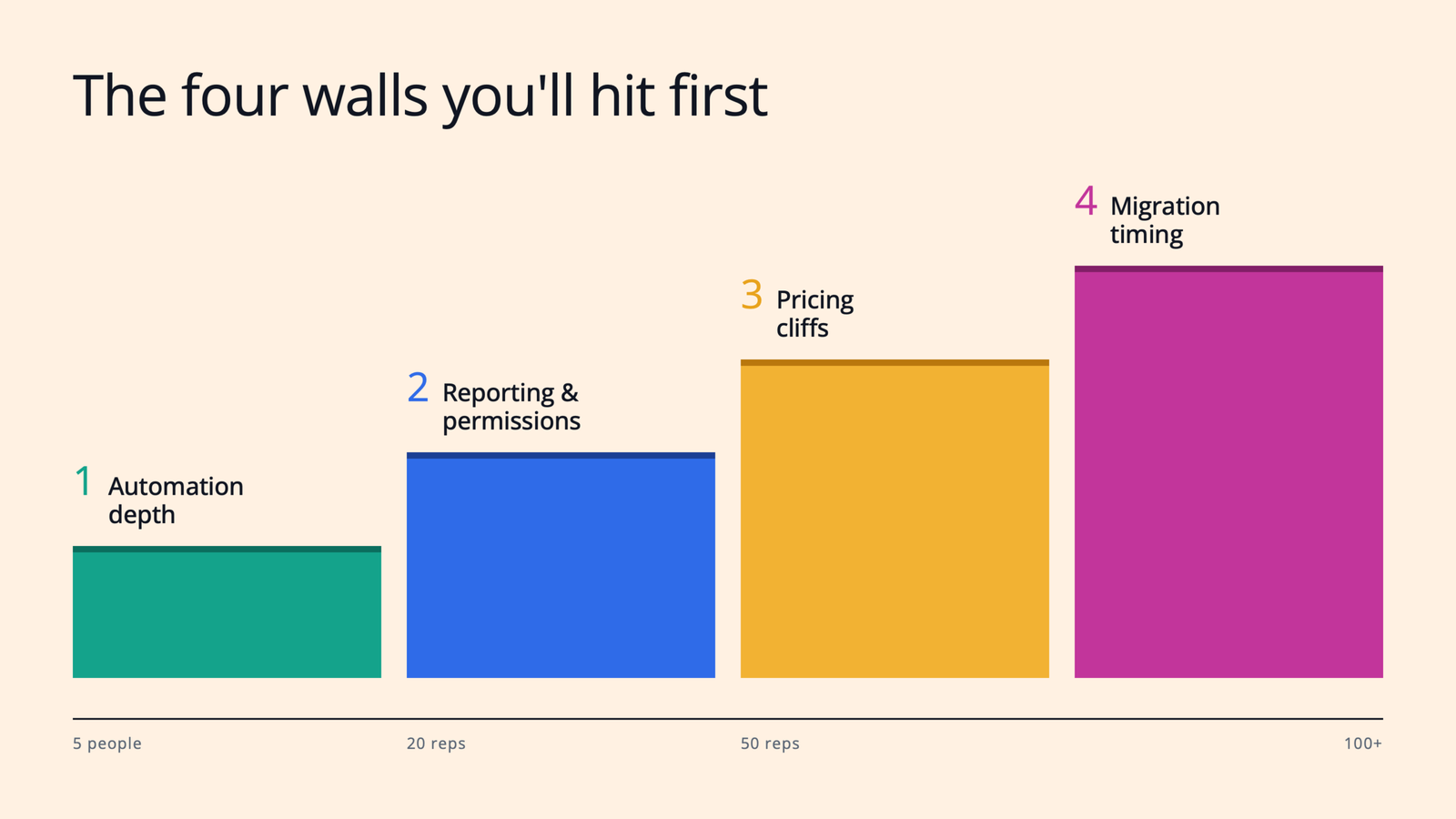
    Here’s the thing, though: teams almost never outgrow CRM platforms because of missing features. They outgrow them because they slam into one of four walls. If you know where those walls are before you hit them, you can pick a platform (and a migration moment) with your eyes open.

    Let’s walk through all four.

    1. You’ll hit the automation-depth wall first.

    In the early days, “automation” means an email sequence and maybe a Slack alert when a demo gets booked. That’s genuinely enough. But as pipeline volume grows, the cracks show up fast.

    Suddenly you need real lead management: routing rules that assign inbound leads by territory or segment in seconds, not whenever someone checks the shared inbox. Lead scoring, so reps work your best-fit accounts first instead of the newest ones. Lifecycle stages (lead, MQL, SQL, opportunity) that marketing and sales both actually respect, enforced by the system rather than by tribal knowledge.

    This is where lightweight, startup-friendly tools quietly tap out, and where you feel the difference between a contact database and true sales automation. The tell is simple: if building a new workflow requires a workaround, a third-party tool, or a Zapier chain someone has to babysit, you’re already leaning on the wall.

    What to do about it: Before you evaluate anything, write down the ten workflows that eat the most rep time or leak the most revenue. Then make every vendor build two of them live in a demo.

    2. Reporting and permissions will sneak up on you.

    This is the wall nobody sees coming, because it has nothing to do with day-one requirements.

    The moment you hire your second sales manager, everything changes. Now you need team-level pipeline views. Field-level permissions, so an SDR can’t accidentally rewrite deal amounts. Forecast roll-ups by team. Attribution reporting your CFO won’t laugh out of the room. Custom objects for the things that make your business your business, like product usage or billing events.

    And here’s the uncomfortable pattern across nearly every vendor: this is exactly the stuff that gets paywalled. The features that make customer relationship management work for a team of teams almost always live two pricing tiers above where you started.

    What to do about it: When you’re comparing CRM platforms, don’t read the pricing page for the plan you’re buying. Read it for the plan two tiers up, because that’s the one your 18-months-from-now self will need. If the reporting and permission features you’ll require at 50 reps only exist on an enterprise tier with a “contact sales” button, factor that into the real cost today.

    3. Pricing cliffs won’t hurt you if you model them before you sign.

    Every scaling team eventually learns that CRM pricing isn’t a line, it’s a staircase, and some of the steps are steep.

    You’ve probably heard the war stories. The jump from a starter tier to a professional tier that multiplies your bill overnight. The platform that looks affordable per seat until you realize you need a full-time admin or a consultant to actually run it. The contact-based pricing that quietly punishes you for the thing marketing worked hardest to build: a big database.

    None of this makes those platforms bad. It makes them priced for a future you may or may not grow into. The mistake isn’t paying more as you scale; that’s normal. The mistake is being surprised.

    What to do about it: Model your total cost at 3x your current headcount and 5x your current contact volume, including admin time, onboarding fees, and the tier that unlocks the automation and reporting from walls one and two. Do this for your top two or three finalists side by side. It’s thirty unglamorous minutes in a spreadsheet, and it can save you an entire mid-growth migration.

    4. Migration timing matters more than tool choice.

    Here’s the take that surprises most founders: when you switch matters as much as what you switch to.

    Every quarter you wait past the breaking point, you accumulate data debt. Duplicate contacts. Deals with fields half-filled. A marketing automation tool synced to your CRM through a connector that mostly works, holding two versions of the truth that mostly agree. Each of those is survivable on its own. Together, they turn your eventual migration from a weekend project into a quarter-long slog, right when your pipeline can least afford the disruption.

    The signals that it’s time are surprisingly consistent: you’ve hired (or are about to hire) a second sales manager. You’re crossing 15 to 20 reps. Marketing and sales are debating whose numbers are right in the Monday revenue meeting. Or your ops person spends more time maintaining syncs and spreadsheets than improving the process.

    What to do about it: Migrate before you think you need to. Pick a quiet stretch of the quarter, appoint one owner, clean your data before it moves (not after), and run the old and new systems in parallel for two to four weeks. Boring? Absolutely. But boring migrations are the good kind.

    So… which CRM is actually “best”?

    If you were hoping for one name, here’s the honest answer: the best SaaS CRM is the one whose walls you won’t hit for the next two to three years, at a price you can see coming.

    For some teams, that’s an all-in-one platform where sales and marketing automation share a single database, so lead management and attribution just work without a sync to babysit. For others, it’s a heavyweight system with deep customization, plus the ops headcount to match. For a seed-stage team, it might genuinely be the lightweight tool everyone loves using, with a calendar reminder to revisit the decision at 15 reps.

    The point is that “best” is a question about your walls, not about logos.

    Final thoughts

    Scaling a SaaS company means your CRM decision is never really finished; it’s a decision you revisit as the company changes shape. But you don’t have to be caught off guard.

    So here’s your first step: this week, grab your sales and marketing leads for 45 minutes and pressure-test your current setup against the four walls. Where’s your automation straining? What reporting will you need at your next headcount milestone? Where are the pricing cliffs on your current contract? And what would a calm, boring migration look like if you started it a quarter early?

    Do that, and you won’t just pick a better platform. You’ll be the team that saw the wall coming and stepped around it, while everyone else was still comparing feature grids.

  • 7 CRM Factors for Midmarket SaaS Teams in 2026

    7 CRM Factors for Midmarket SaaS Teams in 2026

    As B2B teams get leaner and buyers get pickier, more of the revenue engine is running on software. Sales reps are expected to cover more accounts. Marketers are expected to prove pipeline, not just clicks. And the tool sitting in the middle of all of it, your CRM, is either multiplying your team’s effort or quietly draining it.

    That’s why the CRM decision has quietly become an automation decision. You’re not just buying a database of contacts anymore. You’re choosing the system that will route your leads, trigger your follow-ups, sync your marketing and sales data, and tell you what’s actually working.

    Get it right, and a five-person team can operate like fifteen. Get it wrong, and you’ll spend the next two years paying for workarounds, duct-tape integrations, and a sales team that lives in spreadsheets anyway.

    In this guide, we’ll walk through what a SaaS CRM actually needs to do for a modern revenue team, and the seven things to evaluate before you sign anything.

    What is a SaaS CRM, and why does automation change the buying criteria?

    What is a SaaS CRM? A SaaS CRM is customer relationship management software delivered in the cloud on a subscription basis. No servers to maintain, no versions to install; you log in, your data lives centrally, and updates ship continuously. For most B2B teams, it’s the system of record for every contact, company, deal, and conversation.

    Why does automation change how you should buy one? Because the value of modern CRM platforms no longer comes from storing information. It comes from acting on it. The best platforms watch for signals (a form fill, a stalled deal, a pricing-page visit) and do something useful without a human lifting a finger: assign the lead, send the follow-up, alert the rep, update the forecast.

    That means the old evaluation checklist (“Can it hold our contacts? Can we build a pipeline view?”) is table stakes. The real questions are about workflows. Which brings us to the list.

    1. Start with the workflows you want to automate, not the feature list.

    Every CRM vendor will hand you a feature grid with 200 rows of checkmarks. Ignore it, at least at first.

    Instead, sit down with your sales and marketing leads and write out the five to ten workflows that eat the most time or leak the most revenue today. For most B2B SaaS teams, the list looks something like this: routing inbound leads to the right rep, following up on demo requests within minutes, nurturing leads that aren’t ready to buy, reminding reps when deals go quiet, and handing off closed-won customers to onboarding.

    Now evaluate every CRM against that list. Can it run each workflow natively? How many clicks does it take to build? Does it require an admin, a consultant, or (worst case) a developer?

    This flips the power dynamic in the sales process. You’re no longer being sold features; you’re testing the product against your actual business. Vendors that are a good fit will love this exercise. Vendors that aren’t will get vague. That vagueness is data.

    2. Look for sales automation that removes admin work, not judgment.

    Here’s a useful rule of thumb: good sales automation takes the robot work away from humans. Bad sales automation tries to take the human work away from humans.

    The robot work is everything your reps do that a machine should be doing: logging emails and calls, creating tasks, updating deal stages, scheduling meetings, sending the third polite “just bumping this” follow-up. Research on sales productivity has found reps spend well under half their time actually selling, and admin is the biggest culprit. Every hour of it you automate goes straight back into conversations with buyers.

    So when you evaluate CRM platforms, look for automatic activity logging (email and calendar sync that just works), sequences or cadences for multi-step follow-up, meeting scheduling links, and workflow triggers like “if a deal hasn’t been touched in 10 days, create a task and notify the owner.”

    Then watch for the trap: automation that sends generic, robotic outreach at scale. Your buyers can smell it, and it burns your domain reputation and your brand at the same time. The platform should make personalization faster (templates with smart tokens, AI-assisted drafts a rep can edit), not make it optional.

    3. Make sure marketing automation and sales live on the same database.

    This is the single biggest structural decision in the whole evaluation, and it’s the one teams most often get wrong.

    Plenty of companies buy a CRM for sales and a separate marketing automation tool for email, forms, and nurturing, then wire the two together with a connector. On paper, it works. In practice, you’ve just created two versions of the truth. A lead updates their job title in one system and not the other. Marketing thinks a lead is nurturing; sales already closed them. Attribution reports disagree with pipeline reports, and now your Monday revenue meeting is a debate about whose numbers are right.

    Mistrust and miscommunication flare. Efficiency tanks.

    The alternative is a platform where marketing automation and the sales CRM share one contact record. When a prospect opens an email, visits your pricing page, or fills out a form, the rep sees it in the same timeline where they log calls. When sales disqualifies a lead, marketing’s nurture logic knows instantly.

    If you do end up with separate tools (sometimes there are good reasons), scrutinize the sync: Is it real-time and two-way, or a nightly batch job? What happens on conflicts? Who owns field mappings? Ask to see it working, not just a slide about it.

    4. Get specific about lead management: capture, routing, scoring, and lifecycle.

    “Lead management” is one of those phrases that appears on every vendor’s website and means something different at every company. Pin it down. A CRM worth buying should handle four distinct jobs:

    Capture. Forms, chat, meeting links, and ad integrations (think LinkedIn Lead Gen Forms) that feed leads into the CRM automatically, with source data attached.

    Routing. Rules that assign leads instantly by territory, segment, or round-robin. Speed matters enormously here; the odds of connecting with a lead drop off a cliff within the first hour, so “a rep will get to it tomorrow” is a revenue leak, not a process.

    Scoring and prioritization. The ability to rank leads on fit (does this match our ICP?) and behavior (what have they actually done?), so reps work the best leads first instead of the newest.

    Lifecycle stages. A shared definition of subscriber, lead, MQL, SQL, opportunity, and customer that both marketing and sales agree on, enforced by the system rather than by tribal knowledge.

    If a platform makes you bolt on third-party tools for two or three of these, factor that into the real price.

    5. Audit how it fits your existing stack.

    Your CRM will not live alone. It has to play nicely with your email and calendar, your data warehouse, your support desk, your billing system, and whatever else your team already depends on, whether that’s Slack, Snowflake, Stripe, or a homegrown product database.

    Three questions to ask every vendor:

    Does it integrate natively with our core tools? Native integrations are maintained by the vendor and tend to be sturdier than anything held together by middleware.

    How good is the API? Even if you never plan to touch it, a well-documented API is your escape hatch for the use case you haven’t thought of yet.

    What does the ecosystem look like? A healthy app marketplace means that when you adopt a new tool in two years, the connector probably already exists, for the low price of free ninety-nine (or at least without a services engagement).

    One more thing: ask about data portability on the way out. A vendor confident in their product will make exporting easy. A vendor relying on lock-in will not, and that tells you something.

    6. Demand reporting that connects marketing activity to revenue.

    Automation without measurement is just motion. The whole point of putting sales and marketing on one platform is that you can finally answer the questions that matter: Which campaigns create pipeline, not just leads? Where do deals stall? Which rep behaviors correlate with wins? What’s our real cost per opportunity by channel?

    In your evaluation, don’t settle for the demo dashboard (it’s always gorgeous). Bring three reports your leadership team actually asks for today, and ask the vendor to build them live with sample data. You’ll learn more in that 20 minutes than in the rest of the sales cycle combined.

    And check the AI story here, too. The current generation of CRM platforms is adding forecasting, deal-risk signals, and natural-language reporting. You don’t need all of it on day one, but you do want a vendor that’s clearly investing in it.

    7. Weigh adoption as heavily as capability.

    Here’s the uncomfortable truth about CRM projects: the most common failure mode isn’t missing features. It’s a sales team that won’t use the thing.

    A CRM only automates well if the data going in is clean and complete, and that only happens when reps want to live in it. So in your trial, put actual reps (not just ops) in the product for a week. Watch where they hesitate. Count the clicks to log a call or update a deal. Ask them, honestly, whether they’d use it without being nagged.

    Then look at the operational side of adoption: How long is implementation, really? Do you need a certified admin or an agency to make changes? What does onboarding and support cost? And how does pricing scale as you add seats, contacts, and automation volume? A platform that’s affordable at 10 seats and punishing at 50 is a decision you’ll have to unmake later, mid-growth, when you can least afford the disruption.

    Final thoughts

    Choosing a SaaS CRM for automation isn’t really a software decision. It’s a decision about how your revenue team will work for the next three to five years: how fast leads get touched, how aligned marketing and sales stay, and how much of your team’s week goes to selling instead of admin.

    So start where we started. Write down the workflows that matter, put two or three CRM platforms through a real trial against them, and let your reps and your reports cast the deciding votes.

    The teams that win with automation aren’t the ones with the longest feature list. They’re the ones whose system quietly handles the busywork so the humans can do the part humans are great at: building relationships and closing deals. Pick the platform that makes that your default, and you won’t just keep up with where B2B buying is going. You’ll be ready for it.

  • TAM, SAM, SOM Explained for First-Time Founders

    TAM, SAM, SOM Explained for First-Time Founders

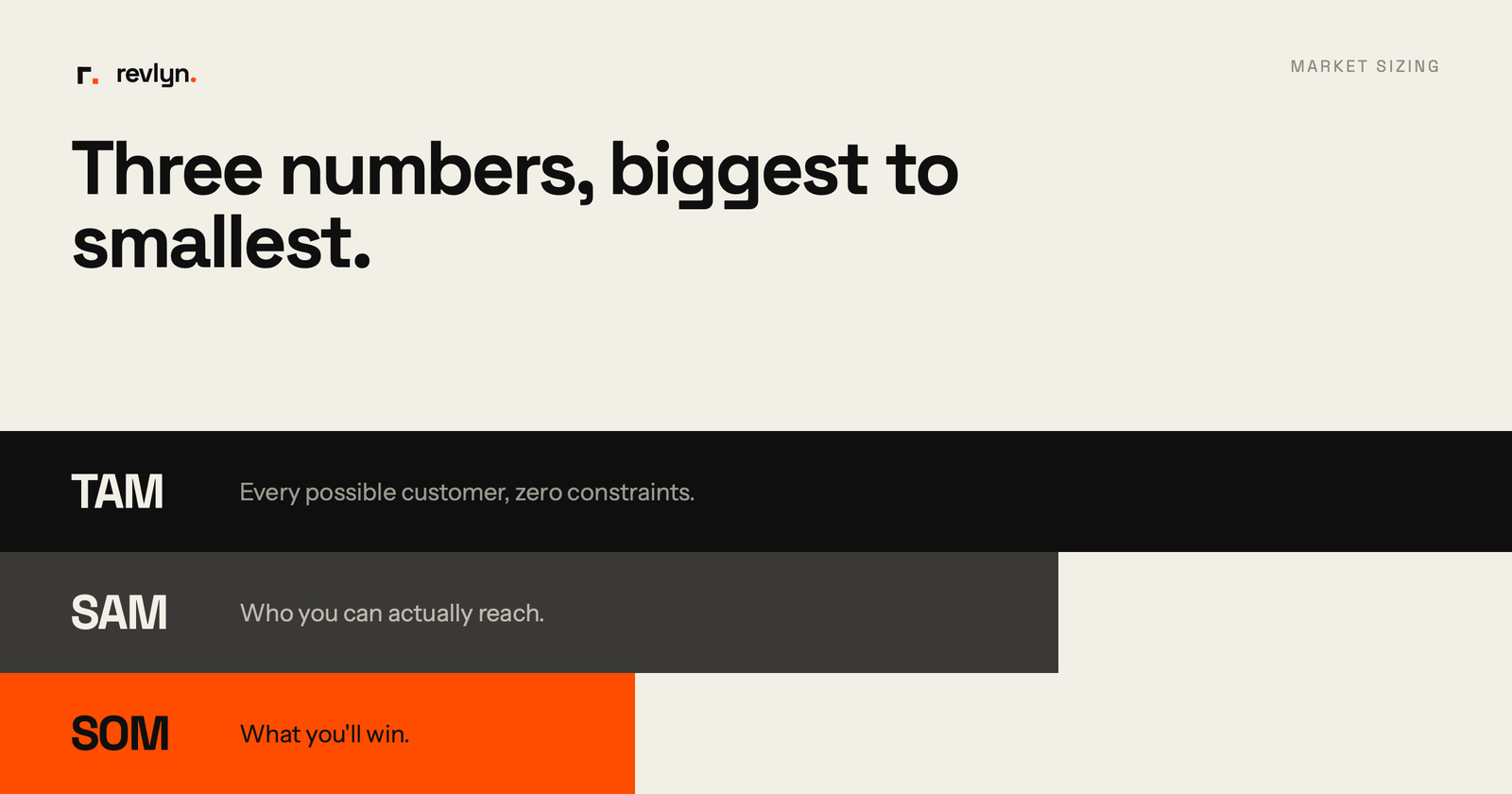
    TAM, SAM, and SOM are three numbers that describe how big your market is, from biggest to smallest. TAM (Total Addressable Market) is the whole market if you had 100% share. SAM (Serviceable Addressable Market) is the slice you can actually reach. SOM (Serviceable Obtainable Market) is what you can realistically win in the near term.

    If you’ve ever sat in a pitch meeting and heard someone throw out a number like “this is a $50 billion market,” you’ve seen TAM in action. But that number alone tells you almost nothing about whether a specific startup can actually make money in it.

    That’s the gap TAM, SAM, and SOM are built to close. They’re not just fundraising slides. They’re a way to force yourself to answer a much harder question: who, specifically, is going to buy this, and how much of that group can you realistically get to?

    What do TAM, SAM, and SOM actually mean?

    Let’s take these one at a time, because each one narrows the picture a bit further.

    TAM (Total Addressable Market) is the total revenue opportunity for your product or service if you captured every single possible customer. Think of it as the ceiling, the theoretical maximum with zero competition and zero constraints.

    SAM (Serviceable Addressable Market) is the part of that TAM your actual business model can reach. This is where geography, pricing, product capability, and who you can legally or practically sell to start cutting the number down. As HubSpot puts it, SAM is the size of the TAM you can reasonably target as you build your audience.

    SOM (Serviceable Obtainable Market) is the realistic slice of SAM you can capture given your competitive position, team size, and go-to-market capacity right now. This is the number that should actually show up in your near-term revenue plan.

    A cybersecurity example makes this concrete: if you’ve built a security product for financial institutions, your TAM might be the entire global cybersecurity market. Your SAM narrows to cybersecurity spend by financial institutions in the regions where you can actually operate, and your SOM is the portion of that spend you can realistically win given your current team and competitive position.

    Why does this matter for a first-time founder?

    Honestly, most founders don’t skip TAM, SAM, SOM because they think it’s unimportant. They skip it because it feels like a fundraising formality instead of a tool they’ll actually use. That’s a mistake.

    Getting these numbers right (or at least directionally right) shapes your product roadmap, your hiring plan, and your sales targets, not just your pitch deck. A market sizing exercise done well helps you set realistic goals and avoid overextending your team into a segment that was never going to work.

    It also matters because investors read TAM as a signal of ambition and SOM as a signal of realism. A large and growing market can indicate a business has real upside, but only if the SAM and SOM show you actually understand how you’ll capture a piece of it.

    Here’s the problem most first-timers run into: they build a huge, impressive TAM slide and then have no credible story for how they get from zero to their first hundred customers. That gap is exactly what SAM and SOM exist to fill in.

    How do you calculate TAM, SAM, and SOM?

    There are two common approaches, and you’ll likely use both.

    Top-down starts with industry reports and analyst data (think Gartner or Statista) and narrows down from there. It’s fast, but it leans on assumptions from outside your business.

    Bottom-up starts with your own numbers: your average sale price multiplied by the number of realistic customers you could sell to. This method is slower to build but far more credible to investors, because it’s grounded in how your business actually operates rather than someone else’s market report.

    Here’s a simple step-by-step you can follow:

    1. Define your customer and your offer. Get specific about who you’re selling to (industry, company size, geography) and what exactly you’re selling before you touch a single number.
    2. Estimate TAM. Multiply your average annual contract value by the total number of potential customers who fit your definition, or use a trusted industry report as a sanity check.
    3. Narrow to SAM. Filter TAM by the constraints that are actually true for your business right now: geography you can service, product capabilities, pricing tier, regulatory or licensing barriers.
    4. Narrow to SOM. Filter SAM again based on your competitive position, brand awareness, sales capacity, and marketing budget. This is your realistic near-term target.
    5. Sanity-check against your current revenue. If your SOM is wildly disconnected from what your team could plausibly sell in a year, go back and tighten your assumptions.

    A quick example: imagine a startup selling kitchen storage products to U.S. households earning more than $50,000 a year. If there are 40 million such households spending an average of $100 a year on kitchen storage, that puts TAM around $4 billion. From there, you’d filter down to the households you can actually reach through your channels (SAM), then to the share you can realistically win in year one given your marketing budget and competition (SOM).

    Common mistakes founders make with TAM, SAM, SOM

    Most of the market sizing mistakes we see aren’t math errors. They’re judgment errors.

    • Sizing TAM too big. Strategy teams and founders spend a lot of time on market sizing, and most of them get it wrong in the same direction: too large. A $50 billion TAM sounds great until someone asks how you get your first 50 customers.
    • Using stale or mismatched data. Markets shift fast, and combining figures from different years or sources creates projections that mislead you and everyone reading your numbers.
    • Ignoring real-world constraints. Calculating TAM off pure demographics while ignoring regulatory barriers, entrenched competitors, or realistic sales-cycle length tends to produce products nobody actually buys.
    • Skipping market validation entirely. According to CB Insights, roughly 42% of startups fail because there’s no real market need for their product. TAM, SAM, SOM won’t save you from a bad idea, but it forces the kind of questioning that can catch one early.

    Pro tip: if your SOM is only two or three times your current revenue, treat that as a warning sign that you’re nearing saturation in your current segment, not a reason to celebrate a “strong” number.

    A quick checklist before you present your numbers

    • Have you defined your customer specifically enough (industry, size, geography, use case)?
    • Did you build your numbers bottom-up, not just pulled from an analyst report?
    • Have you accounted for competitors who already hold market share?
    • Is your SOM something your current team could plausibly sell in the next 12 months?
    • Are all three numbers using data from the same time period?

    FAQ

    Is SAM just a smaller version of TAM?
    Not exactly. SAM applies real filters to TAM, like geography, pricing, and product fit, so it’s a meaningfully narrower and more useful number for planning.

    What’s a good TAM size for a VC-backed startup?
    A strong TAM for a VC-backed startup generally falls between $10 million and $300 million, large enough to signal growth potential without looking unmanageable or overly saturated.

    Should I use top-down or bottom-up to calculate these numbers?
    Use both if you can, but lean on bottom-up when talking to investors. It’s grounded in your own sales data rather than someone else’s assumptions, which makes it far more credible.

    How often should I revisit my TAM, SAM, SOM numbers?
    At least once a year, or any time your product, pricing, or target segment changes meaningfully. Stale numbers built on old data lead to bad decisions later.

    Do I need fancy market research tools to do this?
    No. A spreadsheet, a clear customer definition, and honest assumptions get you most of the way there. Fancy data platforms can sharpen the SAM calculation later, but they’re not a prerequisite for getting started.

    If you’re still early in mapping out your go-to-market strategy, sign up for the Revlyn newsletter and we’ll send you a simple TAM/SAM/SOM worksheet you can fill in with your own numbers.

  • 5 Signs Your Company Needs a Dedicated RevOps Hire

    5 Signs Your Company Needs a Dedicated RevOps Hire

    You probably need a dedicated RevOps hire if your sales, marketing, and customer success teams run on different data, your leaders spend more time reconciling spreadsheets than closing revenue, or you’ve outgrown founder-led sales without anyone systemizing the handoffs between teams. If two or more of these sound familiar, it’s time to act, not wait.

    Here’s a scene that plays out at a lot of growing companies: your VP of Sales pulls a pipeline number from the CRM (customer relationship management software, the system that tracks every deal and customer interaction). Your CFO pulls a different number from a spreadsheet. Nobody agrees on what “qualified lead” even means anymore. Sound familiar?

    That’s not a people problem. It’s a systems problem, and it usually means you’ve outgrown informal coordination between departments.

    What Does a RevOps Hire Actually Do?

    RevOps stands for Revenue Operations. It’s the function that aligns your sales, marketing, and customer success teams around one set of data, one set of processes, and one shared definition of how revenue actually gets made. The goal of RevOps is to break down departmental silos and create a single, unified approach to generating and growing revenue.

    Instead of each department running its own tools, its own reports, and its own version of the truth, a RevOps hire (or team) owns the connective tissue between them. Think of it as the person who makes sure the baton doesn’t get dropped every time a deal moves from marketing to sales to customer success.

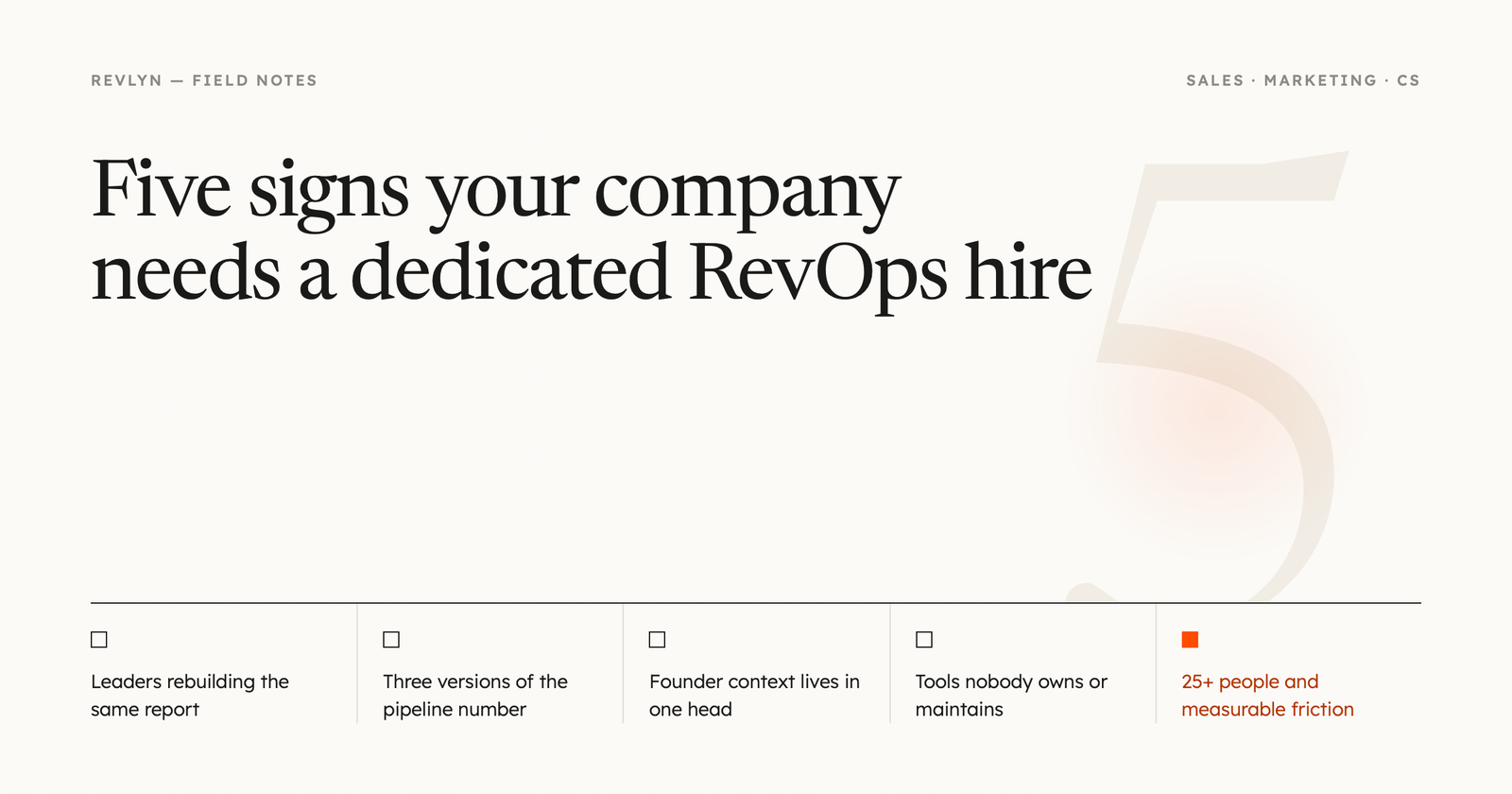
    5 Signs You Need to Hire a Dedicated RevOps Person

    1. Your leaders are doing data janitor work instead of leading

    If your VP of Sales spends Monday mornings rebuilding the same Excel report because nobody trusts the CRM data, that’s a RevOps signal, plain and simple. Executive time is too expensive to spend on data cleanup that a system or a process should be handling automatically.

    Your sales leader should be coaching reps and building playbooks, not burning 10 hours a week configuring workflows and chasing down numbers.

    2. Sales, marketing, and CS can’t agree on the numbers

    When your company can’t effectively upsell, cross-sell, manage renewals, or reduce churn, it’s usually because sales, marketing, and customer success aren’t on the same page. Departmental silos get in the way, and that friction shows up as compromised customer experience and lost revenue, not just internal annoyance.

    If your teams are handing customers off like a bucket brigade instead of managing one continuous journey, that’s worth fixing before it costs you a renewal.

    3. You’ve outgrown founder-led sales

    When a founder is doing the selling, they hold all the context in their head: every customer, every deal, every quirky exception. That works fine at a tiny scale.

    But once you’ve hired a sales leader and started building out a real team, that tribal knowledge needs to live in a system, not in one person’s memory. Without someone systemizing it, new hires reinvent the wheel and mistakes repeat.

    4. Your tech stack has grown faster than your process

    As companies scale, leaders often end up with a sprawling, disconnected tech stack. New hires bring in their own favorite tools, nobody owns integration, and pretty soon you’ve got five systems that don’t talk to each other.

    Without a dedicated RevOps resource orchestrating a smooth handoff between tools and teams, your business will struggle to scale past this point. That’s not an opinion, it’s basically the definition of what happens when tooling outpaces process.

    5. You’re past 25+ employees with distinct sales and marketing functions

    Once you’ve got roughly 25 or more employees split across dedicated sales and marketing teams, and friction between those teams is causing measurable revenue loss (not just office tension), it’s usually time to bring on dedicated RevOps help. Waiting until it’s a full-blown crisis just makes the eventual fix more expensive.

    Most companies bring in RevOps somewhere between Series A and Series C funding, depending on how complex their go-to-market motion has gotten. There’s no magic revenue number that triggers the hire. It’s really about whether operational complexity has outrun what your current team can coordinate informally.

    Pro tip: before you post the job, run a quick funnel audit. Map out where deals actually get stuck or where data breaks down between systems. That audit tells you whether you need a generalist RevOps hire, a specialist (like someone focused purely on the tech stack), or a fractional consultant to start.

    When Should You Hire Full-Time vs. Bring in Outside Help?

    Not every company needs a full-time RevOps hire right away. Fractional RevOps leaders, who typically work 15-20 hours a week with a company, can be a smart middle step if you need strategic guidance but aren’t ready to commit to a full-time senior salary.

    A hybrid approach works well for a lot of teams: bring in outside help to build the foundation (clean data, defined processes, a real reporting structure), then hire internally once the role is clearly scoped. Honestly, most botched first RevOps hires happen because the company tried to hire before anyone had actually defined what the job was supposed to fix.

    Where Should RevOps Report?

    This matters more than most founders think. A RevOps leader typically reports directly to the CRO (Chief Revenue Officer). In some cases, they report to the CFO or COO instead.

    What you want to avoid is burying RevOps inside sales or marketing, where it inevitably ends up biased toward whichever department it sits under. RevOps only works if it can call out problems in every department, including the one it reports through.

    A Quick Self-Check Before You Post the Job

    1. Can your leadership team agree on last quarter’s pipeline number without three separate spreadsheets?
    2. Does your CRM data get trusted enough that reps actually use it to prioritize their day?
    3. Is anyone currently “unofficially” doing RevOps work on top of their real job?
    4. Have you added tools in the last year that nobody fully owns or maintains?
    5. Are handoffs between marketing, sales, and customer success documented anywhere?

    If you answered “no” to two or more of these, that’s your signal.

    FAQ

    Do we need a RevOps hire even if we’re a small startup?
    Probably not yet. At the earliest stages, revenue teams are usually small enough that founders or early GTM leaders can manage operations without a dedicated hire.

    What’s the difference between RevOps and sales operations?
    Sales ops focuses narrowly on the sales team’s tools and process. RevOps sits above that, unifying sales, marketing, and customer success into one shared system and one shared set of metrics.

    How fast can a RevOps hire show impact?
    It varies a lot by company, but the fastest wins usually come from fixing data trust issues and clarifying handoffs between teams, not from big strategic overhauls in month one.

    Should our first RevOps hire be a generalist or a specialist?
    Start with a generalist. Once you’ve got 25+ employees across distinct GTM teams, that’s usually when it makes sense to start splitting the role into specialists for enablement, systems, and analytics.

    What happens if we wait too long to hire?
    Waiting too long tends to mean sales leaders doing manual reporting instead of coaching, more data conflicts between departments, and a tech stack nobody fully owns. None of that fixes itself.

    If you’re staring at two or three of these signs right now and not sure whether to hire, build a fractional bridge, or fix your process first, that’s exactly the kind of question worth a real conversation. Book a RevOps diagnostic call with Revlyn and we’ll help you figure out what your revenue engine actually needs before you write the job description.

  • Pipeline Coverage Ratio: Formula & Benchmarks Explained

    Pipeline Coverage Ratio: Formula & Benchmarks Explained

    What Is Pipeline Coverage Ratio? A Beginner’s Formula and Benchmarks

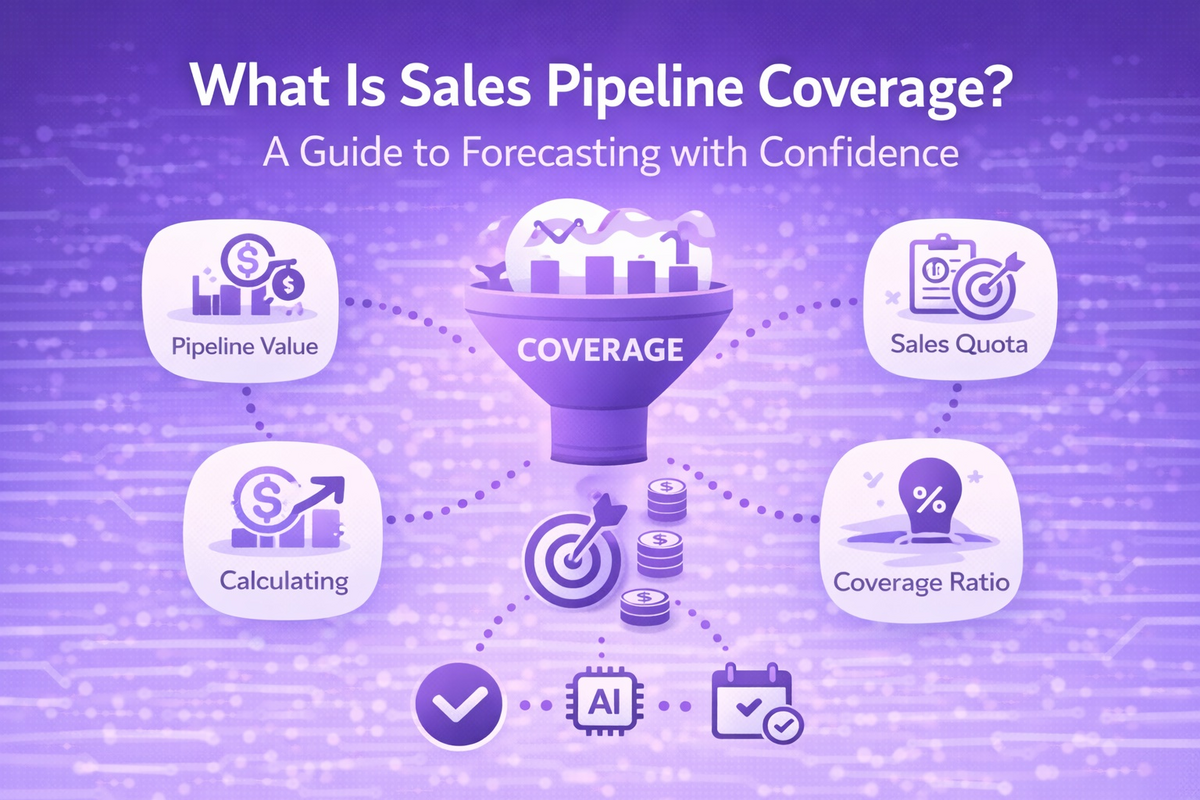
    Pipeline coverage ratio compares the total value of your open sales opportunities to your revenue target for a given period. You calculate it by dividing total pipeline value by your quota, and the result tells you whether you have enough deals in play to realistically hit that number.

    If you’ve ever sat in a forecast call and heard someone say “we’re at 3x coverage, we’re fine,” you’ve bumped into this metric already. But that single number hides more than it reveals, and most teams lean on it without understanding what’s actually driving it.

    Let’s fix that.

    What Is Pipeline Coverage Ratio?

    Pipeline (your sales pipeline) is the collection of open deals your sales reps are actively working, tracked in your CRM (customer relationship management software, the system that stores your deals and contacts). Pipeline coverage ratio takes the total dollar value of that pipeline and compares it against your revenue target.

    A sales pipeline coverage ratio compares the value of qualified opportunities in a defined period with the quota for that same period, answering a simple question: do you have enough real pipeline to hit your number this quarter or year? It’s not asking whether pipeline exists. It’s asking whether enough of it exists.

    How Do You Calculate Pipeline Coverage Ratio?

    The formula is genuinely simple, even if the inputs behind it aren’t. Pipeline Coverage Ratio equals Total Qualified Pipeline Value divided by Revenue Target, and a $1.5M pipeline against a $500K quarterly quota works out to 3x coverage.

    Here’s what that means in plain terms: if your team has $3 million in open pipeline and a $1 million quota, your coverage ratio is 3x, and you’d need to close about one out of every three dollars sitting in that pipeline to hit your number.

    The tricky part is what counts as “pipeline.” Only qualified opportunities that are actively being worked should count, not every stale lead sitting in a CRM stage with a dollar sign attached.

    What’s a Good Pipeline Coverage Ratio?

    There’s no single universal answer here, and honestly, anyone who hands you one flat number without asking about your win rate is giving you a guess dressed up as a benchmark. That said, the research does point to some useful ranges.

    Most sales experts recommend maintaining coverage between 3x and 6x your target, depending on your industry and conversion rates. Broken down by segment, enterprise sales teams typically maintain 3-5x coverage to account for longer sales cycles and multiple stakeholders, while mid-market B2B teams often target 2.5-4x coverage, and high-velocity SMB sales may operate effectively with 2-3x coverage.

    Those ranges roughly line up with what other pipeline-management resources report too: different segments need different coverage ratios, with enterprise deals needing 4:1 to 6:1 coverage because of longer cycles and lower win rates, mid-market landing around 3:1 to 4:1, and SMB comfortably running 2:1 to 3:1 thanks to faster decisions.

    Why Your Win Rate Matters More Than the Ratio Itself

    This is the part most beginner explanations skip, and it’s the part that actually matters. Your required coverage ratio is the mathematical inverse of your win rate: if your team closes 20% of opportunities, you need 5x pipeline to reliably hit target, and applying a generic 3x benchmark without adjusting for your actual conversion rate is one of the most common forecasting errors revenue leaders make.

    Put another way, a 3x ratio only works if your team closes roughly one in three qualified deals. If your reps close 25%, you need 4x. If they close 33%, 3x is fine. It’s just math, but it’s math a lot of sales leaders skip because 3x is the number everyone’s heard before.

    Pro tip: before you set a coverage target, pull your team’s actual win rate from the last two to four closed quarters and divide 1 by that number. That’s your real required coverage, not the industry rule of thumb.

    Weighted vs. Unweighted Pipeline Coverage

    You’ll also hear people talk about “weighted” pipeline. Unweighted coverage sums all deal values at face value, while weighted coverage typically adjusts each deal’s value by its probability of closing based on its current stage.

    Tracking both gives you a fuller picture: unweighted coverage shows volume, weighted coverage shows likelihood, and together they show you most of what you need to know about pipeline health.

    How to Calculate Your Pipeline Coverage Ratio: A Quick Checklist

    1. Pull your revenue target for the period (monthly, quarterly, or annual).
    2. Filter your CRM to only qualified, actively-worked opportunities, not every open record with a dollar value attached.
    3. Sum the total value of that filtered pipeline (unweighted), and optionally calculate a stage-weighted version too.
    4. Divide total pipeline value by your revenue target.
    5. Compare that ratio against 1 divided by your team’s historical win rate, not just a generic 3x or 4x rule.
    6. Recheck weekly. Coverage at the start of a quarter is a much better predictor of the outcome than coverage checked halfway through.

    Common Mistakes That Skew the Ratio

    The biggest one? Counting deals that were never real to begin with. Most teams inflate their coverage by counting everything in the CRM that has a dollar amount, which produces a comforting ratio that can turn into a missed quarter once you realize a big chunk of that pipeline was never going to close.

    The other common mistake is mismatching your measurement window to your sales cycle. If your typical deal takes 90 days to close, measure coverage against the current quarter. If it takes six months, you need to look two quarters out, otherwise you’re comparing pipeline that can’t possibly close in time against a target that assumes it will.

    Sound familiar? If your forecast calls keep producing surprises, there’s a decent chance your coverage math and your sales cycle length aren’t talking to each other.

    FAQ

    What’s the difference between pipeline coverage and pipeline velocity?
    Coverage tells you if you have enough total pipeline value to hit a target. Velocity measures how fast deals move through your funnel and translates into revenue over time. They’re related, but coverage is a snapshot and velocity is a rate.

    Is a higher pipeline coverage ratio always better?
    Not necessarily. A very high ratio can just mean your CRM is full of stale or unqualified deals nobody’s actually working, which looks reassuring on a dashboard and means nothing in practice.

    How often should we check our pipeline coverage ratio?
    Weekly, at minimum, especially heading into the final month of a quarter. Coverage measured at the start of a period predicts the outcome far better than a mid-quarter check-in.

    Does pipeline coverage ratio differ by industry?
    Yes. Enterprise software teams often target higher multiples than transactional or high-velocity SMB sales teams, mainly because win rates and sales cycle lengths differ so much between the two.

    What’s the single biggest mistake teams make with this metric?
    Treating 3x as a universal safe number instead of calculating what their own win rate actually requires. It’s an easy fix once you know to do it.

    Want the Full Pipeline Health Checklist?

    If you’re new to tracking pipeline metrics, don’t try to memorize every ratio and formula at once. Sign up for Revlyn’s newsletter and we’ll send you a practical pipeline health checklist you can run through with your team this week, no CRM overhaul required.

  • 7 HubSpot Setup Mistakes New Admins Make and Fixes

    7 HubSpot Setup Mistakes New Admins Make and Fixes

    New HubSpot admins usually break the same seven things: dirty data imports, default pipelines, unchecked property growth, over-permissioned users, unmanaged duplicates, automation built before process mapping, and no post-launch training owner. Each one looks harmless at launch and gets expensive within a year.

    If you just got handed the keys to your company’s HubSpot portal, welcome. It’s a genuinely capable platform. It’s also very easy to configure in a way that looks fine for the first few months and then quietly falls apart.

    Here’s the thing: HubSpot won’t stop you from making these mistakes. It’s flexible by design, which means it lets you build pipelines, properties, and workflows that don’t match how your business actually sells. The platform doesn’t know your sales process. You have to tell it, and if you don’t, it defaults to something generic.

    Below are the seven mistakes we see most often in new admin setups, and what to do instead.

    1. Migrating data in before cleaning it up

    A CRM (customer relationship management system, the database that tracks your contacts, companies, and deals) is only as good as what goes into it. Importing years of messy spreadsheet exports on day one means you’re building your entire setup on a shaky foundation. The setup mistakes that hurt you later rarely break anything on launch day. Property sprawl, workflow spaghetti, skipped integration planning, and dirty data imports all look harmless at launch and expensive twelve months in.

    Before you import anything, dedupe your source files, standardize how company names and email domains are formatted, and decide what counts as a “complete” record. It’s tedious. Do it anyway.

    2. Leaving pipeline and lifecycle stages on default settings

    HubSpot ships with a generic deal pipeline and a standard lifecycle stage list (the stages a contact moves through, like Lead, Marketing Qualified Lead, and Customer). Most new admins never touch them, and that’s a problem, because the default pipeline has deal stages that are generally applicable but may not reflect the specific steps in a company’s sales process.

    Lifecycle stages cause even more pain. Teams configure the stages in the first month, leave the definitions vague, update them manually when they remember, and then wonder why funnel reporting is unreliable. One industry analysis found that a large majority of companies struggle with lifecycle stage accuracy, and when that happens, it quietly sabotages lead scoring, reporting, and automation across the whole portal.

    Write down, in plain language, what makes a contact a Lead versus an MQL versus a Customer at your company specifically. Then automate the stage changes with workflows instead of relying on reps to update them by hand, since manually changing lifecycle stages means you miss the timestamp HubSpot needs for accurate reporting.

    Pro tip: keep lifecycle stage moves forward-only for reporting purposes. If a deal stalls or a lead goes cold, use a status field to flag it rather than reverting the lifecycle stage backward, so you don’t lose the historical record of how that contact actually moved through your funnel.

    3. Letting properties multiply without any oversight

    A property is just a field on a record, like “Job Title” or “Deal Amount.” New admins tend to add one every time someone asks for a new way to slice data, and nobody ever removes the old ones. One analysis of live portals found that most HubSpot portals carry 30 to 50 percent unused custom properties, fields that exist but aren’t tied to any workflow, list, or report.

    Honestly, most property sprawl problems aren’t a HubSpot limitation, they’re a governance gap. Nobody owns the decision to say no to a new field.

    The fix is simple: require a quick justification before anyone creates a new property, and review unused ones on a regular cadence. That one habit alone can cut sprawl dramatically. If you’re on Operations Hub Professional or higher, HubSpot’s data quality command center will flag properties with no data, duplicate properties, and properties nobody’s using, which makes the review much faster.

    4. Making everyone a Super Admin

    Super Admin is the highest access level in HubSpot. It gives someone the ability to remove integrations, alter workflows, and change billing information for the entire account. New admins often hand this out freely because it’s the path of least resistance when someone asks for access.

    Don’t do this. Every portal needs at least one Super Admin, but piling on more than a couple creates unnecessary risk of accidental changes and data issues. The better approach is the principle of least privilege: give each person only the access their job actually requires, and expand it later if a real need shows up. Start with essential permissions only, then expand access if it’s truly necessary, rather than the other way around.

    5. Having no plan for duplicate records

    Duplicates creep in from form fills, manual entry, and messy imports, and they cause real damage: reps waste time contacting the same lead twice, workflows send duplicate emails or skip people entirely, and you can’t trust your pipeline totals or conversion rates.

    The best fix is prevention, not cleanup. Use domain-based company matching instead of relying on company names, enforce duplicate checks during imports, and get reps in the habit of searching for existing records before creating new ones. Even with good prevention, assign someone to review the duplicates tool on a regular schedule, because no strategy stops every duplicate from slipping through.

    6. Building automation before mapping the actual process

    Workflows (HubSpot’s automation tool) are one of the platform’s best features, and one of the most common sources of chaos in a new setup. Automation built without planning becomes one of the biggest problems, with workflows triggering each other, sending content to the wrong segments, and disrupting the experience for both reps and prospects.

    The root cause is usually the same: teams build around what HubSpot can technically do rather than how the business actually sells, markets, and serves customers. Map your process on a whiteboard first. Build the automation second.

    7. Skipping ownership for training and upkeep

    A setup that looks complete on launch day can still fail quietly over the following months if nobody owns it. Good setup weakens quickly when nobody owns onboarding after launch, and the same applies to integrations: review which systems connect to HubSpot, what data syncs, and how sync failures get caught, because unmonitored integrations create silent reporting errors down the line.

    Someone on your team, even part-time, needs to own the portal after go-live: training new hires, watching for data drift, and keeping documentation current.

    A quick pre-launch checklist

    1. Clean and standardize source data before any import
    2. Rebuild pipeline and lifecycle stages around your actual sales process, in writing
    3. Set a property-approval habit before you add new fields
    4. Audit who has Super Admin and cut it down to a small, trusted group
    5. Turn on duplicate-prevention rules and schedule a recurring duplicate review
    6. Map your process before building any workflow
    7. Name a permanent owner for training, documentation, and ongoing hygiene

    FAQ

    How long does a proper HubSpot setup take?
    A standard implementation typically takes four to six weeks, and multi-hub or migration-heavy projects can run six to eight weeks depending on how complex your data is.

    Can I fix these mistakes after HubSpot is already live?
    Yes, and most companies do. None of these problems requires starting from scratch, but fixing them does require an honest look at where the gaps actually are.

    Do I need a HubSpot partner, or can I set it up myself?
    It depends on your team’s shape more than your budget. A single admin with a simple, single-pipeline sales process can reasonably DIY a Starter or Sales Hub setup, but a business with multiple systems, a dedicated RevOps function, or CRM migration involved can lose months to a DIY build that a partner would get right the first time.

    What’s the single biggest mistake on this list?
    Data hygiene problems, because they’re foundational. Bad data quietly undermines everything else you build in the portal, including pipelines, workflows, and reporting.

    How many Super Admins should a portal actually have?
    Keep it small. Assign Super Admin access only to people responsible for system-wide decisions, and use scoped permission sets for everyone else.

    If you’re staring at a portal that already has a few of these problems (or all seven), it’s usually faster to get a second set of eyes on it than to guess your way through a fix. Book a free HubSpot setup diagnostic call with Revlyn and we’ll walk through your portal together and tell you exactly what to fix first.