Category: AI for Sales Teams

  • Best AI Platforms for SaaS Lifecycle Automation

    Which AI platforms for B2B SaaS revenue operations actually cover the full customer lifecycle, not just the front half of the funnel? Most comparisons stop at forecasting and lead scoring, the workflows every revenue leader already knows to evaluate, and skip past onboarding and renewals, where a large share of net revenue retention quietly gets decided. For Australian B2B SaaS teams specifically, that lifecycle-wide view matters even more, since a small domestic market forces earlier international expansion, and the same customer might be onboarded from Sydney, supported through a renewal from a partner in the UK, and forecasted against by a revenue team working three time zones at once.

    This guide compares the AI platforms worth evaluating across acquisition, conversion, onboarding, and renewal, and the specific buying criteria that change once you’re running these tools out of Australia rather than the US.

    Why Lifecycle-Wide AI Coverage Matters, Not Just Front-of-Funnel

    A customer’s relationship with a B2B SaaS company doesn’t stop at the signed contract, and neither should the AI tooling around it. Revenue workflow optimization that only touches forecasting and lead scoring leaves a gap right where a lot of quiet revenue leakage actually happens: a customer who never activates properly, a renewal that nobody flagged as at-risk until the cancellation email arrives.

    Salesloft’s 2026 Revenue Benchmark found every surveyed revenue organization already uses AI somewhere in the process, but only 20.6% describe their deployment as production-ready with measurable outcomes, with the gap traced to CRM data hygiene and deal visibility rather than a lack of access to tools. That gap tends to widen further once you look past the sales stage, since onboarding and renewal data often lives in a separate system that never feeds back into core RevOps reporting at all.

    AI Platform Comparison Across the SaaS Lifecycle

    Tool Lifecycle Stage Primary Workflow Best-Fit Team Size Australia-Specific Consideration
    Clari Forecasting Pipeline prediction from CRM activity and engagement signals Mid-market to enterprise Confirm multi-currency rollup handles AUD, USD, and GBP cleanly for board reporting
    Gong Conversion Conversation intelligence and deal risk flagging Mid-market to enterprise Check call-recording compliance under Australian rules and where recordings are stored
    6sense Acquisition Account and intent-based lead scoring Mid-market to enterprise Intent data coverage can be thinner for APAC accounts than US ones; verify before buying
    HubSpot (Breeze) Acquisition through renewal Native CRM AI across scoring, forecasting, and admin automation SMB to mid-market Large ANZ partner network; costs still scale in USD against AUD budgets
    Salesforce (Agentforce) Acquisition through renewal Native CRM AI, configurable across the full lifecycle Mid-market to enterprise Data residency options exist but need to be explicitly configured, not assumed default
    Rocketlane Onboarding Standardized, human-led implementation project management Mid-market Founded by an India-based team; understands INR/AUD-scale budgets and non-US support hours
    Vitally Renewal Configurable customer health scoring and churn-risk detection Mid-market Health-score configurability lets you build signals specific to APAC usage patterns
    ChurnZero Renewal Automated renewal playbooks and in-app engagement Mid-market to enterprise Primarily US-based support; confirm SLA response times against AEST/AEDT before signing

    Acquisition and Forecasting: Where AI Has Matured the Most

    Forecasting is the clearest AI win in the lifecycle, and tools like Clari pull signal from CRM activity, email and calendar engagement, and historical win-rate patterns to produce forecasts that frequently beat manager roll-ups based purely on rep judgment. For Australian teams, the specific thing to verify is multi-currency and multi-region rollup, since revenue closing in AUD, USD, and GBP across different accounts needs to reconcile into one board-ready number without manual spreadsheet work every quarter.

    On the acquisition side, tools like 6sense use behavioral and intent signals rather than static firmographic rules to prioritize accounts. This is genuinely useful revenue workflow optimization, but Australian teams should specifically check intent data coverage for APAC accounts, since these data sets are frequently built and calibrated primarily around US web traffic.

    Conversion: Conversation Intelligence and Deal Risk

    Tools like Gong and Chorus have moved from premium add-on to close to standard infrastructure for any team running more than a handful of reps. The real value isn’t call recording itself, it’s automated risk flagging, competitor mentions, pricing objections, stalled momentum, surfaced directly into deal records without a manager listening to every call.

    For Australian teams recording calls with customers across multiple jurisdictions, it’s worth confirming both where call recordings are stored and how the tool handles consent requirements that can vary between the states a customer might be calling from and the regions your own team operates out of.

    Onboarding: Getting Customers to Value Without Losing the Handoff

    Onboarding tools split into two genuinely different categories, and picking the wrong one matters more than comparing price. Human-led implementation platforms like Rocketlane manage a multi-stakeholder onboarding project with milestones, automated nudges, and status visibility. Self-serve, in-product onboarding tools guide a PLG user to activation without a human ever getting involved. Confirm which category actually matches your onboarding motion before shortlisting vendors, since the two aren’t interchangeable regardless of how similar the marketing pages look.

    Whichever category fits, the onboarding tool’s data needs to flow back into whatever CRM your RevOps team reports from. An onboarding status that only the Customer Success team can see isn’t visible as a risk signal to the rest of the revenue org, which defeats much of the point of automating it in the first place.

    Renewal and Retention: Catching Risk Before the Cancellation Email

    Vitally and ChurnZero both offer AI-driven health scoring, but the value depends entirely on whether the scoring model can be configured to the specific usage signals that predict renewal or churn for your product, rather than a generic model built for a different kind of SaaS business. Ask vendors to demonstrate configuration on a real account, not a curated demo, and push for a specific number on signal-to-action speed, how fast a usage drop actually becomes a visible alert to a CSM.

    The best renewal tools roll up into a forecast RevOps can actually use, not a separate CS-only dashboard that competes with the CRM’s own forecast. Confirm renewal probability data feeds into your core reporting rather than requiring someone to manually reconcile two disconnected numbers.

    Evaluation Criteria for Australian Operators

    1. Data Residency and Privacy Compliance

    Ask vendors directly where customer data is processed and stored, not just whether they claim to be compliant. If your own contracts include data residency clauses, or if any customers operate in regulated sectors, get this answer in writing before signing, particularly for tools touching call recordings or product usage data.

    2. Genuine AEST/AEDT-Aware Support and Automation

    Confirm actual support hours rather than a generic “24/7” claim that turns out to mean a next-business-day US response. The same applies to any AI-driven alerting inside the tool itself, a churn-risk signal that surfaces at 3am US time and sits unactioned until the next Australian business day defeats the purpose of the automation entirely.

    3. AUD Pricing Exposure

    Most of these platforms price in USD, so per-seat and usage-based costs move with the exchange rate in a way that matters more to an Australian finance team than a US buyer evaluating the same platform. Model total cost at your projected usage rather than the exchange rate on the day of signing.

    4. Reference Customers With a Comparable Footprint

    Ask specifically for reference customers with a similar GTM footprint, ideally other companies also managing the currency and time zone complexity of selling out of Australia into larger markets. A case study from a large US enterprise says very little about how a tool performs for a lean Australian team operating across the same time zone gaps you are.

    Common Mistakes When Adopting AI Across the Lifecycle

    • Buying a forecasting tool before CRM data hygiene is good enough for it to learn from
    • Treating AI scoring or health-scoring output as a replacement for, rather than an input to, human judgment
    • Letting onboarding and renewal data live in a separate system that never feeds back into core revenue reporting
    • Assuming a US or European case study translates directly to an Australian team’s time zone and market context
    • Adding tools faster than the team can actually adopt them into daily customer lifecycle management

    Start With the Broken Lifecycle Stage, Not the Platform Category

    The same principle applies across the full lifecycle as it does at any single stage: start by identifying which specific workflow is clearly broken, forecast accuracy, call coaching, slow activation, reactive churn discovery, and evaluate AI platforms specifically against fixing that problem. Platform-first shopping, buying “an AI tool for B2B SaaS customer workflows” without a defined problem, tends to produce an expensive tool that looks impressive in a demo and never gets fully adopted.

    Summary

    AI platforms for B2B SaaS revenue operations cluster around four lifecycle stages worth evaluating separately: acquisition and forecasting (Clari, 6sense), conversion (Gong, Chorus), onboarding (Rocketlane and similar tools, split between human-led and self-serve categories), and renewal (Vitally, ChurnZero). Native CRM AI in HubSpot’s Breeze and Salesforce’s Agentforce spans multiple stages at once and is often the more sensible starting point before adding standalone tools.

    For Australian operators, the evaluation criteria that don’t show up in a generic comparison matter just as much as the feature list: data residency and privacy compliance, genuinely AEST/AEDT-aware support and automation, AUD pricing exposure on tools priced in USD, and reference customers with a comparable footprint rather than a large US enterprise case study. The most common failure mode is buying the platform before fixing the process underneath it, whether that’s messy CRM data feeding a forecast or onboarding data that never reaches the rest of the revenue team.

    FAQ

    What are the best AI platforms for B2B SaaS revenue operations covering the full lifecycle?

    No single platform covers every stage equally well. Clari and 6sense lead in forecasting and account scoring, Gong and Chorus lead in conversation intelligence, Rocketlane leads in human-led onboarding, and Vitally or ChurnZero lead in renewal health scoring. HubSpot’s Breeze and Salesforce’s Agentforce offer native coverage across most stages at once, which is often a sensible starting point before adding specialized standalone tools.

    Do these AI platforms handle Australian data residency requirements?

    It varies significantly by vendor. Some, like Salesforce, offer configurable data residency options that need to be explicitly set up rather than assumed as default. Others process and store data in US-based infrastructure by default. Get the vendor’s actual data location policy in writing before signing, particularly for tools handling call recordings or customer usage data.

    Should we buy one lifecycle-wide platform or specialized tools for each stage?

    Most established teams end up combining native CRM AI, like HubSpot’s Breeze or Salesforce’s Agentforce, for broad coverage with specialized standalone tools, like Gong for conversation intelligence or Vitally for health scoring, where the native version doesn’t go deep enough. Starting with native AI and adding standalone tools only where a genuine gap appears tends to avoid overbuying.

    How does time zone gap affect renewal risk detection specifically?

    A churn-risk signal that surfaces overnight relative to your team’s working hours can sit unactioned for most of a business day, which narrows the window for a CSM to intervene before a renewal conversation is already underway. Confirm both the tool’s signal-to-action speed and whether alerts route to someone actually online when the signal fires.

    What should we fix before adopting any AI tool across the customer lifecycle?

    CRM data hygiene comes first, consistent stage definitions, accurate close dates, and clean historical win-loss records for forecasting tools, plus onboarding and renewal data that actually flows back into the core CRM rather than sitting in a separate system. An AI tool layered on top of messy or siloed data produces confident-looking output that’s still wrong.

    Is intent-based lead scoring reliable for Australian and APAC accounts?

    It depends on the vendor’s underlying data coverage. Intent data providers are frequently built and calibrated primarily around US web traffic, so coverage and accuracy for APAC accounts can be thinner. Ask vendors directly about their data coverage for your specific target region before relying on the scoring for account prioritization.
  • Best AI Tools for SaaS Onboarding and Renewals

    Most conversations about AI tools for B2B SaaS focus on the front end of the funnel, lead scoring, forecasting, conversation intelligence. Less attention goes to what happens after a deal closes, even though onboarding and renewals are where a huge share of B2B SaaS revenue growth actually gets protected or lost. A customer who never activates properly churns quietly months later, and a renewal that nobody flagged as at-risk shows up as a surprise on the forecast the same week finance is asking why the number dropped.

    For revenue operations leaders running these customer workflows out of India, evaluating AI tools for onboarding and renewals also means checking a few things a generic comparison won’t cover, pricing exposure on INR budgets, support availability across the time zones your customers sit in, and how cleanly the tool plugs into a CRM stack that may already include India-built platforms like Zoho or Freshworks. This guide compares the tools worth evaluating for both workflows and the criteria that matter specifically for an India-based RevOps team.

    Why Onboarding and Renewal AI Tools Matter for RevOps

    Onboarding and renewals sit downstream of the CRM but upstream of net revenue retention, which makes them a natural RevOps concern even though they’re often owned operationally by Customer Success. AI workflow automation in these two areas typically does one of three things: it standardizes what a good onboarding actually looks like instead of leaving it to individual CSM habit, it surfaces renewal risk earlier than a manual health-score spreadsheet ever could, and it frees up CSM time from status updates and manual tracking so more of it goes toward actually managing the relationship.

    None of that shows up cleanly in a pipeline report, which is exactly why these tools get evaluated less rigorously than sales-facing ones, even though the revenue impact of a broken onboarding or a missed renewal signal can be just as large as a lost deal.

    Tool Comparison: Onboarding and Renewal AI Platforms

    Tool Primary Workflow Best-Fit Team Size Stack Integration India-Specific Consideration
    Rocketlane Customer onboarding and implementation project management Mid-market Salesforce, HubSpot, Slack Founded by an India-based team; strong regional support and awareness of INR-budget buyers
    Arrows (by HubSpot) Onboarding plans native to the CRM SMB to mid-market Native, built for HubSpot specifically Simplest option for teams already standardized on HubSpot; no separate vendor relationship to manage
    GuideCx Implementation and onboarding project management Mid-market to enterprise Salesforce, HubSpot, and major CRMs US-based support hours; confirm SLA response times against IST before committing
    Userpilot In-product, self-serve onboarding for PLG motions SMB to mid-market Product-side, connects to analytics tools and CRMs via integration Usage-based pricing tied to monthly active users; model cost carefully as PLG usage scales
    Vitally Customer health scoring and renewal risk detection Mid-market CRM plus product analytics integration Configurable health scoring works well for teams wanting to define their own India-specific usage signals
    ChurnZero Renewal and churn prevention automation Mid-market to enterprise Native CRM integrations, in-app messaging Strong automated playbooks; confirm onboarding support timezone before signing
    Catalyst Customer success and renewal workflow automation Mid-market to enterprise CRM, billing, and product data integration Data unification across billing and CRM matters if you already run a mixed India-plus-global stack
    Totango Enterprise-scale customer success and renewal management Enterprise Deep CRM and data warehouse integration Implementation complexity and cost tend to only make sense once customer volume is high

    Onboarding Tools: What to Actually Evaluate

    1. Does It Standardize the Process, Not Just Track It?

    A tool like Rocketlane or GuideCx should enforce a repeatable onboarding template across customers, not just give a CSM a place to log status updates manually. Ask vendors to show a live onboarding plan for a real customer, not a demo template, and check whether milestones actually trigger automated nudges when they’re at risk of slipping.

    2. In-Product vs. Human-Led Onboarding Fit

    Tools like Userpilot are built for self-serve, product-led onboarding, where the goal is guiding a user to activation without a human ever getting involved. That’s a fundamentally different problem from Rocketlane or GuideCx, which manage a human-led, multi-stakeholder implementation project. Confirm which category actually matches your onboarding motion before comparing pricing, since the two aren’t interchangeable.

    3. Visibility Back Into the CRM

    An onboarding tool that operates in isolation from your CRM creates the same reporting gap that plagues disconnected marketing and sales systems. Confirm onboarding status and completion data flows back into whatever CRM your RevOps team already reports from, whether that’s HubSpot, Salesforce, Zoho, or Freshworks, so a stalled onboarding shows up as a visible risk signal rather than something only the CSM team can see.

    Renewal Tools: What to Actually Evaluate

    1. Configurable Health Scoring, Not a Fixed Model

    Vitally, ChurnZero, and Catalyst all offer health scoring, but the value depends entirely on whether you can define the specific usage signals that predict renewal or churn for your product, rather than accepting a generic model built for a different kind of SaaS business. Ask each vendor how flexible the scoring configuration actually is on a real account, not a curated demo.

    2. Signal-to-Action Speed

    A churn-risk signal is only useful if it reaches a CSM’s queue quickly enough to act on it before the renewal conversation is already happening. Ask vendors specifically how fast a usage drop or engagement decline becomes a visible alert, and whether that alert can trigger an automated playbook rather than sitting in a dashboard nobody checks daily.

    3. Renewal Forecasting That Feeds RevOps Reporting

    The best renewal tools don’t just help a CSM manage individual accounts, they roll up into a renewal forecast RevOps can actually use for board reporting. Confirm the tool can export or natively feed renewal probability data into whatever forecasting system your revenue operations team already relies on, rather than creating a second, disconnected forecast that competes with the CRM’s.

    What Changes for Indian B2B SaaS Teams Specifically

    • USD pricing on INR budgets. Most of these tools price in USD, so per-seat or usage-based costs move with currency fluctuation in a way that matters more for India-based finance teams than for a US buyer evaluating the same platform.
    • Support hours across time zones. Several of these vendors run support primarily in US hours. Confirm actual response-time SLAs against IST before assuming “24/7 support” means what you think it means.
    • Integration with an existing India-built CRM. If your core CRM is Zoho or Freshworks rather than Salesforce or HubSpot, confirm the onboarding or renewal tool’s integration is genuinely native rather than a manual export-import workaround.
    • Data hosting and compliance. If your customers or your own compliance obligations require clarity on where customer data is processed, get this in writing from the vendor rather than assuming.

    Common Mistakes When Choosing These Tools

    • Buying a renewal health-scoring tool before defining what actually predicts churn for your specific product
    • Choosing an onboarding tool built for human-led implementation when your actual motion is self-serve product-led onboarding, or vice versa
    • Assuming a US case study translates directly to a team managing customers across US, EMEA, and APAC time zones from India
    • Letting onboarding and renewal data live in a separate system that never feeds back into core RevOps reporting

    Start With the Workflow That’s Actually Broken

    The same principle that applies to sales AI tools applies here: start by identifying whether onboarding or renewals is the specific broken workflow, not by shopping for “an AI tool for customer success.” If new customers are activating slowly and inconsistently, that points toward an onboarding tool like Rocketlane, Arrows, or Userpilot depending on your motion. If renewals are being caught reactively instead of flagged early, that points toward a health-scoring and renewal automation tool like Vitally, ChurnZero, or Catalyst. Buying either category before diagnosing which workflow is actually failing tends to produce an expensive tool that never gets fully adopted.

    Summary

    Onboarding and renewals are where B2B SaaS revenue growth quietly gets protected or lost, and both deserve the same rigorous AI tool evaluation that sales-facing workflows already get. Onboarding tools split into two categories, human-led implementation platforms like Rocketlane, Arrows, and GuideCx, and self-serve, in-product tools like Userpilot for PLG motions, and picking the wrong category matters more than comparing price. Renewal tools like Vitally, ChurnZero, Catalyst, and Totango live or die on configurable health scoring, fast signal-to-action speed, and whether renewal forecasts actually feed back into RevOps reporting rather than sitting in a separate CS-only dashboard.

    For Indian B2B SaaS teams specifically, weight USD pricing exposure against INR budgets, actual support hours relative to IST, integration depth with whatever CRM you already run, whether that’s Salesforce, HubSpot, Zoho, or Freshworks, and data hosting clarity as heavily as the core feature set. Start by diagnosing which workflow, onboarding or renewals, is actually broken before evaluating any tool against it.

    FAQ

    What’s the difference between an onboarding tool and a renewal tool?

    Onboarding tools like Rocketlane or Arrows manage the process of getting a new customer to first value, whether through a human-led implementation project or self-serve in-product guidance. Renewal tools like Vitally or ChurnZero focus on ongoing health scoring and churn-risk detection for existing customers approaching a renewal date. Some platforms overlap, but most teams end up using a distinct tool for each workflow.

    Should we pick a tool built for human-led onboarding or self-serve onboarding?

    It depends entirely on your actual onboarding motion. If a CSM manages a multi-stakeholder implementation project, tools like Rocketlane or GuideCx fit better. If customers largely activate the product themselves without human involvement, a self-serve, in-product tool like Userpilot is the better fit. Buying the wrong category typically means the tool goes unused regardless of its feature list.

    How important is CRM integration for onboarding and renewal tools?

    Very important for revenue operations visibility. If onboarding status or renewal health scores don’t flow back into the CRM your RevOps team reports from, whether that’s Salesforce, HubSpot, Zoho, or Freshworks, those signals stay siloed with the Customer Success team and never inform the broader revenue forecast or risk reporting.

    What should Indian SaaS teams check before signing with a US-based vendor for these tools?

    Confirm actual support response times against IST rather than accepting a generic “24/7” claim, model total cost against currency fluctuation since most of these tools price in USD, and ask directly where customer data is processed if data residency or compliance is a concern for your customers.

    Can one platform handle both onboarding and renewals?

    Some enterprise-focused platforms like Totango and Catalyst offer capability across both workflows, but most mid-market teams end up choosing a specialized tool for each, since a platform built primarily for renewal health scoring rarely matches the depth of a dedicated onboarding project management tool, and vice versa.

    How do we know if renewal health scoring is actually working?

    The clearest signal is whether at-risk accounts get flagged before the renewal conversation starts, rather than being discovered reactively when a customer emails to cancel or expresses hesitation during the renewal call. If your team is still being surprised by churn regularly after implementing a health-scoring tool, the scoring model likely needs to be reconfigured against your own historical churn data rather than left on its default settings.

  • Best AI Platforms for B2B SaaS in Australia

    Every AI platform pitch sounds roughly the same: plug it in, watch pipeline accuracy improve, watch reps get hours back every week. For Australian B2B SaaS revenue operations leaders, that pitch usually leaves out the parts that actually determine whether the tool works in practice, where the data lives, whether support is awake during your business hours, and whether the case studies the vendor is waving around came from a company anything like yours.

    This guide covers where AI genuinely moves the needle in a B2B SaaS revenue workflow, the platform categories worth evaluating, and the specific criteria that change once you’re buying and running these tools from Australia rather than the US.

    Why AI Platform Selection Looks Different for Australian B2B SaaS Teams

    • Data residency and privacy obligations. Many Australian B2B SaaS companies, and their customers, care about where customer data is processed and stored, particularly once the Privacy Act or sector-specific rules apply. Not every US-built AI platform offers a clear answer on this by default.
    • A small domestic market with early international exposure. Most Australian SaaS companies need US, UK, or broader APAC revenue to reach venture-scale outcomes, which means the AI tools they adopt need to work across multiple currencies and time zones from day one, not as an afterthought bolted on later.
    • Time zone gaps with vendor support. A platform whose support team operates entirely on US hours creates the same handoff problem AI platforms are supposed to solve elsewhere in the business, a question sits unanswered for most of a working day.
    • AUD pricing exposure. Most AI platforms price in USD, so per-seat or usage-based costs move with the exchange rate in a way that matters more to an Australian finance team than it does to a US-based buyer.

    None of these four factors show up in a typical vendor comparison chart, which is exactly why they get missed during evaluation and then show up later as an unplanned cost or a compliance conversation nobody wanted to have mid-contract.

    Where AI Actually Helps in the Revenue Workflow

    Not every part of the revenue process benefits equally from AI, and the categories worth paying for tend to cluster around four workflows regardless of where the company is based.

    Forecasting. AI-driven forecasting tools pull signal from CRM activity, email and calendar engagement, and historical win-rate patterns to produce forecasts that can be more accurate than manager roll-ups based purely on rep judgment. This is one of the clearer wins in the category, since it doesn’t require reps to change how they sell, just how their existing activity gets interpreted.

    Conversation intelligence. Call recording and analysis tools have moved from a premium add-on to close to standard infrastructure for teams running more than a handful of reps. The real value isn’t the recording itself, it’s automated risk flagging, competitor mentions, pricing objections, stalled momentum, surfaced into deal records without a manager listening to every call.

    Lead and account scoring. Older scoring models relied on static point systems. AI-driven scoring weighs actual behavioral patterns, usage data, engagement trends, and account similarity to past conversions, producing meaningfully better prioritization for sales and customer success alike.

    Workflow automation. AI-assisted CRM updates, meeting summaries, and follow-up drafting have become one of the highest-adoption AI use cases simply because they save reps hours a week without requiring a change in how they sell.

    AI Platform Categories to Evaluate

    Category Examples What to Check for an Australian Team
    Forecasting Clari, Aviso Multi-currency rollups, AUD reporting, historical data requirements before it’s useful
    Conversation intelligence Gong, Chorus Recording compliance under Australian call-recording rules, data storage location
    CRM-native AI Salesforce Einstein, HubSpot Breeze, Zoho Zia Whether native AI features are included or a separate paid add-on at your tier
    Lead and account scoring 6sense, native CRM scoring modules Whether scoring can be trained on your own conversion data, not just a generic model
    Workflow automation Zapier, native CRM automation, n8n Whether time zone-aware routing rules are supported natively

    The table above is a starting point, not a ranking. The right category to invest in first depends entirely on which workflow is actually broken in your business, not on which tool has the most polished demo.

    What to Prioritize When Comparing AI Platforms for Australian Teams

    1. Data Residency and Privacy Compliance

    Ask vendors directly where customer data is processed and stored, not just whether they claim to be “compliant.” If any of your customers operate in regulated sectors, or if your own contracts include data residency clauses, get this answer in writing before signing rather than discovering the gap when a customer’s security team asks the question first.

    2. Time Zone-Aware Support and Automation

    Confirm actual support hours in AEST or AEDT, not a generic “24/7” claim that turns out to mean a ticket queue with a next-business-day US response. The same applies to any AI-driven routing or alerting inside the tool itself, a churn-risk signal that surfaces at 3am US time and sits unactioned until the next Australian business day defeats the purpose of the automation.

    3. Integration Depth With Your Existing Stack

    Most Australian B2B SaaS teams already run a CRM, a marketing automation tool, and a billing system before evaluating an AI platform. Confirm the AI tool connects natively to what you already have rather than requiring a custom integration project your team then has to maintain indefinitely.

    4. Proven ROI From Comparable Customers

    Ask specifically for reference customers of a similar size and GTM complexity, ideally companies also selling out of Australia or ANZ into larger markets. A case study from a 2,000-person US enterprise tells you very little about how the tool performs for a 40-person Australian SaaS company managing the same US and EMEA time zone gaps you are.

    Common Mistakes Australian SaaS Teams Make When Adopting AI

    • Buying an AI forecasting tool before CRM data hygiene is good enough for it to actually learn from
    • Assuming a US or European case study translates directly to an Australian team’s time zone and market context
    • Rolling out conversation intelligence without a clear coaching process to act on the insights it surfaces
    • Ignoring data residency requirements until a customer’s security review flags the gap mid-contract

    The pattern across all four mistakes is the same: treating the AI tool as the fix rather than as an amplifier of whatever process already exists underneath it. A messy CRM produces a confidently wrong forecast just as easily as it produces a confidently wrong spreadsheet, the AI just makes the wrong number arrive faster and look more authoritative.

    Start With the Workflow, Not the Platform

    The Australian SaaS teams getting real value from AI didn’t start by shopping for “an AI platform.” They started by identifying a specific workflow, forecast accuracy, call coaching, lead prioritization, that was clearly broken, and then evaluated AI tools specifically against fixing that problem, with Australian data residency, support hours, and pricing exposure treated as first-order criteria rather than fine print.

    Platform-first shopping tends to produce an expensive tool that looks impressive in a demo and never gets fully adopted, because nobody checked whether it actually fit how the team works across the time zones and currencies it operates in.

    Summary

    AI platforms deliver the clearest value in four workflows: forecasting, conversation intelligence, lead and account scoring, and workflow automation, and that holds true regardless of where a company is based. What changes for Australian B2B SaaS teams is the evaluation criteria layered on top: data residency and privacy compliance, genuinely time zone-aware support and automation, integration depth with an existing stack, and reference customers with a comparable GTM footprint rather than generic US case studies.

    The most common failure mode is buying the platform before fixing the process underneath it, whether that’s messy CRM data feeding a forecasting tool or a conversation intelligence rollout with no coaching process to act on what it surfaces. Start by identifying the specific broken workflow, then evaluate AI tools against solving that problem, with Australian data residency, support hours, and currency exposure weighted as heavily as the core feature set.

    FAQ

    Do Australian B2B SaaS companies need to worry about data residency with US-built AI platforms?

    It’s worth checking directly rather than assuming. Many US-built AI platforms process and store data in US-based infrastructure by default, which may or may not satisfy your own privacy obligations or a customer’s contractual data residency requirements. Get the vendor’s actual data location policy in writing before signing, particularly if any of your customers operate in regulated sectors.

    Which AI use case delivers the fastest ROI for a small Australian SaaS team?

    Workflow automation, things like AI-assisted CRM updates and meeting summaries, tends to show value fastest since it saves rep time without requiring a change in how the team sells or a large volume of historical data to train against. Forecasting and lead scoring tools generally need a meaningful amount of clean historical data before they outperform a manager’s own judgment.

    How should time zone gaps factor into choosing an AI platform?

    Check both vendor support hours and the tool’s own automation behavior. Confirm actual support availability in Australian business hours rather than accepting a generic “24/7” claim, and check whether any AI-driven alerts or routing rules inside the tool account for the gap between when a signal fires and when your team can realistically act on it.

    Should we trust a vendor’s US or European case studies?

    Treat them as a starting point, not proof the tool will work the same way for you. Ask specifically for reference customers with a similar size and GTM footprint, ideally companies also managing the currency and time zone complexity of selling out of Australia into larger markets, since that context affects results more than the tool’s feature list does.

    What should we fix before adopting an AI forecasting tool?

    CRM data hygiene, consistent stage definitions, accurate close dates, and clean historical win-loss records, needs to be reasonably solid first. An AI forecasting tool trained on inconsistent or sparse data will produce a confident-looking number that’s still wrong, which is often harder to catch than an obviously rough manual estimate.

    Does AUD pricing exposure matter if the platform’s cost looks small on a per-seat basis?

    It’s still worth modeling, especially for usage-based AI tools where cost scales with volume rather than staying fixed. A small per-seat number can still add up meaningfully once currency movement and usage growth are factored in over a full year, so it’s worth projecting total cost at your expected usage level rather than judging the price at face value.

  • Best AI Platforms for SaaS Revenue Workflows in 2026

    Best AI Platforms for SaaS Revenue Workflows in 2026

    Which AI tools actually help B2B SaaS companies automate revenue workflows?

    The honest answer in 2026 is a specific short list, Clari and Aviso for forecasting, Gong and Chorus for conversation intelligence, LeanData for lead routing, and a handful of others, each solving one workflow well rather than one platform solving everything. That distinction matters more than it sounds, because Salesloft’s 2026 Revenue Benchmark found every surveyed revenue organization already uses AI somewhere in the revenue process, yet only 20.6% describe their deployment as production-ready with measurable outcomes, with the gap traced back to CRM data hygiene and deal visibility, not a lack of access to tools. This guide looks at the AI platforms genuinely changing how SaaS revenue teams forecast, prioritize, and sell, organized by the specific workflow each one improves, and maps named tools to concrete use cases so you’re not left guessing which one fits your stack.

    Where AI Is Actually Delivering Value in Revenue Workflows

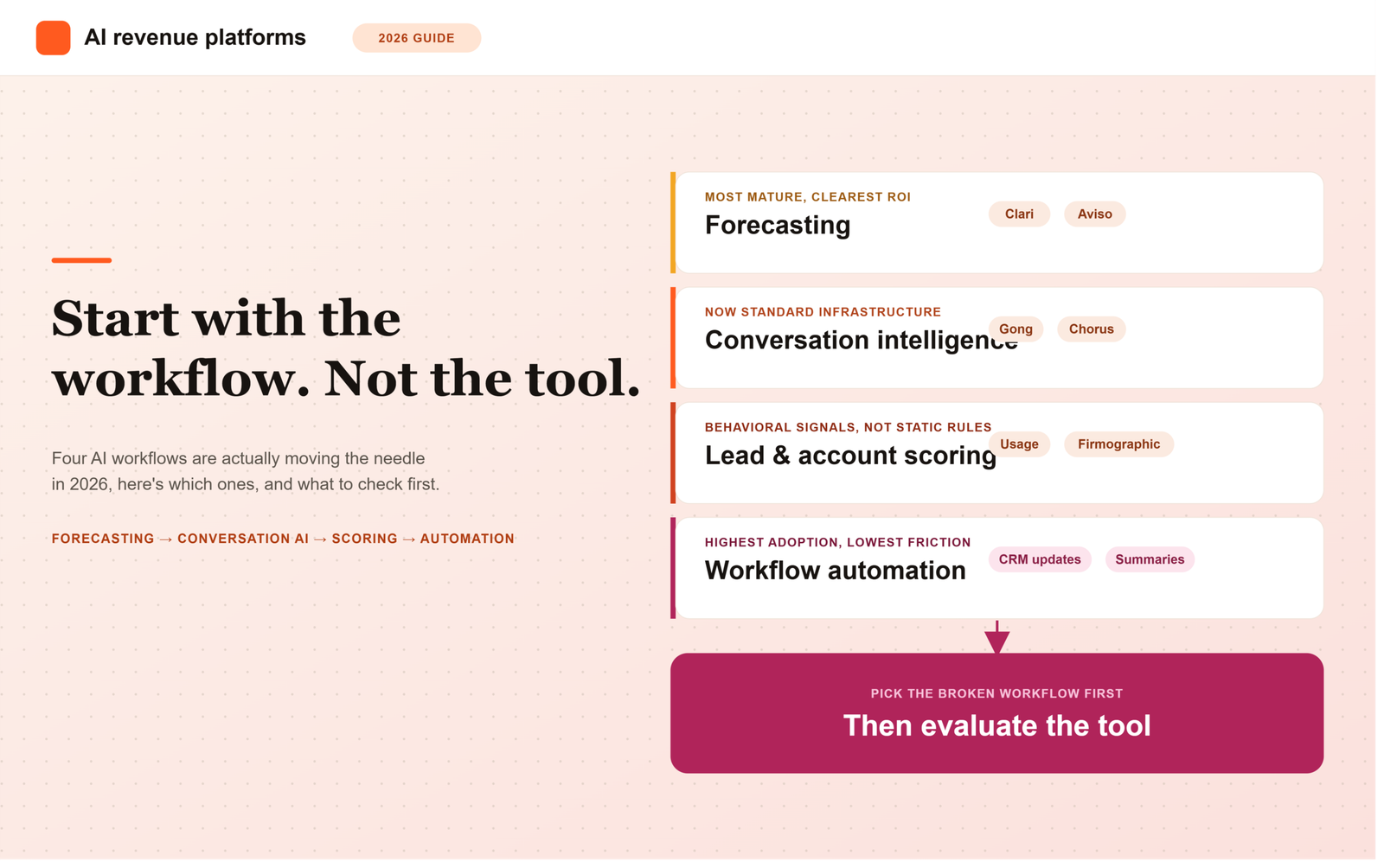
    Not every part of the revenue process benefits equally from AI. The clearest wins in 2026 cluster around four workflows:

    • Forecasting: predictive models that reduce reliance on rep-reported deal confidence
    • Conversation intelligence: analyzing sales calls for risk signals, competitor mentions, and coaching opportunities
    • Lead and account prioritization: scoring based on behavioral and firmographic signals rather than static rules
    • Workflow automation: drafting follow-ups, updating CRM fields, and summarizing account activity automatically

    Tool Comparison: Which Platform Fits Which Team

    The table below compares eight of the most commonly evaluated platforms across the workflows above, so you can see fit and tradeoffs side by side before reading the workflow breakdowns that follow.

    Tool Primary Workflow Best-Fit Team Size CRM Integration Pricing Model Main Limitation
    Clari Forecasting and revenue intelligence Mid-market to enterprise Native, deep Salesforce integration Per-user annual license Significant setup effort; less cost-effective below a few dozen reps
    Gong Conversation intelligence Mid-market to enterprise Native with Salesforce, HubSpot, and major CRMs Per-user annual license Cost scales quickly with headcount; needs call volume to justify spend
    HubSpot (Breeze AI) CRM-native AI across forecasting, scoring, and admin automation SMB to mid-market Native, built into the CRM itself Tiered subscription, AI features bundled or add-on by tier Less specialized and configurable than standalone tools in any one workflow
    Salesforce (Einstein / Agentforce) CRM-native AI across forecasting, scoring, and admin automation Mid-market to enterprise Native, built into the CRM itself Tiered subscription, often a paid add-on above core license Requires admin expertise to configure well; add-on cost adds up
    LeanData Lead and account routing Mid-market to enterprise Deep, primarily Salesforce-centric Per-user or platform license Weaker fit for HubSpot-only stacks without a Salesforce backbone
    Syncari Data unification and CRM data quality Mid-market to enterprise Connects across CRMs, data warehouses, and point tools Usage-based platform pricing Solves the data layer, not rep-facing workflow directly; needs technical setup
    Outreach Outbound sales engagement automation Mid-market to enterprise Native with Salesforce and HubSpot Per-user annual license Built for sequencing and engagement, not a forecasting or CI replacement
    Apollo Data enrichment and outbound automation SMB to mid-market Integrates with major CRMs Per-user or credit-based pricing Enrichment data quality varies by region and industry; lighter analytics than dedicated CI tools

    Forecasting: Where AI Has Matured the Most

    AI-driven forecasting tools (Clari, Aviso, and similar platforms) now pull signal from CRM activity, email and calendar engagement, and historical win-rate patterns to produce forecasts that are frequently more accurate than manager roll-ups based purely on rep judgment. For revenue leaders reporting to a board, this category delivers some of the clearest ROI of any AI investment in the stack.

    Conversation Intelligence: From Nice-to-Have to Standard

    Tools like Gong and Chorus have moved from “premium add-on” to close to standard infrastructure for any team running more than a handful of reps. The real value in 2026 isn’t just call recording. It’s automated risk flagging (competitor mentions, pricing objections, stalled momentum) surfaced directly into deal records without a manager having to listen to every call.

    Lead and Account Scoring: Behavioral Signals Over Static Rules

    Older lead scoring models relied on static point systems (job title +10, company size +5). AI-driven scoring now weighs actual behavioral patterns, such as which pages someone visited or how usage compares to accounts that historically converted or expanded, producing meaningfully better prioritization for both sales and customer success teams.

    Workflow Automation: Time Given Back to Reps

    AI-assisted CRM updates, meeting summaries, and follow-up drafting have quietly become one of the highest-adoption AI use cases, simply because they save reps hours per week on administrative work without requiring a change in how they sell.

    Which AI Tools Fit Each Revenue Workflow

    The four workflows above map to specific tools worth shortlisting, and two additional workflows, lead routing and data enrichment, are common enough at B2B SaaS companies that they deserve their own breakdown.

    Forecasting

    Clari and Aviso remain the two most commonly shortlisted standalone forecasting platforms, both pulling from CRM activity and engagement signals to produce a probability-weighted forecast. HubSpot and Salesforce both offer native forecasting AI (Breeze and Einstein respectively) that works reasonably well for simpler, single-motion sales processes, but teams running multiple segments or a hybrid PLG-plus-sales motion tend to outgrow the native version and move to a standalone tool.

    Conversation Intelligence

    Gong and Chorus dominate this category, and the choice between them usually comes down to CRM integration depth and existing contract relationships rather than a meaningful capability gap. Teams under roughly ten reps rarely see proportional ROI here, since a manager can often still listen to most calls directly at that volume.

    Lead Routing

    LeanData is the most established standalone tool here, particularly for Salesforce-centric stacks needing complex routing logic across territories, product lines, or partner channels. Teams on HubSpot alone can often get sufficient routing logic from HubSpot’s native workflow automation without adding a separate tool, unless the routing rules involve genuinely complex, multi-variable logic.

    Data Enrichment

    Apollo combines enrichment with outbound engagement in one platform, which suits smaller teams wanting a single tool rather than a stitched stack. Syncari sits a layer deeper, focused on unifying and cleaning data across multiple systems rather than enriching individual contact records, which matters more once a company is running several connected tools that all need to agree on the same customer data.

    Outbound Automation

    Outreach remains the more enterprise-oriented sequencing platform, with deeper reporting and native integration into larger CRM deployments. Apollo tends to fit smaller or mid-market teams better, since it bundles enrichment and outbound sequencing together at a lower overall cost than running Outreach alongside a separate enrichment tool.

    CRM Admin Automation

    This is where native CRM AI genuinely competes with standalone tools. HubSpot’s Breeze and Salesforce’s Einstein and Agentforce both handle CRM field updates, meeting summaries, and follow-up drafting reasonably well without adding a separate vendor to the stack, which is often the more sensible starting point before evaluating a standalone workflow automation tool.

    Evaluation Framework for AI Revenue Platforms

    Criteria What to Look For
    Data foundation Does it require clean CRM data to work, or can it function with messy inputs?
    Explainability Can it show why it made a prediction, not just the output?
    Integration depth Does it read and write back to your CRM natively, or require manual syncing?
    Adoption friction Does it change how reps work day-to-day, or fit into existing habits?
    Proven ROI Can the vendor show a measurable before/after from a comparable customer?

    Common Mistakes When Adopting AI Revenue Tools

    • Buying a forecasting AI tool before CRM data hygiene is good enough for it to learn from
    • Rolling out conversation intelligence without a clear coaching process to act on the insights
    • Treating AI scoring as a replacement for, rather than an input to, sales judgment
    • Adding tools faster than the team can actually adopt them into daily workflow

    Start With the Workflow, Not the Tool

    The SaaS teams getting the most value from AI in 2026 didn’t start by shopping for “an AI platform.” They started by identifying a specific workflow, such as forecast accuracy, call coaching, or lead prioritization, that was clearly broken, and then evaluated AI tools specifically against fixing that problem. Platform-first shopping tends to produce expensive tools that never get fully adopted.

    Frequently Asked Questions

    What AI tools are best for RevOps teams?

    It depends on which workflow is broken. Clari or Aviso for forecasting, Gong or Chorus for conversation intelligence, and LeanData for lead routing are the most commonly shortlisted standalone tools, while Syncari fits teams whose core problem is fragmented or inconsistent CRM data rather than any single front-line workflow.

    Do these tools work with HubSpot or Salesforce?

    Most of the platforms covered here, Clari, Gong, Outreach, and Apollo among them, offer native integrations with both HubSpot and Salesforce. LeanData is the exception worth flagging, since its routing logic is built primarily around Salesforce and tends to be a weaker fit for HubSpot-only stacks.

    Should B2B SaaS teams buy one platform or multiple tools?

    Most established teams end up with multiple specialized tools rather than one platform doing everything, since a standalone tool built for one workflow, like Gong for conversation intelligence, typically outperforms a CRM’s native version of that same feature. The exception is CRM admin automation, where HubSpot’s Breeze or Salesforce’s Einstein often cover enough ground natively that adding a separate tool isn’t worth the cost until the team hits real limitations.

    What’s the difference between an AI CRM feature and a standalone AI revenue platform?

    AI CRM features are built directly into your existing CRM tier, handling basics like lead scoring or simple forecasting. Standalone AI revenue platforms (Clari, Gong, Chorus, and similar tools) sit alongside the CRM and go deeper into one specific workflow, like forecasting or conversation intelligence, usually with more accuracy and configurability than the CRM’s native version.

    Do we need clean CRM data before adopting AI forecasting tools?

    Yes. AI forecasting models learn from historical CRM activity and win-rate patterns, so messy or inconsistent data produces unreliable predictions. Most teams should prioritize basic data hygiene before investing in AI forecasting, or the tool will simply automate bad guesses faster.

    Is conversation intelligence worth it for a small sales team?

    It depends on team size and deal complexity. Conversation intelligence tends to deliver the most value once a team has enough reps and call volume that a manager can no longer realistically listen to every call. Very small teams may get more immediate value from forecasting or workflow automation tools first.

    How is AI-driven lead scoring different from traditional lead scoring?

    Traditional lead scoring uses static rules, such as fixed points for job title or company size. AI-driven scoring instead weighs actual behavioral signals, like page visits or product usage patterns, compared against accounts that historically converted or expanded, which typically produces more accurate prioritization.

    What’s the biggest risk when adopting AI revenue tools too quickly?

    Adopting tools faster than the team can actually integrate them into daily workflow. A forecasting tool, a conversation intelligence platform, and a scoring engine added all at once, without a clear process for acting on each one’s output, often leads to low adoption and wasted spend rather than better decisions.

    Should AI scoring replace sales judgment entirely?

    No. AI scoring works best as an input to sales judgment, not a replacement for it. Reps and managers still bring context that behavioral and firmographic data alone can’t capture, so the most effective teams treat AI scores as a prioritization aid rather than a final decision-maker.

  • What Is CRM Data Enrichment? A Plain-English Guide

    What Is CRM Data Enrichment? A Plain-English Guide

    What Is CRM Data Enrichment and Why It Matters for Sales Teams

    Ever pulled up a lead in your CRM (customer relationship management system, the database where you track contacts, companies, and deals) and found… almost nothing? No job title, no company size, an email that bounces. Your rep ends up doing detective work on LinkedIn before they even write a cold email.

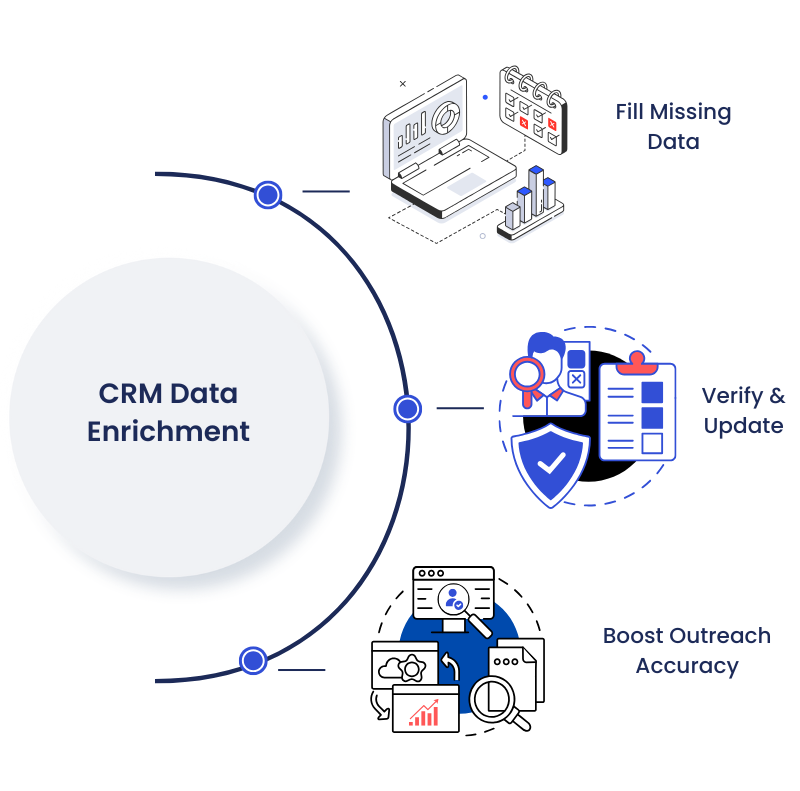
    CRM data enrichment is the process of automatically adding verified details, like job titles, company size, industry, and working contact info, to the records already sitting in your CRM. Instead of reps manually googling prospects, enrichment tools pull that missing information in from outside data sources and fill the gaps for you.

    That’s the short version. Here’s what it actually looks like in practice, why your CRM needs it more than you’d think, and how to get started without overcomplicating it.

    What Is CRM Data Enrichment, Exactly?

    At its core, CRM data enrichment connects your CRM to outside data sources through APIs (application programming interfaces, which is just a technical way for two systems to share information automatically) so new details can flow into your existing records without anyone typing them in by hand.

    Say a lead fills out a form on your website with just their name and work email. On its own, that record tells you almost nothing about whether they’re worth chasing. An enrichment tool can take that email, match it against outside data, and fill in the person’s job title, seniority, company size, industry, and sometimes even signals about what they’re actively researching.

    It’s worth separating enrichment from a couple of terms people use interchangeably. Data cleansing removes errors and duplicates from records you already have. Data enrichment adds brand-new fields you didn’t have before, like firmographic details (facts about a company, such as headcount or revenue) or technographic details (what software a company already uses). Both matter, but they solve different problems.

    Why Does Your CRM Data Fall Apart So Fast?

    Honestly, this is the part most teams underestimate. You don’t have a data entry problem so much as a decay problem, and decay never stops.

    People change jobs. Companies get acquired. Phone numbers get reassigned. None of that requires anyone on your team to make a mistake, your data just gets less accurate the longer it sits untouched.

    According to Salesforce’s State of Sales research, 91% of CRM data is incomplete, and that number reflects a structural reality: even well-maintained databases accumulate gaps faster than manual upkeep can fix them. On top of that, research cited by HubSpot puts B2B data decay at roughly 22.5% a year, meaning close to a quarter of your contact database can go stale in twelve months without anyone touching it.

    The financial side isn’t small either. Research cited by ZoomInfo found that sales reps waste around 27% of their time dealing with bad data, and separate research found that 44% of companies lose more than 10% of their annual revenue to data decay. That’s not a rounding error on a spreadsheet. That’s reps chasing dead leads instead of live ones.

    How Does CRM Data Enrichment Actually Work?

    There are two broad ways teams handle it, and most growing companies start with one and graduate to the other.

    Manual enrichment means someone on your team searches LinkedIn for a missing job title or checks a company website for headcount, then types it into the CRM by hand. It works fine at a tiny scale. It falls apart the moment you have more than a handful of leads coming in per week.

    Automated enrichment connects your CRM to third-party data providers through integrations or APIs, so missing fields get filled in the moment a record is created or updated, often within seconds. This is what most people mean when they talk about “CRM data enrichment” as a category of tool.

    Enrichment itself isn’t one-size-fits-all. A few common types show up again and again:

    • Contact enrichment: fills in job title, seniority, direct phone, and verified email so reps know who they’re actually talking to.
    • Firmographic enrichment: adds company size, industry, revenue range, and location so you can tell if a lead fits your ideal customer profile (ICP, meaning the type of company most likely to buy from you and succeed as a customer).
    • Intent data enrichment: surfaces signals that a company is actively researching a solution like yours right now, so reps know which accounts to call first instead of guessing.

    Why Does This Matter for Sales Teams Specifically?

    A rep with a full, accurate profile can qualify a lead in seconds instead of minutes. A rep working off three fields and a guess can’t personalize outreach, can’t prioritize, and honestly can’t forecast their pipeline with any confidence either, because forecasts are only as good as the data feeding them.

    This is where I’d push back on how most teams frame the problem. It’s rarely “our reps aren’t researching enough.” It’s that you’re asking humans to manually do a job that’s genuinely better suited to automation, and then blaming pipeline numbers when the research doesn’t happen consistently.

    Pro tip: before you buy any enrichment tool, sit down and list your must-have fields versus your nice-to-haves. Job title, company size, and industry are usually must-haves for sales qualification. Social profiles and interests are nice-to-haves. Knowing the difference keeps you from paying for enrichment you’ll never actually use.

    A Simple Checklist to Get Started

    1. Define your goal. Are you trying to qualify leads faster, personalize outreach, or improve forecast accuracy? Pick one primary goal first.
    2. List your must-have fields. Job title, company size, and industry are common starting points for most B2B sales teams.
    3. Audit what you already have. Pull a sample of records and see how many are missing your must-have fields or contain data that looks outdated.
    4. Choose manual or automated enrichment. Manual works for small volumes; automated tools make sense once lead volume grows past what a person can keep up with.
    5. Schedule recurring audits. Enrichment isn’t a one-time fix. Set a cadence, monthly or quarterly, to catch new gaps before they pile up.

    FAQ: CRM Data Enrichment

    Is CRM data enrichment the same as data cleansing?
    No. Cleansing removes errors, duplicates, and outdated entries from data you already have. Enrichment adds new information you didn’t have before, like a missing job title or company size.

    How often does CRM data actually need enriching?
    Given that B2B data decays at roughly 22.5% a year according to HubSpot-cited research, most teams are better off enriching continuously or at least monthly rather than waiting for an annual cleanup.

    Do small sales teams need an enrichment tool, or can they enrich manually?
    At low lead volume, manual research (checking LinkedIn or a company site) can work fine. Once your team is handling more than a few dozen new leads a week, manual enrichment usually can’t keep pace.

    What’s the difference between enrichment and enhancement?
    Enrichment adds entirely new fields from external sources. Enhancement improves what you already have, standardizing formats or adding context to existing fields, without necessarily pulling in new data points.

    Does enrichment help with sales forecasting?
    Yes, indirectly. Forecasts are built on pipeline data, and if that data is incomplete or outdated, the forecast built on top of it will be too.